The Drop In 2024; 2025 Daily Drivers; mise-en-place
On the inaugural day of 2025 we take a look back at a year of Drops, see if my daily drivers have changed, and take a look at an intriguing new-to-me tool for getting a handle on development and other projects at the terminal.
No TL;DR today as it doesn’t make a whole lot of sense, given the content.
The Drop In 2024
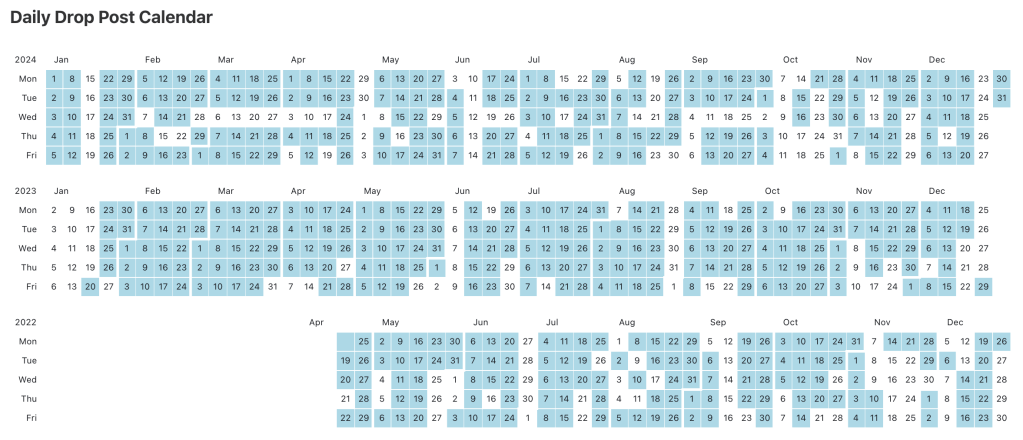
With a little help from a utility we covered way back in 2022 (jc) and (ofc) DuckDB, 2024 Drop stats were quick work this time around.
I keep a some tiny wrapper scripts around to help with some frequent CLI tasks, and jwc wraps the wc and jc utilities together like this:
#!/usr/bin/env bash

wc $@ | jc --wc
which lets me use it with fd like this:
fd index.md -X jwc | jq | head -7
[
  {
    "filename": "./2023/2023-07/2023-07-08-bonus/index.md",
    "lines": 71,
    "words": 1541,
    "characters": 10635
  },
We could use many tools to wrangle that JSON, but DuckDB will make quick work of it:
fd index.md -X jwc | \
  duckdb -line -c "
WITH
  drops AS (
    FROM read_json('/dev/stdin')
	  SELECT
	    substring(filename, 3, 4) AS year,
	    filename,
	    words,
	    characters
	  WHERE
	    substring(filename, 3, 4) != 'tal'
  )
FROM drops
SELECT
  COUNT(DISTINCT(filename)) AS n_posts,
  SUM(words) AS n_words,
  SUM(characters) AS n_chars,
  (n_words / 52)::INT32 AS words_per_week
WHERE year = '2024'
GROUP BY year
ORDER BY year
"
       n_posts = 224
       n_words = 238,704
       n_chars = 1,706,070
words_per_week = 4,590
(There were also nearly 2,200 URLs Dropped across all the 2024 posts.)
Those counts do not include Companion posts (etc.) so they’re lower than the actual numbers, but that’s not too shabby for the sheer lunacy that was 2024.
Subscriptions have been pretty flat for a while, but the full text of the Drop posts is available in RSS, so it’s hard to truly know the number of readers; and, I was pleased to see the federated version of the Drop has ~60 folks letting it into their daily feeds (long-form content on Mastodon is pretty challenging to consume).
Some highlights of the year include:
Command Line Tools & Utilities
System & File Operations
await: Parallel command execution with status monitoringmodd: File watcher and daemon managerslugify: Filename normalization scriptkondo: Build artifact cleanup utilitydust&sn: Disk usage visualization toolswcurl: Simplified curl wrapper
Time & Date
tu: Human-friendly time calculations in Rustwhen: Time zone conversion utilitydateutils: Comprehensive date manipulation toolkit
Data Processing & Search
pickaxe: SQL operations for web scrapingsqlite-vec: Vector similarity search for SQLitesqlite-rembed: Text embeddings for SQLitesq: Data wrangling with SQL and jqsfeed: RSS/Atom feed processing toolsxan: Multithreaded CSV processor
Security & Networking
cidrex: IP/CIDR range expansionferment: C-based CIDR expansionuntls: Transparent TCP/TLS connectionscvemap: CVE metadata retrieval
Development Tools
Editors & IDEs
- Zed: Performance-focused Rust-based editor
- REST Client: VS Code API testing extension
dprint: WASM-based code formatter- Unibeautify: Universal code formatter
Version Control & Project Management
committed: GitHub repository monitoringgitnr: CLI/TUI for .gitignore generationgen-license: License generator- Git
rerere: Merge conflict resolution
Package Management & Frameworks
- JSR: Deno’s modern JavaScript registry
- Observable Framework: Data apps framework
Web Tools & Services
Development & Testing
- Webhook.site: Webhook testing platform
- SQL Workbench: Browser-based data engineering
- Tabulator: Interactive HTML tables library
devd: Local development webserver
Browsers & Extensions
- Ladybird: New browser engine implementation
- Bunscape: DNS-based web browsing toolkit
- Gosub: Rust-based web browser engine
Monitoring & Research
- Open Measures: Online extremism tracking
- SearxNG: Self-hostable metasearch engine
- Censeye: Similar host identification via Censys
Creative & Design Tools
Typography & Fonts
- Stack & Justify: Type specimen creation
- Glyph Drawing Club: Modular design tool
- Berkeley Mono: New monospace font
- Departure Mono: Pixelated monospace
- Karsa Mono: Wacana Foundry monospace
Games & Entertainment
- CortexForge: Terminal puzzle game
- AI Dungeon 2: AI text adventure
- Ninvaders: Terminal Space Invaders
It was a fairly challenging year due to … *gestures broadly at everything* … but, I’m oddly hopeful (or, perhaps, non-fatalistic?) for 2025.
I’ve greatly appreciated all the interactions, feedback, encouragement, and corrections from the entire Drop community, and am looking forward to another year of resource curation and sharing.
2025 Daily Drivers

Ping me if you have a specific question about any of these or areas I haven’t mentioned.
Hardware
- The 14″ M1 Mac MacBook Pro is still my most used glowing rectangle. It’s one of the best laptop purchases I’ve ever made.
- I recently acquired an M4 Mini to replace the nearly-first-off-the-assembly-line M1 Mini from what feels like ages ago. It sits next to the system work provided and I use Apple’s Continuity feature as a KVM between the two (sharing a Das Keyboard, one hires 27″ Dell, and a SAMSUNG J791 Series 34-Inch Ultrawide between them). This system is a home backup/media hub but the upgrade was also to help level up home lab inference capabilities.
- I used to sift through eBay for old 1U Dell Xeon servers to upgrade the home Linux lab/server every few years but have side-graded to a stupid powerful Mini PC (AMD Ryzen 7 5700U/64GB RAM/1TB internal SSD/8TB external SSD). It runs Ubuntu 24.04. I’ll be ripping the SSDs out of the Dell to use with system sometime later this year.
- Ubiquiti kit still unifies the network across the compound, with one of their doorbells and security cams feeding the locally-hosted DVR in a new Dream Machine Pro.
- The Weatherflow Tempest weather station is still going strong.
*Software
- OrbStack (paid) on macOS for containers and virtual machines (it’s truly amazing).
- Raycast (paid) for a command palette++ everywhere.
- Zed (paid) for almost everything editor-wise, now. I keep re-upping my Sublime Text subscription since it’s my ad-hoc/temporary notepad and text wrangling powerhouse. I pretty much only use VSCodium for making the Drop (Zed’s Markdown preview doesn’t let me copy-as-HTML, and the Markdown editing support is a tad inferior to VSCodium’s).
- Arc for browsing (still), but 2025 is going to be a challenging year w/r/t Chromium browsers.
- ShellFish (mentioned in a prev Drop) continues to delight, but I rely on WezTerm for all things terminal.
- Joplin for “memory”. It’s stood the test of time, and I do not even entertain looking at other note/snippet/etc systems.
- Finicky for URL routing on macOS
- NextDNS for safer DNS and blocking (vs. PiHole).
- BetterDisplay to make the most of monitors attached to macOS systems.
- Self-hosted LanguageTool (grammar/etc.)
- Tailscale for safe and powerful networking everywhere
- Overcast for pods
- BitWarden for passwords
- llamafile/ollama for local inference
- uBlock Origin (for as long as possible) for browser ad blocking
- Quarto/Typst for document ops
*Services
- Kagi (paid) for search
- Perplexity (paid) for personal and professional LLM work
- Cody (paid) for coding AI
- Raindrop.io (paid) for bookmarks++
- Inoreader (paid) for RSS++
- IDrive e2 for S3-like object storage
- Hetzner & SSDNodes for hosting
- Codeberg for social coding
- Fedica for cross-platform social media posting
- Val Town and Bolt for JS API experiments
- ObservableHQ for data-driven JS experiments
- libro.fm for audiobooks
justfor task control
Misc
- DuckDB (obvsly)
- Caddy (vs,. nginx, etc.)
- Deno > Bun > Node for JS (in that order)
- Go for [micro]services
- Rec Mono Casual for terminal/coding
- Zsh + Starship + McFly +
screenfor terminal ops - Observable Framework + Observable Plot for quick data apps and all dashboards
mise-en-place
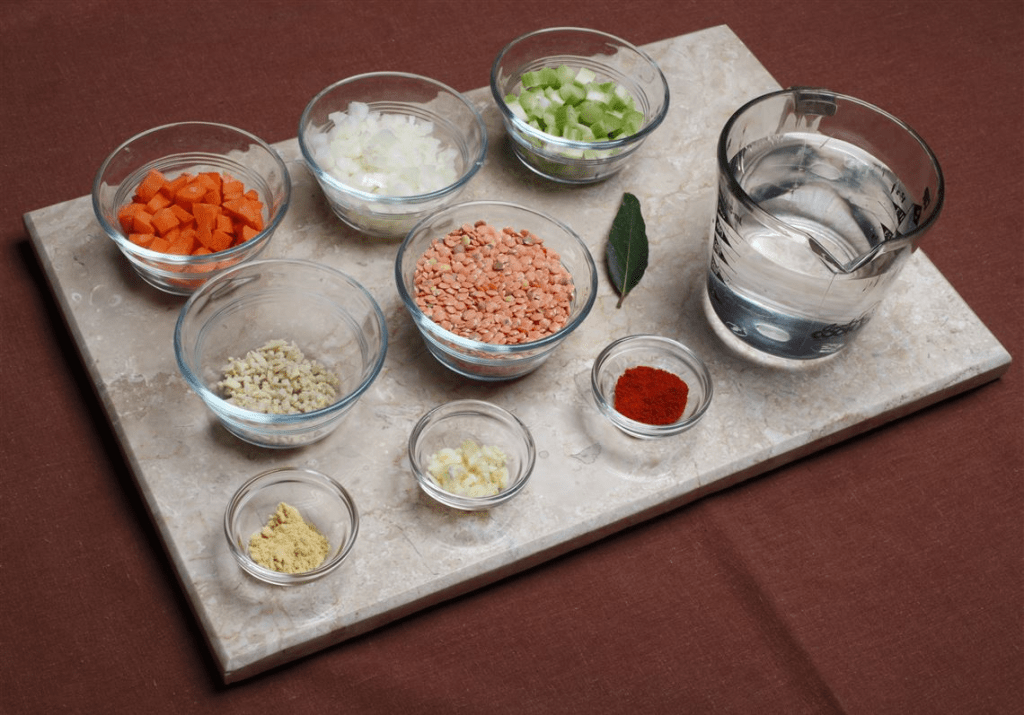
(NOTE: I’ve only just started to work with this resource, but I suspect it will replace several other tools and be one of the most important daily upgrades I’ve ever made.)
Mise (GH) is a bonkers comprehensive development environment tool designed to streamline and unify various aspects of working with all kinds of technical projects. Its name, derived from the French culinary term “mise en place,” reflects its purpose: organizing and preparing all necessary components before commencing work. It performs three core functions: managing development tools, handling environment variables, and orchestrating tasks.
What got me to poke at Mise was that it is a polyglot tool version manager, effectively replacing tools like asdf, nvm, pyenv, rbenv, and more. It lets us install, manage, and seamlessly switch between different versions of various programming languages and tools. For instance, to install Node.js version 22 and set it as the global default, one would execute:
$ mise use --global node@22
This command installs the specified Node.js version and updates the configuration to make it the default for all projects.
Beyond tool management, Mise adeptly handles environment variables, enabling developers to define and switch between different sets of variables tailored to specific project directories. Think direnv, but without requiring yet-another-tool. By creating a mise.toml file in the project’s root directory, we can specify environment variables that Mise will automatically apply when entering the directory. For example, to set the NODE_ENV variable to ‘production’, one would add:
[env]
NODE_ENV = "production"
This ensures that the appropriate environment variables are consistently applied, reducing configuration errors and enhancing workflow efficiency. 
Mise also functions as a task runner, capable of replacing tools like make or npm scripts (we’ll see if it usurps just from my daily driver list, too). We can define tasks within the mise.toml file or in separate scripts, specifying commands to build, test, or deploy projects. These tasks are executed using the mise run command. For instance, to define a build task that runs an npm build script, one would include:
[tasks]
build = "npm run build"
Executing mise run build would then initiate the build process.
The tool is designed for seamless integration into various development workflows and supports extensions through plugins. It can be incorporated into continuous integration pipelines, ensuring that the correct tools and environment settings are applied during automated builds and tests. For example, in a GitHub Actions workflow, developers can use the jdx/mise-action to set up Mise:
jobs:
  build:
    runs-on: ubuntu-latest
    steps:
      - uses: actions/checkout@v4
      - uses: jdx/mise-action@v2
        with:
          version: 2024.12.14
          install: true
          cache: true
      - run: npm test
This configuration ensures that the specified version of Mise is installed, the necessary tools are set up, and the project’s tests are executed in a consistent environment. 
Stay tuned for updates, as I’ll be rejiggering home and work environments to use mise over the coming weeks.
FIN
Remember, you can follow and interact with the full text of The Daily Drop’s free posts on:
- 🐘 Mastodon via
@dailydrop.hrbrmstr.dev@dailydrop.hrbrmstr.dev - 🦋 Bluesky via
https://bsky.app/profile/dailydrop.hrbrmstr.dev.web.brid.gy
Also, refer to:
to see how to access a regularly updated database of all the Drops with extracted links, and full-text search capability. ☮️


 hrbrmstr's Daily Drop
Leave a reply to steevmi1 Cancel reply