ful.co; WAVE; Roll Your Own Prepender
OK, so these may not be the only decent/fun services where you prepend their URL to another URL to do something with the content, but long-time readers will know I cannot resist a tagline pun.
You likely use (directly or indirectly via some type of browser extension) at least one service that transforms content by appending a URL to that site’s URL prefix. One we’ve covered recently is the JINA AI service to turn any site into markdown (e.g. https://r.jina.ai/https://www.bangordailynews.com/2024/09/22/outdoors/recreation/tips-for-maine-fall-hiking-xoasq1i29i/).
Today, we’ve got two more that do different things, and a skeleton of a Deno project you can use to roll your own.
No TL;DR as this is a pretty succinct edition.
ful.co
(Short section since this site does one, simple thing.)
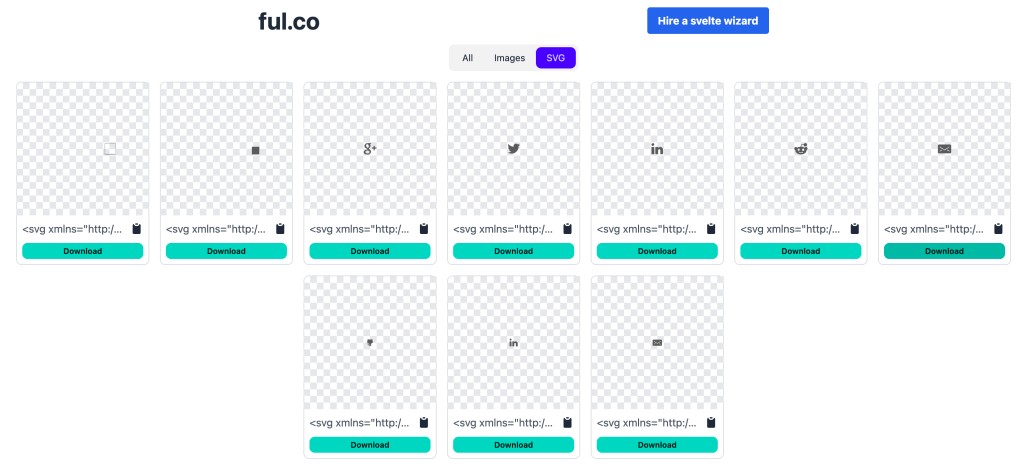
ful.co is a single-task service where you prepend its URL — https://ful.co/ — to any other URL, and it will find and extract any [inline] SVG element on that page. In practice, it will identify all images, which include inline SVG. Essentially, it removes the tedium of having to copy the inline SVG elements manually from Developer Tools or view-source:.
The section header is the ful.co SVG extraction — https://ful.co/https://www.thevelop.nl/blog/2017-01-10/Pure-SVG-social-icons — from https://www.thevelop.nl/blog/2017-01-10/Pure-SVG-social-icons/.
The site is fairly new, and looks to be one of those “I wrote this cool thing so please hire me!” sites (no shade, just calling it out). That means it may not be up forever, but it’s fun/useful.
WAVE
(Another short section since this site also does one thing.)
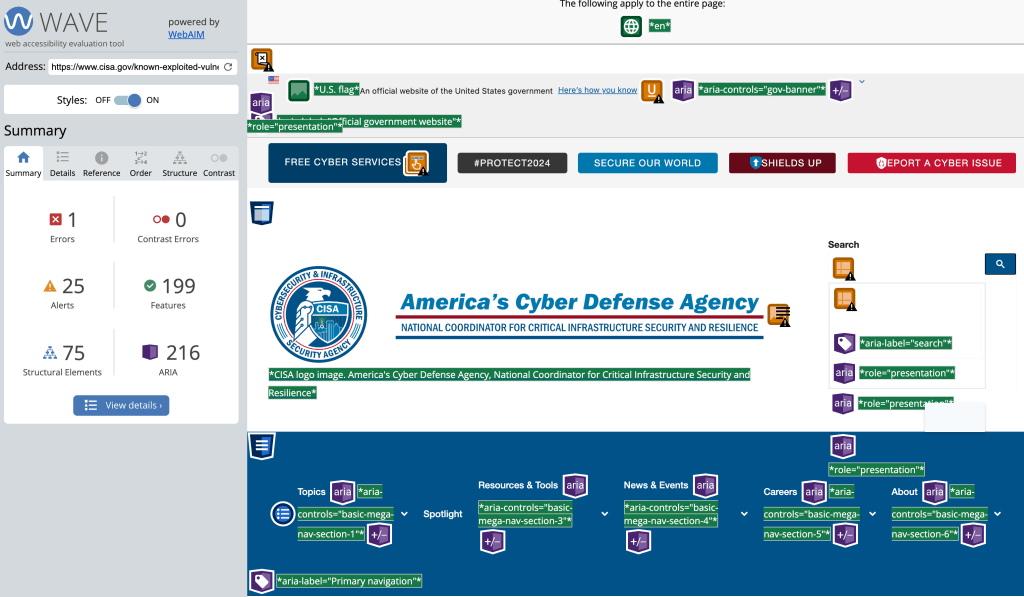
WAVE is a “suite of evaluation tools that helps authors make their web content more accessible to individuals with disabilities.” It identifies a cadre of accessibility and Web Content Accessibility Guideline (WCAG) errors. They make it super easy to test your site, too! Just prepend — https://wave.webaim.org/report#/ — to a URL and then go fix what it finds.
The section header is for the CISA KEV site: https://wave.webaim.org/report#/https://www.cisa.gov/known-exploited-vulnerabilities-catalog.
Roll Your Own Prepender

You don’t have to rely on other services to perform transforms if you have the cycles to roll up your sleeves and build what need.
Since Deno v2.0.0 is rapidly approaching (read that to get it installed — it’s quick), we’ll use it + Hono to build a localhost service (in ~26 code-lines of JS) that returns a JSON of all the HTML tags used on a site (with counts).
You can preview the functionality in this Val: https://hrbrmstr-tagsused.web.val.run/https://greynoise.io/ (append any URL to it; that one is just for example purposes).
import { DOMParser } from "https://deno.land/x/deno_dom/deno-dom-wasm.ts";
import { Hono } from "npm:hono@3";

// no magic here; this just initialized the framework that will handle HTTP routes
const app = new Hono();

// catch-all request grabber
app.get("*", async (c) => {
  // Extract the URL provided to us; if the human or service was
  // savvy, they may have URLencoded the URL b/c that is idiomatic.
  const devToURL = decodeURIComponent(c.req.path.replace(/^\//, ""));

  // Grab the content
  const response = await fetch(devToURL);

  // Parse the content so we can more easily operate on it programmatically
  const html = await response.text();
  const parser = new DOMParser();
  const doc = parser.parseFromString(html, "text/html");

  // Create an object to store tag counts
  const tagCounts: { [key: string]: number } = {};

  // Function to recursively count tags
  function countTags(element: Element) {
    // Count the current element's tag
    const tagName = element.tagName.toLowerCase();
    tagCounts[tagName] = (tagCounts[tagName] || 0) + 1;

    // Recursively count tags for all child elements
    for (const child of element.children) {
      countTags(child);
    }
  }

  // Start counting from the document's body
  if (doc.body) {
    countTags(doc.body);
  }

  // Sort the keys and create a new object with sorted keys
  const sortedTagCounts = Object.fromEntries(
    Object.entries(tagCounts).sort(([a], [b]) => a.localeCompare(b)),
  );

  // Return the sorted tag counts as JSON
  return c.json(sortedTagCounts);
});

// IPv6. See the post content below this code block to change to IPv4
Deno.serve({ port: 8000, hostname: "::" }, app.fetch);
Save that out as main.ts and run:
$ deno run --watch --allow-net main.ts
(--watch live-reloads the JS on change for quicker development.)
Then, hit up http://[::1]:8000/https://greynoise.io/ (it’s 2024, and we need to normalize using IPv6) to see the result.
(If you’re using a lesser OS, you can use Deno.serve(app.fetch); and 127.0.0.1:8000.)
While the example is JavaScript, it should not be too difficult to modify to perform other transforms even if you’re not a JS-first coder — especially given the proliferation of our new AI coding overlords (Cody seems to be especially good at Hono + JavaScript, and val.town’s AI assistant is also pretty helpful).
FIN
Remember, you can follow and interact with the full text of The Daily Drop’s free posts on Mastodon via @dailydrop.hrbrmstr.dev@dailydrop.hrbrmstr.dev ☮️

 hrbrmstr's Daily Drop
Leave a reply to Drop #585 (2025-01-03): Cruftless – hrbrmstr's Daily Drop Cancel reply