dotenvx; factbook.json / OpenFactBook; alpinestuff; kanso ink
No theme, but FOUR sections! I highly encourage folks to carve out time to switch to the utility in the first section (if you are a direnv user), and make your own backup fork/copy of the JSON in the second section.
TL;DR
(This is an LLM/GPT-generated summary of today’s Drop. Ollama and MiniMax M2.1.)
- dotenvx is an enhanced .env management tool that encrypts environment files using ECIES for secure version control and supports multi-environment configurations through a standalone binary that works with any programming language (https://dotenvx.com/).
- factbook.json is a community-maintained GitHub repository that preserves the defunct CIA World Factbook as JSON files covering 260 entities with structured data, while OpenFactBook layers on World Bank time-series data and presents it through an interactive Astro site (https://github.com/factbook/factbook.json).
- alpinestuff is a hands-on learning resource for Alpine.JS that uses module-based exercises to build muscle memory without the temptation of hacking internals, helping developers overcome initial learning curve inertia (https://github.com/joshcassell4/alpinestuff).
- Kanso Ink theme configurations are provided for WezTerm/Kaku and
zsh-syntax-highlighting.
dotenvx
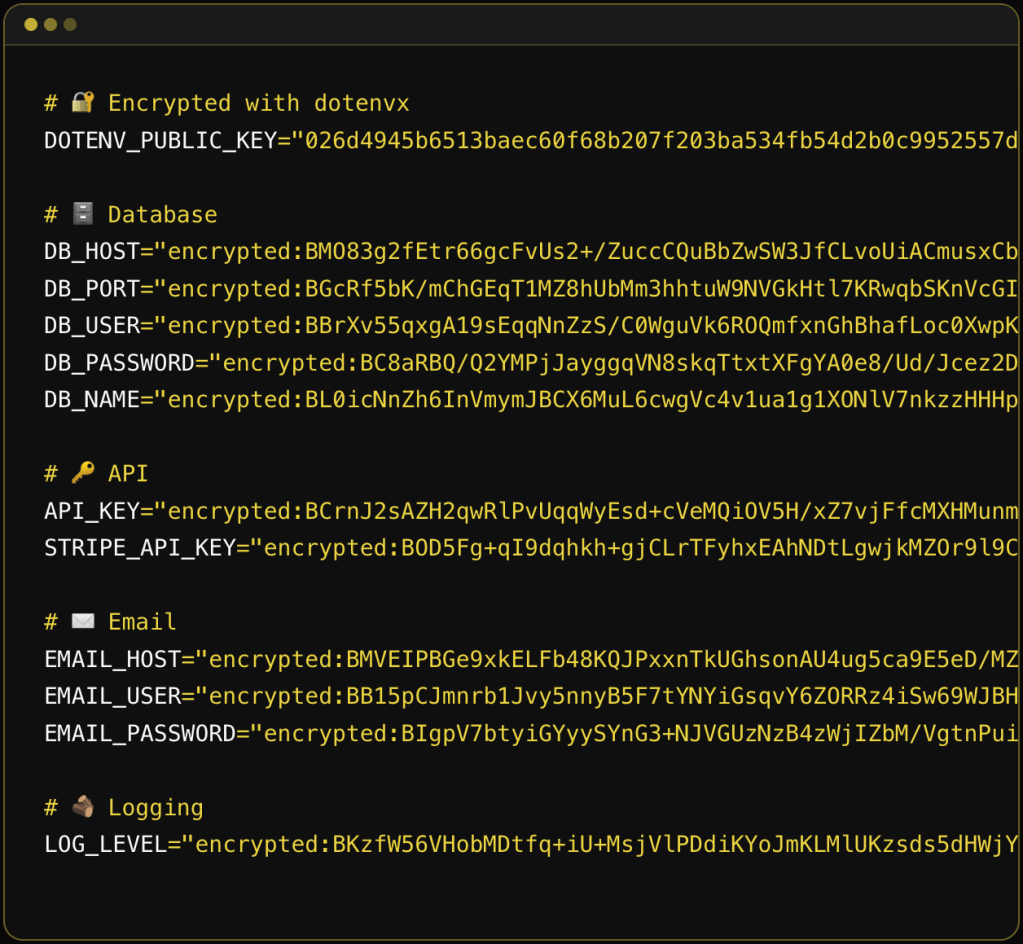
dotenvx is the successor to dotenv, built by the same creator (Scott Motte / motdotla). The original dotenv was a Node.js library that loaded environment variables from .env files into process.env. dotenvx takes that concept and solves three longstanding problems with it: security, portability, and multi-environment management.
The x at the end seems to stand for “encryption”, since the selling point for this upgraded tool is that it creates and works with encrypted .env files you can safely “accidentally” (or, deliberately, as this tool recommends) commit to version control. The old advice was “never commit your .env file.” dotenvx flips that by encrypting the values in-place using ECIES (Elliptic Curve Integrated Encryption Scheme) with secp256k1 (same curve as Bitcoin). Each secret gets encrypted with a unique ephemeral AES-256 key, which is itself wrapped with the public key. The result is you commit the encrypted .env file and keep the private decryption key (DOTENV_PRIVATE_KEY) separate (ideally in your secrets manager or CI/CD vault).
Traditional secrets managers (Vault, AWS Secrets Manager, etc.) centralize everything, which means a breach exposes the entire corpus. dotenvx decentralizes the blast radius since each .env file has its own keypair, so compromising one key only exposes that file’s secrets.
Unlike the original dotenv (which, as noted, is Node.js only), dotenvx ships as a standalone binary (available via curl, brew, docker, winget, etc.). The pattern is dotenvx run -- <any_command>, which injects env vars into the subprocess regardless of language. So, it works with Go, Rust, Deno, Bun, R, and anything that reads environment variables.
Multi-environment support is handled through naming conventions and a pretty clever key-matching pattern. File .env.production is decrypted by DOTENV_PRIVATE_KEY_PRODUCTION. File .env.ci by DOTENV_PRIVATE_KEY_CI. The suffix after DOTENV_PRIVATE_KEY_ maps to the env file name. Multiple private keys can be comma-separated for monorepo scenarios where a single CI run needs secrets from multiple apps.
Variable interpolation is also more capable than the original dotenv. It supports shell-style expansion (${VAR}), default values (${VAR:-fallback}), alternate values (${VAR:+alternate}), and command substitution ($(whoami)). The colon variants (:- vs -, :+ vs +) distinguish between “unset” and “unset or empty,” which matches longstanding POSIX shell semantics.
Precedence rules follow the original dotenv convention: environment variables already present in the shell take precedence over .env file values. The --overload flag reverses this, letting .env file values win. This matters for container deployments where you want cloud-provider-set env vars to override committed defaults.
Key management operations include encrypt, decrypt, rotate (re-encrypt with new keypair), and keypair (print keys). You can selectively encrypt/decrypt specific keys with -k and glob patterns, or exclude keys with -ek. The .env.keys file stores the keypairs locally, and the -fk flag lets you centralize that file for monorepos.
The extensions (ext) are utilities: genexample generates a .env.example from your real .env (stripping values), gitignore adds .env* patterns (handy!), precommit installs a git hook to block unencrypted .env commits (also handy!), prebuild prevents .env files from leaking into Docker images, and scan wraps gitleaks for leaked secret detection.
Dotenvx Ops is the commercial layer. It adds a “radar” feature that auto-observes and backs up your environment variables when you run dotenvx run. It requires a separate dotenvx-ops binary and account login.
If you use direnv as a shell hook (it already handles the “run something when I cd into a directory” lifecycle) just have it call dotenvx for the actual decryption and injection, and you have a full drop-in replacement for nasty ol’ .env files.
In your .envrc file for the project directory:
dotenv_if_exists() { if command -v dotenvx &> /dev/null && [ -f .env ]; then eval "$(dotenvx get --format eval)" fi}dotenv_if_exists
Or more concisely if you know dotenvx and the .env are always present:
eval "$(dotenvx get --format eval)"
The --format eval flag outputs properly quoted KEY="value" pairs that are safe to eval. direnv’s eval integration handles the export and cleanup (unsets vars when you cd out).
For encrypted files, this assumes DOTENV_PRIVATE_KEY (or the environment-specific variant) is already available in your shell (either exported in your .bashrc/.zshrc, pulled from a keychain, or set via some other mechanism). dotenvx will use it automatically to decrypt during dotenvx get.
If you want per-environment files:
eval "$(dotenvx get --format eval -f .env.development)"
One last caveat: the dotenvx docs do warn about eval allowing arbitrary command execution, so this is a pointy edged tool. In a trusted local dev environment it’s fine, but you probably don’t want to use this pattern on a shared machine where someone else could modify the .env file.
factbook.json / OpenFactBook
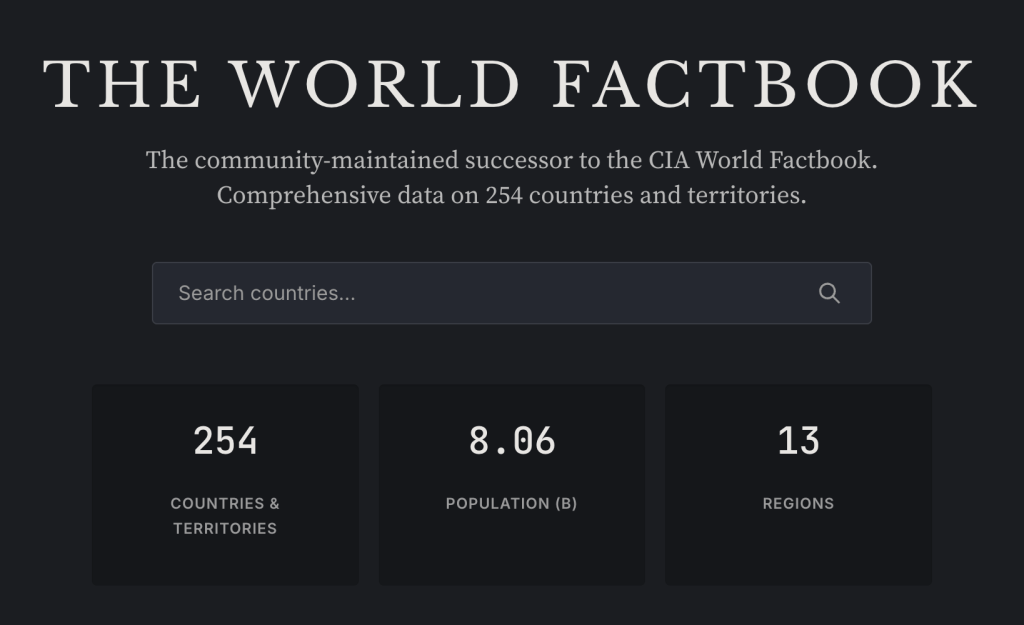
The (U.S.) CIA summarily executed the World Factbook on February 4, 2026 with no advance notice and no explanation. The agency announced on its website that the World Factbook “has sunset” and just … declined to comment. Its demise comes one year into the tenure of CIA Director John Ratcliffe, who has promised to bring “strict adherence to the CIA’s mission” of intelligence gathering and analysis.
The removal was super aggressive. They set every single page to a 302 redirect to a closure announcement, removing the entire site including all historical archives.
The downstream damage is broader than just me and others whining about it, and a ton of broken Wikipedia links. The Factbook relied heavily on the U.S. Census Bureau and its International Database, with Census getting reimbursed for its contributions. The end of the Factbook creates uncertainty about those interagency funding flows. That critical database already took a hit in 2025 with the shuttering of USAID, which also reimbursed Census for international statistical work. So this website going dark is potentially going to comletely destabilize the data pipeline that fed it.
factbook.json is a community-maintained project by Gerald Bauer that had been converting the CIA World Factbook into structured JSON files, one per country/territory. It covers 260 entities (195 sovereign countries, 2 “others” like Taiwan and the EU, 52 dependencies, 5 miscellaneous territories, 5 oceans, and a “World” entry). The data (used to) auto-update weekly via GitHub Actions by scraping the CIA’s site. It’s CC0 / public domain, so it’s usable by all and (obviously) no API key is needed. You can fetch any country profile as raw JSON directly from GitHub (e.g., https://github.com/factbook/factbook.json/raw/master/europe/gm.json for Germany).
NOTE!!!!!!! It uses Geopolitical Entities and Codes (GEC) (formerly FIPS PUB 10-4)) two-letter codes, >>>NOT<<< ISO country codes. So au is Austria (NOT Australia), gm is Germany (NOT Gambia), sf is South Africa (and 100% not what you’d expect from ISO’s ZA). The mapping is non-trivial because the Factbook covers entities that ISO doesn’t, and the definitions don’t always align.
The JSON structure mirrors the Factbook’s section hierarchy: Introduction, Geography, People and Society, Government, Economy, Energy, Communications, Transportation, Military and Security, Terrorism, Transnational Issues. Values are mostly free-text strings inside nested objects (e.g., Geography.Area.total.text = "83,871 sq km"), not pre-parsed numerics. That means if you want to do quantitative analysis, you’ll need to parse numbers out of text fields yourself.
OpenFactBook is a separate project that consumes factbook.json as its primary data source, layers on World Bank time-series data (GDP, population, life expectancy over 20+ years) and REST Countries API data (currencies, calling codes, timezones, driving side, etc.), and presents it all as a static Astro site with interactive charts, country comparisons, and rankings. It’s essentially a modern, browsable front-end for the underlying data.
Thank the Great Maker for the savvy souls who started and maintained the data preservation project and also the ones who made a new interface to this great data source.
alpinestuff

I went down a bit of a personal rabbit hole in poking at the bits for the first two sections (and now have a janky DuckDB-backed CLI and MCP tool for the factbook.json data and 1/10 of my personal projects converted to dotenvx), so this is just a “go poke” encouragement section.
I haven’t had as much play time of late, so my goal of truly mastering Alpine.JS is not progressing quickly. But, I’ve found alpinestuff to be a useful way to at least keep what I do know in muscle memory without having to put thinking and design effort into some lingering side projects. And muscle memory is super important (at least to me).
Under the hood, it uses a tech stack that I would never use (icky Python, ugh MongoDB, and daft Tailwind), so I’m not tempted to hack the internals, and can focus on refreshing knowledge and learning more by progressing up to and eventually through Module 4 (I have no desire to write a chatbot and despise OpenAI, so I’ll be skipping Module 5).
Even if you’re not going to work with Alpine.JS, resources like this for other tech do exist and can be super helpful when trying to get a full handle on something new. There is real temptation to just avoid the initial inertia of any learning curve by leaning on the increasingly capable “AI” tools to help one “get stuff done”. Resist that urge (pls). Getting past that hump injects real knowledge into the little grey cells, and that knowledge interconnects with other knowledge, and let’s us solve new problems in creative ways that LLMs will just not be able to do.
And, since some of y’all do refuse to use anything even remotely built with “AI” (R folks who are in that camp have uninstalled the {tidyverse}, right?), my janky Bash script that does some “AI” flight checks gave this a 0.63 (0.0-1.0 scale) score, so you may not be able to use it, though Module 5 was likely enough to cause you to avoid it.
kanso ink
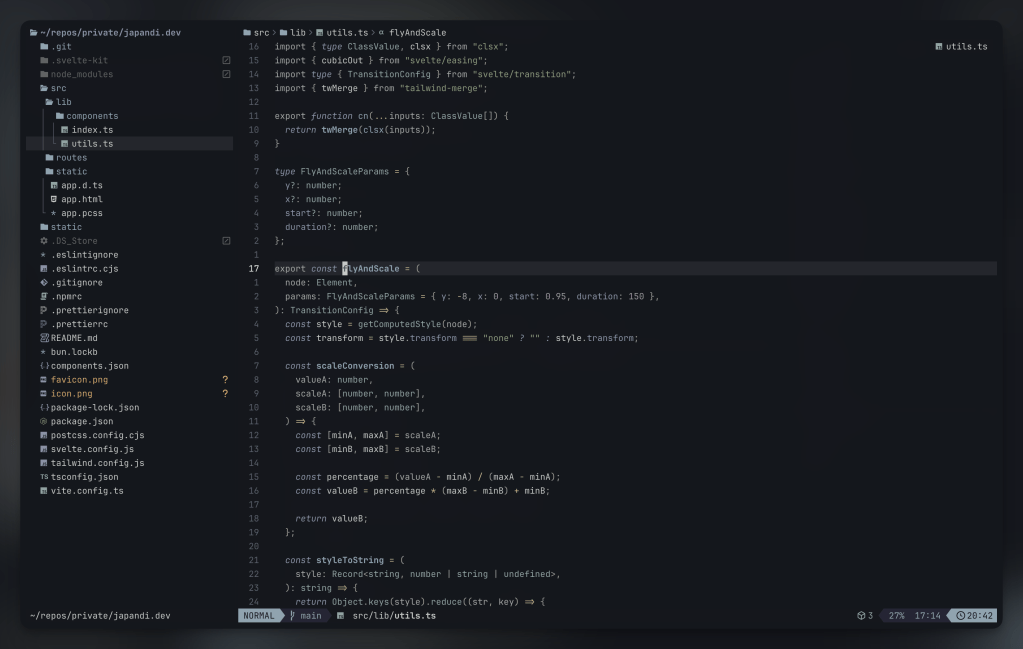
One more rabbit hole that ate time from going deeper on the third section was some much needed terminal/shell surgery.
I don’t know what it is about Kaku (we covered that WezTerm fork this week), but after installing it, it felt like I had a brand new terminakl canvas and spent some time making many quality of life tweaks I had just been working around, one of which was converting my fav Zed color scheme — Kanso Ink — to WezTerm and zsh-syntax-highlighting.
There are toml and lua versions of it for Kaku/WezTerm and the ZSH_HIGHLIGHT_STYLES values the end of this section, in case you use WezTerm/Kaku/zsh-syntax-highlighting and want to give it a go there too.
The section header is from the nvim port of the theme.
# name: Kanso Ink# author: Webhooked (converted from Zed theme)# license: MIT# upstream: https://github.com/webhooked/kanso# blurb: A minimal dark theme with muted, balanced tones[colors]ansi = [ "#14171d", # Black "#c4746e", # Red "#8a9a7b", # Green "#c4b28a", # Yellow "#8ba4b0", # Blue "#a292a3", # Purple "#8ea4a2", # Cyan "#c5c9c7", # White]brights = [ "#22262D", # Black "#e46876", # Red "#87a987", # Green "#c4b28a", # Yellow "#7fb4ca", # Blue "#d27e99", # Purple "#7aa89f", # Cyan "#b6927b", # White]foreground = "#c5c9c7"background = "#14171d"cursor_bg = "#c5c9c7"cursor_border = "#c5c9c7"cursor_fg = "#14171d"selection_bg = "#393B44"selection_fg = "#c5c9c7"[colors.indexed][metadata]aliases = ["Kanso Ink"]name = "Kanso Ink"origin_url = "https://github.com/webhooked/kanso"wezterm_version = "Always"
config.colors = { foreground = '#c5c9c7', background = '#14171d', cursor_bg = '#c5c9c7', cursor_fg = '#14171d', cursor_border = '#c5c9c7', selection_fg = '#c5c9c7', selection_bg = '#393B44', scrollbar_thumb = '#5C6066', split = '#22262D', ansi = { '#14171d', -- Black '#c4746e', -- Red '#8a9a7b', -- Green '#c4b28a', -- Yellow '#8ba4b0', -- Blue '#a292a3', -- Purple '#8ea4a2', -- Cyan '#c5c9c7', -- White }, brights = { '#22262D', -- Black '#e46876', -- Red '#87a987', -- Green '#c4b28a', -- Yellow '#7fb4ca', -- Blue '#d27e99', -- Purple '#7aa89f', -- Cyan '#b6927b', -- White }, indexed = {}, compose_cursor = '#c4746e', copy_mode_active_highlight_bg = { Color = '#536269' }, copy_mode_active_highlight_fg = { Color = '#c5c9c7' }, copy_mode_inactive_highlight_bg = { Color = '#8ba4b0' }, copy_mode_inactive_highlight_fg = { Color = '#c5c9c7' }, quick_select_label_bg = { Color = '#c4b28a' }, quick_select_label_fg = { Color = '#14171d' }, quick_select_match_bg = { Color = '#a292a3' }, quick_select_match_fg = { Color = '#c5c9c7' },}
# Kanzo Ink color palette# ansi colors:# Black: #14171d# Red: #c4746e# Green: #8a9a7b# Yellow: #c4b28a# Blue: #8ba4b0# Purple: #a292a3# Cyan: #8ea4a2# White: #c5c9c7# brights:# Red: #e46876# Green: #87a987# Blue: #7fb4ca# Purple: #d27e99# Cyan: #7aa89f# Main syntax highlighting stylesZSH_HIGHLIGHT_STYLES[default]="fg=#c5c9c7" # Default text (white)ZSH_HIGHLIGHT_STYLES[unknown-token]="fg=#c4746e" # Unknown tokens (red)ZSH_HIGHLIGHT_STYLES[reserved-word]="fg=#a292a3,bold" # Reserved words like if/then/else (purple, bold)ZSH_HIGHLIGHT_STYLES[alias]="fg=#7fb4ca" # Aliases (bright blue)ZSH_HIGHLIGHT_STYLES[suffix-alias]="fg=#7fb4ca" # Suffix aliasesZSH_HIGHLIGHT_STYLES[builtin]="fg=#8ba4b0,bold" # Builtin commands (blue, bold)ZSH_HIGHLIGHT_STYLES[function]="fg=#7fb4ca" # Functions (bright blue)ZSH_HIGHLIGHT_STYLES[command]="fg=#8ba4b0" # External commands (blue)ZSH_HIGHLIGHT_STYLES[precommand]="fg=#8ba4b0,italic" # Precommands like sudo (blue, italic)ZSH_HIGHLIGHT_STYLES[commandseparator]="fg=#a292a3" # Command separators like ; && || (purple)ZSH_HIGHLIGHT_STYLES[hashed-command]="fg=#8ba4b0" # Hashed commands (blue)ZSH_HIGHLIGHT_STYLES[path]="fg=#8ea4a2,underline" # Paths (cyan, underlined)ZSH_HIGHLIGHT_STYLES[path_pathseparator]="fg=#7aa89f" # Path separators (bright cyan)ZSH_HIGHLIGHT_STYLES[path_prefix]="fg=#8ea4a2" # Path prefix (cyan)ZSH_HIGHLIGHT_STYLES[path_prefix_pathseparator]="fg=#7aa89f" # Path prefix separator (bright cyan)ZSH_HIGHLIGHT_STYLES[globbing]="fg=#d27e99" # Globbing patterns (bright purple)ZSH_HIGHLIGHT_STYLES[history-expansion]="fg=#d27e99,bold" # History expansion (bright purple, bold)ZSH_HIGHLIGHT_STYLES[single-hyphen-option]="fg=#c4b28a" # Single hyphen options -x (yellow)ZSH_HIGHLIGHT_STYLES[double-hyphen-option]="fg=#c4b28a" # Double hyphen options --option (yellow)ZSH_HIGHLIGHT_STYLES[back-quoted-argument]="fg=#87a987" # Back-quoted arguments (bright green)ZSH_HIGHLIGHT_STYLES[single-quoted-argument]="fg=#c4b28a" # Single-quoted strings (yellow)ZSH_HIGHLIGHT_STYLES[double-quoted-argument]="fg=#c4b28a" # Double-quoted strings (yellow)ZSH_HIGHLIGHT_STYLES[dollar-quoted-argument]="fg=#c4b28a" # Dollar-quoted strings (yellow)ZSH_HIGHLIGHT_STYLES[dollar-double-quoted-argument]="fg=#c4b28a" # Vars in double quotes (yellow)ZSH_HIGHLIGHT_STYLES[back-double-quoted-argument]="fg=#87a987" # Backslash in double quotes (bright green)ZSH_HIGHLIGHT_STYLES[back-dollar-quoted-argument]="fg=#87a987" # Backslash in dollar quotes (bright green)ZSH_HIGHLIGHT_STYLES[assign]="fg=#a292a3" # Variable assignments (purple)ZSH_HIGHLIGHT_STYLES[redirection]="fg=#d27e99" # Redirections like > < (bright purple)ZSH_HIGHLIGHT_STYLES[comment]="fg=#8a9a7b" # Comments (green)ZSH_HIGHLIGHT_STYLES[arg0]="fg=#8ba4b0" # First argument (blue)# Bracket/parenthesis matchingZSH_HIGHLIGHT_STYLES[bracket-error]="fg=#e46876,bold" # Bracket errors (bright red, bold)ZSH_HIGHLIGHT_STYLES[bracket-level-1]="fg=#8ba4b0" # Level 1 brackets (blue)ZSH_HIGHLIGHT_STYLES[bracket-level-2]="fg=#87a987" # Level 2 brackets (bright green)ZSH_HIGHLIGHT_STYLES[bracket-level-3]="fg=#d27e99" # Level 3 brackets (bright purple)ZSH_HIGHLIGHT_STYLES[bracket-level-4]="fg=#c4b28a" # Level 4 brackets (yellow)ZSH_HIGHLIGHT_STYLES[cursor-matchingbracket]="fg=#e46876,bold" # Matching bracket under cursor (bright red, bold)
FIN
Remember, you can follow and interact with the full text of The Daily Drop’s free posts on:
- Mastodon via
@dailydrop.hrbrmstr.dev@dailydrop.hrbrmstr.dev - Bluesky via
<https://bsky.app/profile/dailydrop.hrbrmstr.dev.web.brid.gy>
☮️

 hrbrmstr's Daily Drop
Leave a comment