Typst 0.14.0; A Nostalgic Wave; Restring
Here’s hoping the rest of the weeks remaining in this year are like last week (at least for me). When not coughing up a storm, the days were consumed grappling with a pretty horrible botnet fueled by a massive residential proxy army, which led to building this IP checker tool. Hit it from every new WLAN/LAN you’re on, and if you don’t see “green” ping me wherev for what you can do about it. More info coming soon on the $WORK blog(s).
Also:, macOS folk, this is your periodic reminder to install or update something from Homebrew, or just brew cleanup. I got back nearly 1 GB today on the personal system.
TL;DR
(This is an LLM/GPT-generated summary of today’s Drop. This week, I’m playing with Ollama’s “cloud” models for fun and for $WORK (free tier, so far) and gave gpt-oss:120b-cloud a go with the Zed task. Even with shunting context to the cloud and back, the response was almost instantaneous. They claim to not keep logs, context, or answers, but I need to dig into that a bit more.)
- Typst 0.14.0 adds automatically tagged accessible PDFs, PDF‑as‑image support, character‑level justification, and richer HTML export (https://typst.app/blog/2025/typst-0.14/)
- Phil Gyford’s memoir recounts his 1995 internet debut, detailing modem costs, manual configuration, and the era’s communal web experience (https://www.gyford.com/phil/writing/2025/10/15/1995-internet/)
- Restring offers a fast Svelte‑based toolbox for string conversion, JSON handling, JWT decoding, URL encoding, color and date manipulation, and can be run locally via Docker (https://restring.dev/)
Typst 0.14.0

There’s a new Typst in town!
After eight months of focused development, Typst 0.14 lands not as “just another update”, but as a turning (perhaps even inflection?) point. It’s the release that self-admits to starting the journey from Typst as a clever academic tool to the beginnings of a truly production-ready document system that produces compliant + accessible documents.
This release now generates tagged, accessible PDFs (direct PDF link) automatically. The system’s built-in elements carry semantic meaning that assistive technologies can understand, making documents truly navigable for all readers (it would be great if Zed took a hint from the Typst team in this regard). There’s also a simple alt parameter for figures, letting authors describe complex diagrams or visuals in plain language. If you fall under the European Accessibility Act or the ADA’s upcoming Title II digital accessibility deadlines (FWIW, I’m expecting this administration to nuke those), Typst can even produce fully validated PDF/UA-1-compliant documents.
There’s also a bona fide breakthrough in how Typst handles PDFs themselves. Thanks to a new library from a community member, PDFs are now first-class image types (honestly, it always felt odd that you couldn’t use them as image content). You can drop them straight into Typst documents, and they’ll render correctly everywhere: embedded in PDF output, converted to SVG for web export, or rasterized for images. It also does all of that without relying on external tools.
A very easy-on-the-eyes new feature is that you can elect to choose character-level justification for your prized paragraphical prose. It’s an opt-in feature that subtly adjusts the spacing between individual letters to produce smoother, more professional-looking justified text. It’s a small detail that adds up to a big difference, and it’s something even LaTeX doesn’t do. Combined with Typst’s smart line-breaking algorithm, the results look like they came out of a professional typesetting studio.
HTML export has grown up a tad, too. Nearly all of Typst’s semantic elements now map properly to HTML, including things like footnotes, outlines, and citations that used to trip up converters. A new typed HTML API gives document crafters strongly-typed attributes rather than string-based workarounds, laying the groundwork for Typst as a unified authoring tool for both print and web. Soon, the web app itself will support direct HTML export, making Typst a true “write once, publish anywhere” environment. In the meantime, you can take a look at how some folks have incorporated Typst’s HTML output capabilities to generate static content sites, including blogs.
Taken together, these updates show Typst maturing super fast. The accessibility focus is an acknowledgment and welcome reinforcement that modern documents must include everyone human by design. The PDF-as-image feature solves a long-standing pain point for technical and scientific writing (even if it has only been long-standing just for me 🙃). The typographic refinements show that Typst is serious about professional-grade output.
There are also announced improvments to the Typst web-app experience, but I only tested the new features in CLI Typst. Drop a note wherev is convenient if you’ve played with any of the new web-based features.
A Nostalgic Wave
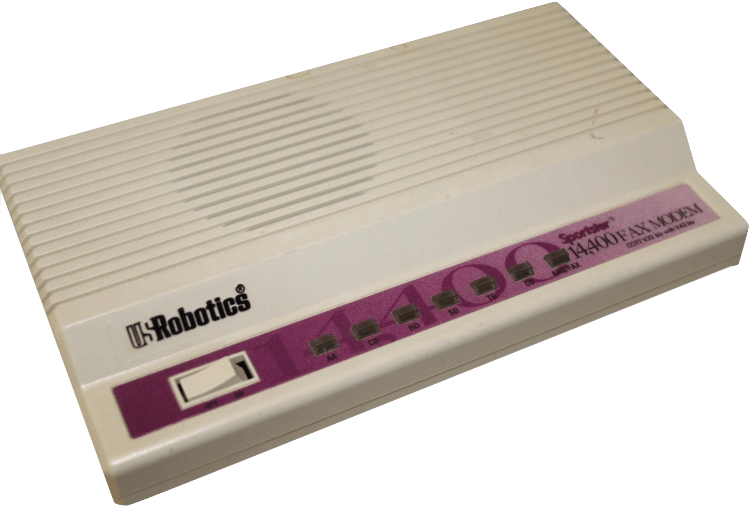
Judging by the number of folks who piled on a Mastodon thread I started with a picture of an innocent modem, Phil Gyford definitely struck a massively nostalgic chord in his recent post: “My First Months In Cyberspace”. It’s a memoir about discovering the internet in early 1995. In it, Phil recalls the mix of awe and confusion that came with getting online for the first time.
Back then, connecting meant spending £172 on a modem (more than £350 today), poring over thick manuals, and staying up late battling obscure control panels. Speeds crawled at 14.4 Kbps, and every minute online measurably ticked up the phone bill. It took dozens of pages of instructions just to configure MacTCP, but the author’s persistence turns frustration into a kind of triumph.
Did you know that “back in my day”, folks copied URLs by hand because bookmarks couldn’t be trusted? Websites were bare-bones HTML (JavaScript & CSS? Who dis?), and uploading them to showcase one’s personal homepage felt revolutionary. What most everyone, today, takes for granted — your words and images becoming instantly visible to anyone in the world — felt like magic.
The author looks back with affection and clarity on what that era offered: a slower, louder (yay screaming modems), and harder-to-use internet that in many ways felt more communal than the slick, React-filled one we all use today. It was experimental, weird, and full of discovery. Finding your people across oceans, sharing ideas freely, and realizing the web’s then-current and potential reach was life- and perspective-changing.
I highly suggest carving out some time to enjoy the post.
Restring
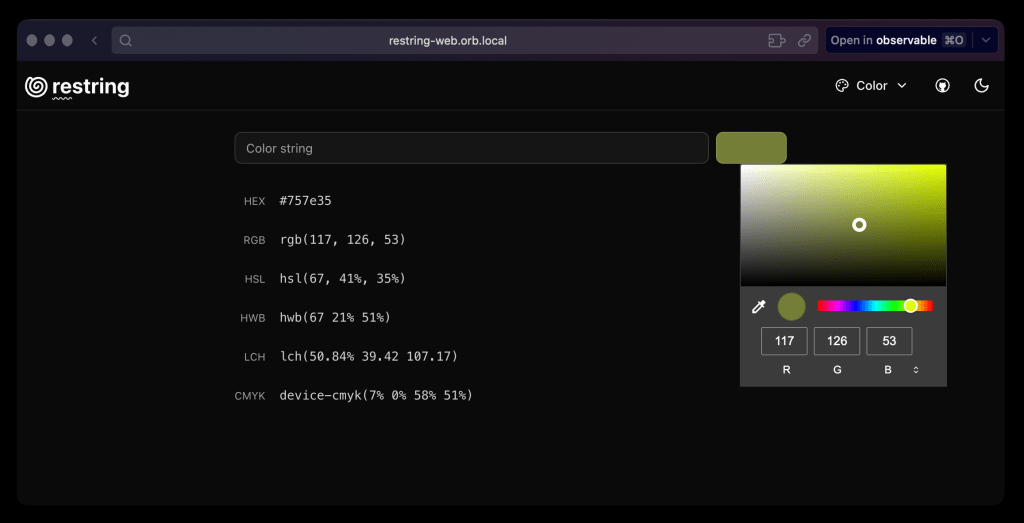
Drop readers tend to be fans of small, focused projects, and that perfectly describes Restring (GH). It is self-described as “a fast, modern toolbox for everyday development tasks — convert strings, format JSON, decode JWTs, and more, all in one place”.
While I already have so many local tools to perform many of these tasks, I also have a goal of learning modern Svelte/SvekteKit with its static adapter (which lets Svelte[Kit] apps be be built as static files and served by a simple web server). This app seems perfect for said learning journey.
Supported operations include:
- encoding and decoding strings to and from Base64
- formatting, validation, and inspection of JSON objects
- decoding and inspecting JSON Web Tokens (JWTs)
- encoding and decoding URL components
- converting between different color formats (Hex, RGB, HSL)
- converting and manipulating dates and times
It may be a static app, and a review of the source on GitHub shows it is benign, but I’m not a big fan of putting content into random text boxes on the internet, so I made a Dockerfile for the app. Just download it from that URL, put it in a clone of the Restring repo, and do:
$ docker build -t restring .
$ docker run -d -p 3001:80 --name restring-web restring
Pick whatever free port you wish to use.
The section header is it running locally on my personal system.
FIN
Remember, you can follow and interact with the full text of The Daily Drop’s free posts on:
- 🐘 Mastodon via
@dailydrop.hrbrmstr.dev@dailydrop.hrbrmstr.dev - 🦋 Bluesky via
https://bsky.app/profile/dailydrop.hrbrmstr.dev.web.brid.gy
☮️
 hrbrmstr's Daily Drop
Leave a comment