edit; Raycast Ollama + MCP; ttl.sh
For weekend Bonus Drop, I lowered my standards to test out Microsoft’s crappy new terminal-based edit utility so y’all didn’t have to. We then move on to much cooler topics, such as epic support for Ollama and MCP in Raycast, and a super cool ephemeral (and freee) Docker container registry.
TL;DR
(This is an LLM/GPT-generated summary of today’s Drop using Ollama + Qwen 3 and a custom prompt.)
- Microsoft
editis a simple text editor with minimal features, including no syntax highlighting or advanced find/replace functionality. (https://github.com/microsoft/edit) - Raycast’s Ollama extension provides a robust interface for managing local and remote LLM models, with features like model management, prompt templates, and MCP tool integration. (https://github.com/Raycast/Ollama)
- ttl.sh is an open-source, anonymous Docker image registry designed for ephemeral sharing and distribution of container images without authentication or lingering artifacts. (https://ttl.sh)
edit
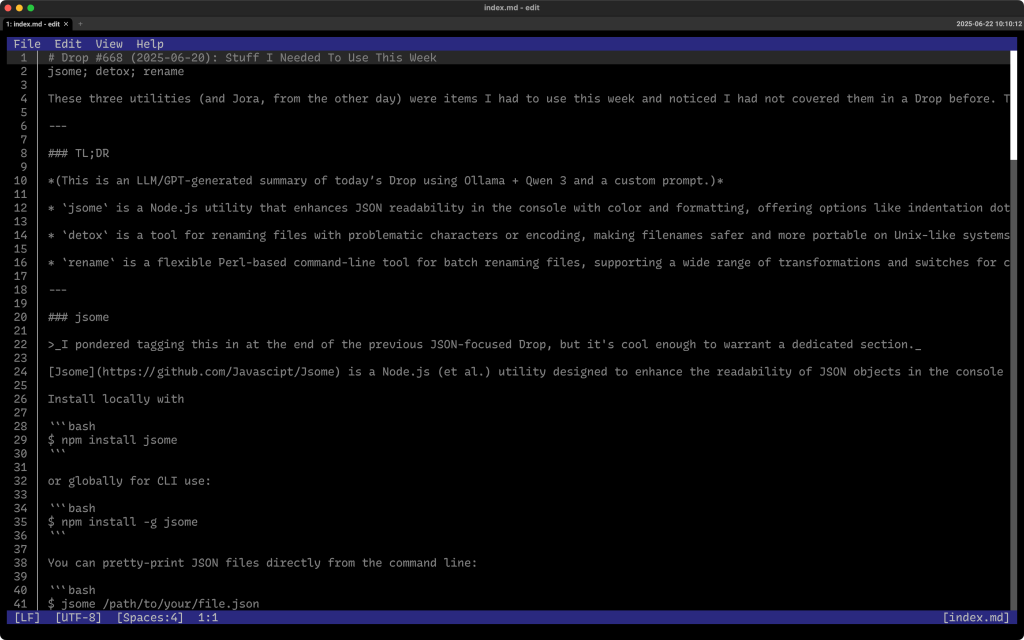
Behold, the blandness of the world’s most useless text editor: Microsoft edit (ref. section header). Billed by Microsoft as “A simple editor for simple needs.”, might I offer a different tagline: ”A feckless editor for simple minds.”_.
There is not much to say about this editor since this editor does not do much.
First, it’s not even written in “safe” Rust, since you need to use the nightly toolchain, as the devs decided to rely on many unstable features (which, ngl, tracks with almost everything Microsoft builds). The only provide downloads for Linux and Windows, so if you — say — took too much Ketamine and got it into your head that you really want to potentially destroy all your text documents by installing and using it on macOS — you will need said nightly toolchain (which I cannot allow myself to show, since nobody needs this thing) before doing:
$ cargo install --git https://github.com/microsoft/edit edit
And, that’s about it.
Seriously.
No syntax highlighting. Bare minimum find/replace. Basic word wrapping, and the thinnest of support for using your mouse in the terminal.
Four months of work by 55 contributors for something nobody asked for, was not needed, and literally does practically nothing.
I guess I can end this section on a positive note that this is the one Microsoft “product” that they did not forcibly embed “Copilot” into.
Raycast Ollama + MCP

(This is a macOS-only section, so folks on other platforms can skip it.)
Longtime Drop readers know my 💙 for Raycast. Apple has done their best to Sherlock this immensely useful utility by adding some features from it into Spotlight (it is one of the better Sherlocking attempts, too). Raycast does have enough of a moat to continue on, and you’ll pry it from my systems after a lengthy and costly battle.
The Raycast team jumped on the LLM/GPT bandwagon pretty early. Their markup costs for using more “AI” resources and fancier models was/is modest, but I never even bothered with that since I really do not like paying the “OpenAI Tax”. So much so that I work every day — since I do believe the LLM/GPT ecosystem has benefits, especially when using local models/resources — to migrate all my “AI” work locally. I can do this, in part, because I run Apple Silicon and do not have to invest in expensive GPU setups and use operating systems I would never want to use in a “desktop” manner.
Raycast has significantly improved the ability to use local (to host or network) Ollama models, and has one of the cleanest implementations of MCP-based tool-calling for Ollama models I’ve come across. Let me just run through some of the features:
- add, remove, and view locally installed or remote models. Raycast provides a simple interface to manage these, including the ability to connect to remote Ollama servers.
- interact with any installed model, with support for memory (defaulting to the last 20 messages), and the ability to switch models on the fly. You can send text, clipboard content, browser tab content — this is SUPER handy, images (with vision-capable models), and even files (experimental).
- create and run your own prompt templates using Raycast’s Prompt Explorer format, supporting dynamic content insertion such as selections, browser tabs, or images.
- vision models are supported for image inputs, and there is experimental support for models with tool capabilities, though AI Extensions using local models can be less reliable due to Ollama’s current limitations with tool choice and streaming.
Raycast’s MCP support includes:
- Server management: Add MCP servers via UI forms, direct JSON config edits, or by registering development servers. The configuration is stored in a dedicated JSON file, and Raycast automatically detects and connects to registered servers.
- Tool integration: Once an MCP server is installed, you can invoke its tools directly from Raycast’s AI Chat, Quick AI, or AI Commands. For example, you can use a DuckDuckGo search MCP server to let your local model access web search capabilities.
- Prompt templates: By integrating with MCP prompt servers, you can invoke complex prompt templates using natural language commands, streamlining workflows that previously required manual copy-pasting.
- Meta registry: Raycast provides a meta registry extension to discover, install, and manage MCP servers, making it easier to find both official and community-contributed integrations.
As indicated, Raycast’s Ollama extension also supports MCP servers, specifically for tool use. This means you can enhance your local LLMs with external capabilities, such as web search or file system access, by connecting to the appropriate MCP servers. However, as of now, only models with tool capabilities can leverage this, and the feature is still considered experimental and limited to tool use (which is perfect for my current needs).
Now, while Raycast supports AI Extensions and MCP tools with local models, Ollama’s current lack of support for tool choice and streaming can make these features unreliable, and these are marked as experimental options in Raycast’s settings. Also, MCP servers in Raycast currently use only the stdio transport, which means the server must be executable from your shell environment, but this is — IMO — the safest way to use MCP servers you trust.
I ran the Drop contents for the TL;DR summary through Ollama via the Raycast interface, which is what is shown in the section header.
ttl.sh
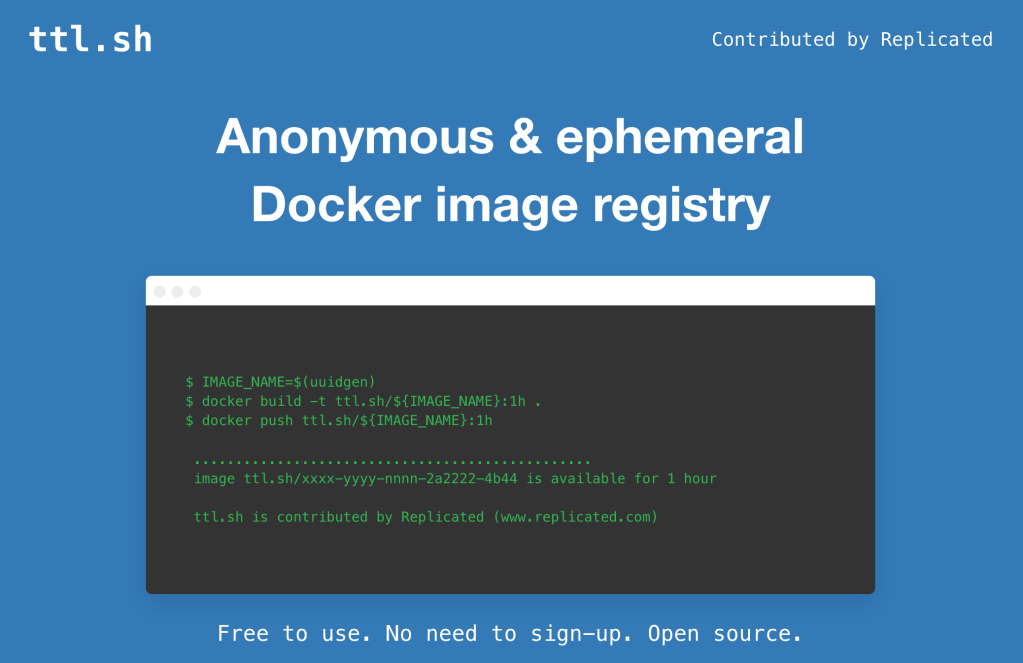
These are my raw Joplin notes (with some extra prose) for ttl.sh — an open-source, anonymous, and ephemeral Docker image registry designed for scenarios where you need to quickly share or distribute container images without the overhead of authentication or the risk of lingering artifacts. It’s contributed by Replicated and seems like a good fit for CI/CD workflows, ephemeral testing, and collaborative development.
Images pushed to ttl.sh are stored temporarily—hence “ephemeral”—and are automatically deleted after a user-defined time-to-live (TTL). The process is straightforward:
- Tag your image with the registry address (
ttl.sh), a unique name (typically a UUID for secrecy), and a TTL tag (e.g.,:1hfor one hour). - Push the image to ttl.sh.
- Pull the image from ttl.sh as needed, before it expires.
No login or account is required. The image name itself (especially when using a UUID) acts as a form of access control through obscurity, reducing the chance of accidental discovery by others.
Here’s a super basic workflow:
$ IMAGE_NAME=$(uuidgen)
$ docker build -t ttl.sh/${IMAGE_NAME}:1h .
$ docker push ttl.sh/${IMAGE_NAME}:1h
% # The image is now available at ttl.sh/${IMAGE_NAME}:1h for one hour
$ docker pull ttl.sh/${IMAGE_NAME}:1h  # Anyone with the name can pull within the TTL
Valid TTL tags include formats like :5m, :100s, :3h, and :1d (up to a maximum of 24 hours).
This service addresses several pain points in modern CI/CD and collaborative development:
- Ephemeral images: Images are automatically deleted after their TTL, so you don’t have to manage cleanup or worry about registry bloat.
- No authentication required: This eliminates the need to share credentials among CI jobs or contributors, reducing friction and improving security for temporary workflows.
- Fast global access: Hosted behind Cloudflare, pulls are quick and reliable regardless of your location.
- Ideal for testing and PRs: Commonly used to share build artifacts between CI jobs, test environments, or for peer review without polluting a permanent registry.
From a security perspective, the main safety mechanism is the obscurity of the image name, especially if you use a UUID. There is no authentication or access control beyond this, so images are only as secret as their names. So, NO SEEKRITS IN THE IMAGE if you plan to use this.
From a utlity standpoint, the maximum TTL for any image is 24 hours. After that, the image is deleted and cannot be recovered. It’s not meant for “production” and is geared toward temporary/development use cases. For anything requiring persistence, access control, or audit trails, a traditional registry is more appropriate.
Some places I see myself using this for personal projects:
- share intermediate CI/CD pipeline build artifacts between jobs or stages without managing registry credentials.
- Share test images for review or debugging with others.
- Deploy images for ephemeral environments, such as feature branch previews or integration tests, knowing they’ll be cleaned up automatically.
The code and deployment configuration are available, so you can run your own instance if desired.
FIN
Remember, you can follow and interact with the full text of The Daily Drop’s free posts on:
- 🐘 Mastodon via
@dailydrop.hrbrmstr.dev@dailydrop.hrbrmstr.dev - 🦋 Bluesky via
https://bsky.app/profile/dailydrop.hrbrmstr.dev.web.brid.gy
☮️

 hrbrmstr's Daily Drop
Leave a comment