Building A Local-First VS Codium LLM Helper

For a very long while, I’ve been using Perplexity (pplx) to generate the TL;DR sections for the Drops, using what they call a “Collection” prompt. It’s similar to a custom SYSTEM prompt you’d put into an Ollama Modelfile, but they just end up prepending it as part of the input context.
Apart from the occasional “no links” and using “•” vs. “*” as bullets, it’s worked pretty well. When Llama 3.1 came out, I re-visited using it vs. pplx, since I prefer local-first models; and, I expect pplx, OpenAI, and others to double — if not triple — the fees to access them interactively and programmatically at some point in the near future.
Llama 3.1 worked super well, and the new Llama 3.2 works even better!
I have interactive pplx pinned permanently in a browser tab, but really do not like any of the interactive front-ends for Llama (even oatmeal, which we have featured prior in the Drop). But, even with the always-there convenience of pplx, the first-world problem of having to cut/paste the Drop’s markdown into a textbox has always been moderately annoying.
I still us VS Codium for the Drop, since it has the best Markdown Preview mode which I use to copy/paste the final Drop contents into the WordPress editor. No other previewer in any editor has worked as well for that purpose, and I kinda know what’s out there.
That was a very long set up to say that I finally built a VS Code extension, and one that gives me the TL;DR summary in less than four keystrokes.
If you just want to skip the expositor and poke at the code, it’s up on Codeberg. Let’s break down what it took to make the extension (spoiler alert: not much!). For the record, I used Zed for the project, as I’m trying to lean more heavily on that for all coding projects.
Codeberg went down hard at some point (“go to the cloud” they said) during the writing of this post, so I also made a standalone archive of the source tree. You can grab that from https://rud.is/dl/drop-summary-ext.zip. You can make those yourself for any repo via:
$ git archive --format=zip --output=../project-archive.zip HEADfrom within a project directory.
Project Setup
Cloning and modifying the code for this plugin is likely the fastest way to get up and running, but the steps to start from scratch aren’t horrible:
Running:
$ npm install -g @vscode/vsce
gets you the vsce command, which you’re going to need to make the .vsix file.
Make a directory and run npm init -y in it to get a basic project skeleton. We also need all the TypeScript types (Microsoft made TypeScript) and the vscode library functions during development, so we need to add them:
$ npm install --save-dev @types/vscode vscode
This is the directory structure for a very basic plugin:
├── LICENSE
├── README.md
├── images
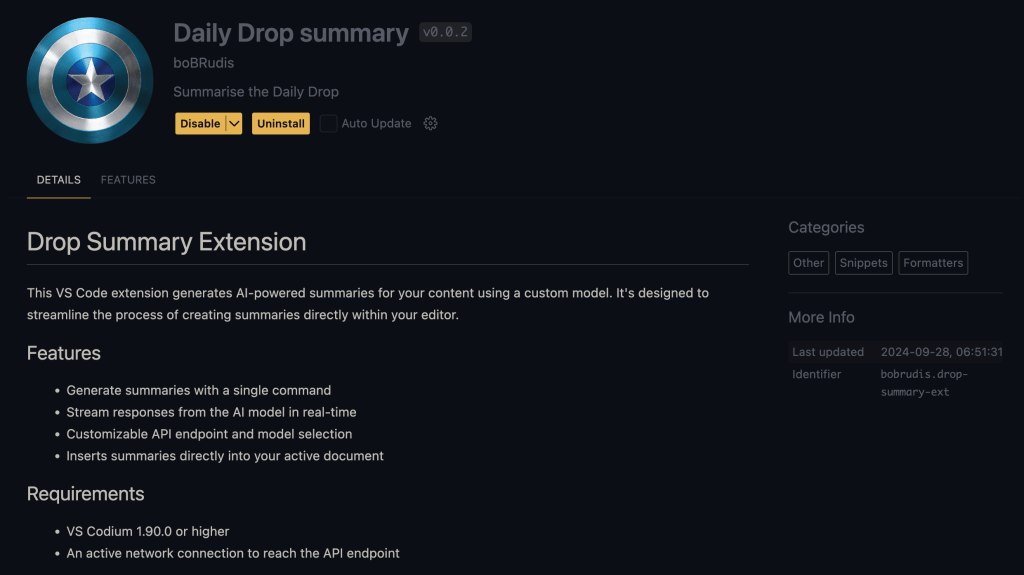
│   └── icon.png      <-- image you see in the VS Codium plugin details pane
├── package.json      <-- standard for JS projects
├── src
│   └── extension.ts  <-- the main code for the plugin
└── tsconfig.json     <-- TypeScript (sigh) configuration file
Plugin Specifics Overview
Rather than DoS the post with code boxes, let’s discuss the final package.json which you can keep handy by opening https://codeberg.org/hrbrmstr/drop-summary-ext/src/branch/batman/package.json in your browser.
displayNameis the friendly name folks see in VS Codiumpublisherrequires you to read through some Microsoft blathering, making an MS account (if you do not have one already), and filling out a small form. I don’t really intend to publish this plugin, but wanted that field to be filled out in the plugin details pane.- Microsoft really wants
license,repository, andbugsfilled out, and you will need the correspondingLICENSEfile, too. - Both
descriptionandiconalso show up in the plugin details pane. enginesspecifies the minimum viable VS Code components required to use the pluginkeywordsandcategoriesare more for when your plugin is in the Marketplace, but their presence also ensures those fields are filled out in the plugin paneactivationEventstells VS Codium what should activate which elements in the plugin. In this case,"onCommand:extension.processAndInserttells VS Codium that when theextension.processAndInsert(which has the display name ofDrop Summary) is selected from the Command Palette, it should run that bit of code. We only have one command in this plugin.contributesis a special field with an extensive configuration tree that tells VS Codium about any settings your plugin needs and what components are in your plugin. It’s pretty self-explanatory if you poke at that section in this plugin.
I added axios to this project since we’re making REST API requests.
The src/extension.ts is not very extensive (the amount of code is mostly boilerplate).
activate() will be called when extension functionality is requested by the human using VS Codium. It registers our command with VS Codium, and has a small inline function that grabs the active editor pane contents, and calls the function that talks to the LLM to get the summary bullets. That function handles making the REST API call to the Ollama server and taking the streaming chunks from it and shoving it into the browser where the cursor is.
axios was built smart enough to know when it’s getting a streaming data response, and most of the code is quite literally just a loop that processes the JSON chunks as they come from the server.
Building The Plugin
Rather than remember all the commands or rely on scripts in package.json, I prefer using justfile tasks and there’s a justfile in this project with a task that runs:
$ npm run compile && \
   vsce package \
     --baseContentUrl https://codeberg.org/hrbrmstr/drop-summary-ext/raw/branch/main \
     --baseImagesUrl https://codeberg.org/hrbrmstr/drop-summary-ext/raw/branch/main
The extra parameters are required since Microsoft only seems to care about GitHub and GitLab.
Running just build results in a .vsix file (which just a renamed ZIP archive) you can side-load into any VS Codium (or VS Code) setup.
The Modelfile
Rather than send a full prompt to Ollama, there’s a Modelfile in the repo which can be turned into a custom runnable model via:
$ ollama create drop-summary -f ./Modelfile
Final Notes
The initial version did a POST to Ollama with stream set to false and then inserted the result all at once. That worked, but I now see why all the LLMs stream out responses. You have no real idea what’s going on without the incremental generated tokens appearing. I haven’t worked much with axios in a streaming context and asked Zed’s Assistant to help with that bit.
I also made Zed’s Assistant create the README (it did an astonishingly great job).
The .gitignore came from gitnr.
Zed’s baked-in support for JS projects and its TypeScript language server were also pretty great when it came to dealing with various TypeScript machinations (the errors were super helpful).
In theory, this project should be just enough to help you get your own local-first LLM helper plugin going in VS Codium. If I need to round out any corners, drop me a note wherever you are most comfortable.
FIN
Drop a reply or a private note if you’d like other examples.
Remember, you can follow and interact with the full text of The Daily Drop’s free posts on Mastodon via @dailydrop.hrbrmstr.dev@dailydrop.hrbrmstr.dev ☮️


 hrbrmstr's Daily Drop
Leave a reply to Drop #537 (2024-09-30): It’s About Time – hrbrmstr's Daily Drop Cancel reply