Homebrew’s Audit; Apple Intelligence First Impressions; Deno-ified url-knife CLI
And, we’re finally caught up to today!
Homebrew’s Audit

Trail of Bits (the Drop 💙’s ToB) recently conducted a security audit of Homebrew, the popular package manager for macOS and Linux.
The audit covered Homebrew/brew (main CLI), Homebrew/actions (custom GitHub Actions), Homebrew/formulae.brew.sh (JSON index of packages), and Homebrew/homebrew-test-bot (CI/CD orchestration).
Like all of their posts, it’s extremely accessible, so I really want y’all to read it. To help with said encouragment, I’ve tried to break down the laundry list of items into three categories that might be of interest to Drop readers.
There were some, what I would call, “major concerns” in general:
- Potential for loading executable code at unexpected points
- Possible undermining of Homebrew’s sandboxing integrity
- CI/CD vulnerabilities that could allow modification of binary builds
- Risk of pivoting from CI/CD workflow triggers to controlling execution and exfiltrating secrets
Since this is something we use on our personal machines and in the terminal, there were also some, eh…”notable”…vulnerabilities found there:
- Formulae can influence sandbox construction, potentially leading to escape
- Use of collision-prone MD5 hash function
- Possible inclusion of undeclared network resources in builds
- Potential sandbox escape on macOS via socket pivot (O_O)
- Risk of privilege escalation through user’s activated sudo token
Homebrew makes use of some heavy CI/CD pipelines, and — unfortunately — they were not issue-free, either:
- Use of
pull_request_targettrigger could lead to credential disclosure or tampering - Shell injection possible via unsanitized
workflow_dispatchinputs - Lack of sandboxing during archive extraction
While these (and many others in the post) are important issues, they are not “uninstall Homebrew now” critcal ones. However, many of them open the door a bit too wide to attackers who are eager to exploit major supply chain ecosystems like this.
The audit was sponsored by the Open Tech Fund (#ty OTF!), and I’m quite glad they did. The findings help highlight the complexity of securing package management systems, especially those using executable code as the carrier format for packages.
For Homebrew users and developers, this audit serves as a reminder of the ongoing security challenges in maintaining widely-used open-source tools. Read the whole report, and make sure to keep an eye out for updates from the Homebrew team addressing these findings.
Apple Intelligence First Impressions

When the M1 series Apple Silicon systems first came out I grabbed one of the first Mini’s off the production line. It was inexpensive, and I “needed” to test out a bunch of things on it, especially all things “R”-related. I was in genuine need of a laptop upgrade when the M1 Pro Max came out, so I jumped on that as well. Why am I blathering about that? These are two of the older (one is the oldest) M1 chip systems for macOS and both were eligible for Apple Intelligence (and I opted both in — you will be opting in vs opting out when this goes live in October, too, unlike “Windows Recall”). Only super-modern iOS devices are eligible for Apple Intelligence, so you won’t be getting a review of that from me for, well, likely ever (I’m not a fan of being tracked by satellites all the time).
Since it’s “Apple Intelligence & Siri” we’ll be using “AI&S” as the reference from now on.
You manage the current gen of AI&S here:
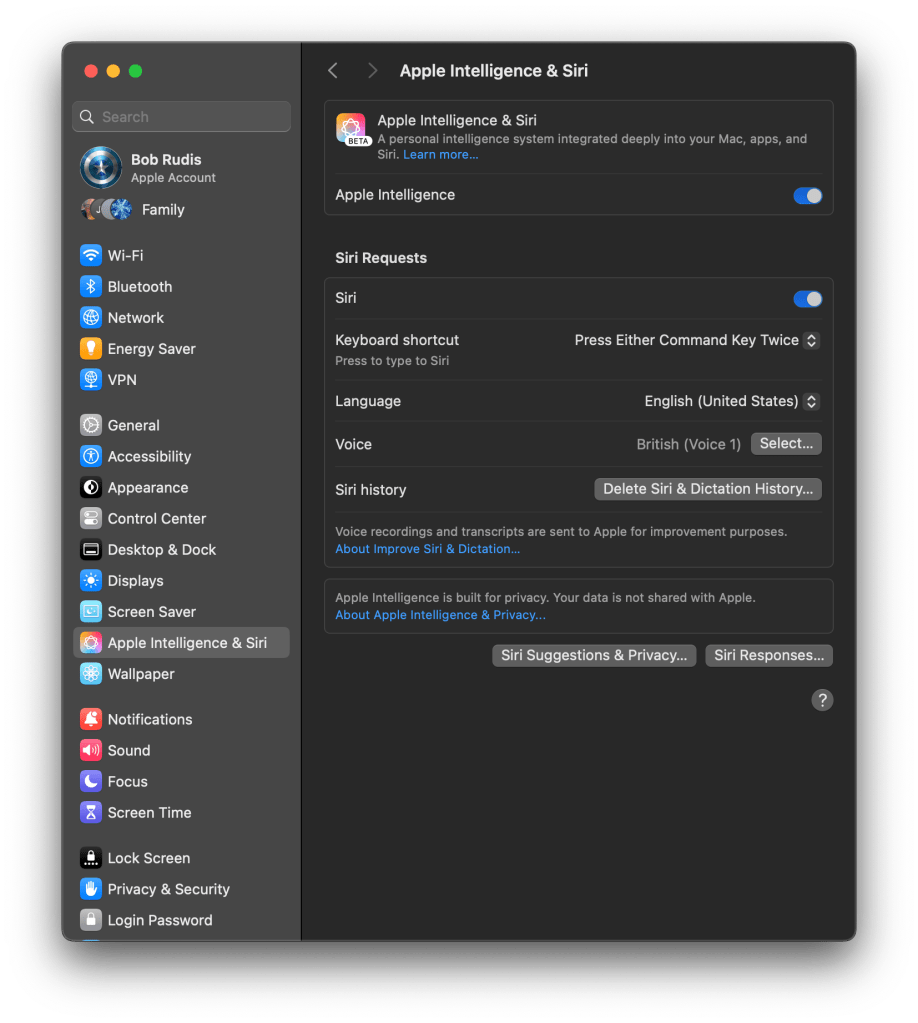
Enabling AI&S forces a download of model files and a small bump in initial system utilization.
All that appears to be enabled in this release is something called “Writing Tools”. This daemon is running to field requests from various textbox contexts:
/System/Library/PrivateFrameworks/WritingToolsUI.framework/Versions/A/XPCServices/WritingToolsViewService.xpc
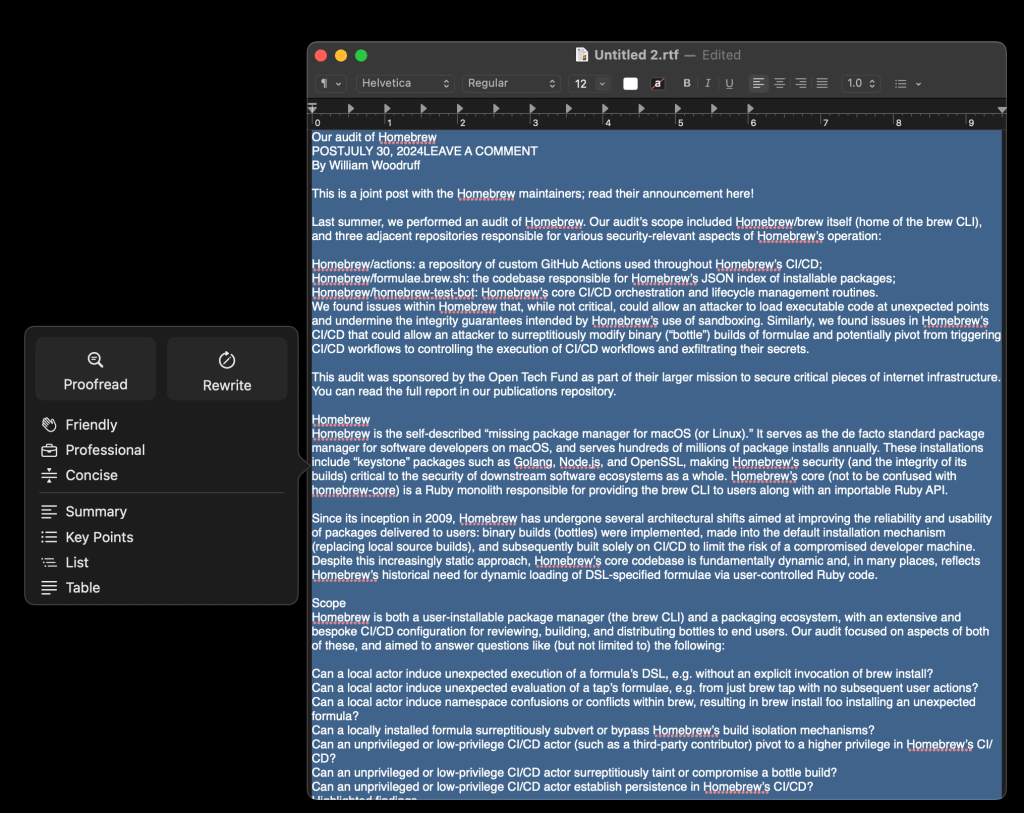
While it would have worked from the web page-proper, I pasted the text from the ToB Homebrew blog for some examples. This is the main sub-pane that pops up when you ask it to display writing tools (it’s a context menu item as well as a main menu bare item in many text-centric contexts across the OS).
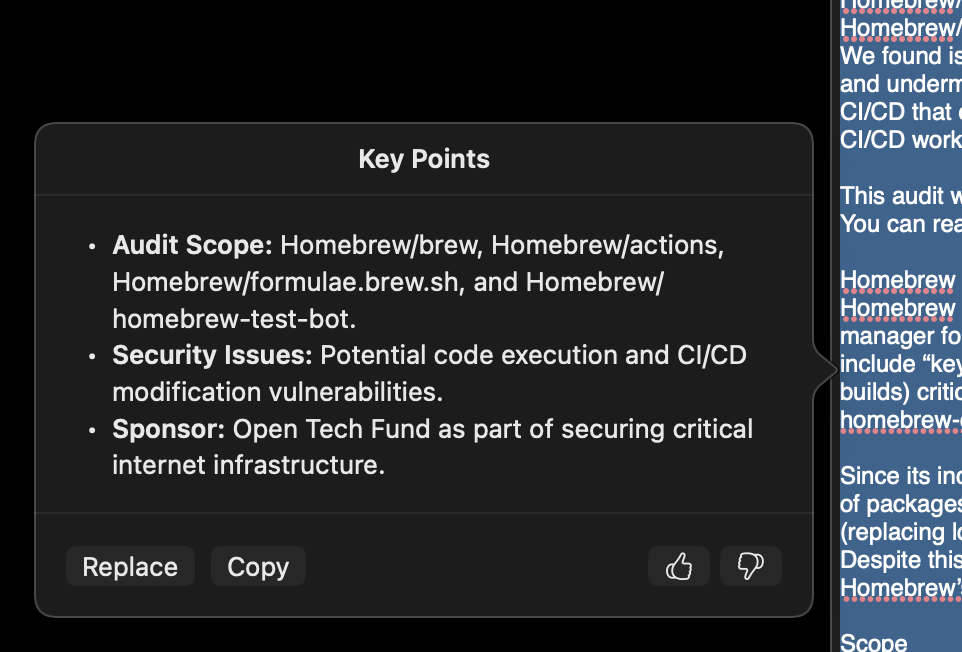
This is what it came up with for “key points”, and the other features do what they say on the tin with a similar UI, so I won’t belabor the point:
Writing Tools can also be put into a temporary popover toolbar for the same operations:
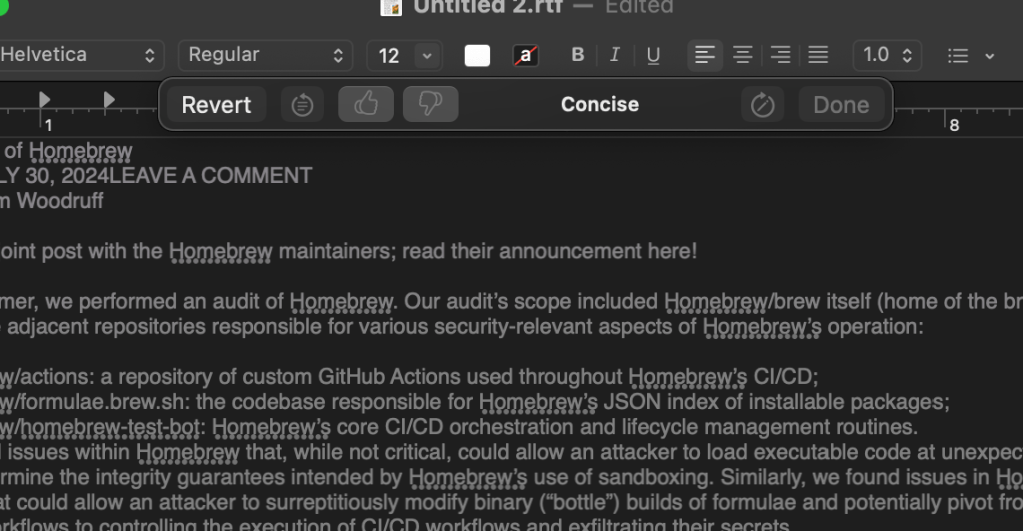
At the time of writing this post, these temporary pop-up beasts are way too easily dismissed, and AI&S does not cache responses (yet), so you get to wait to re-run AI help each time that happens.
In Safari, sites in Reader mode now get a “Summarize” button:
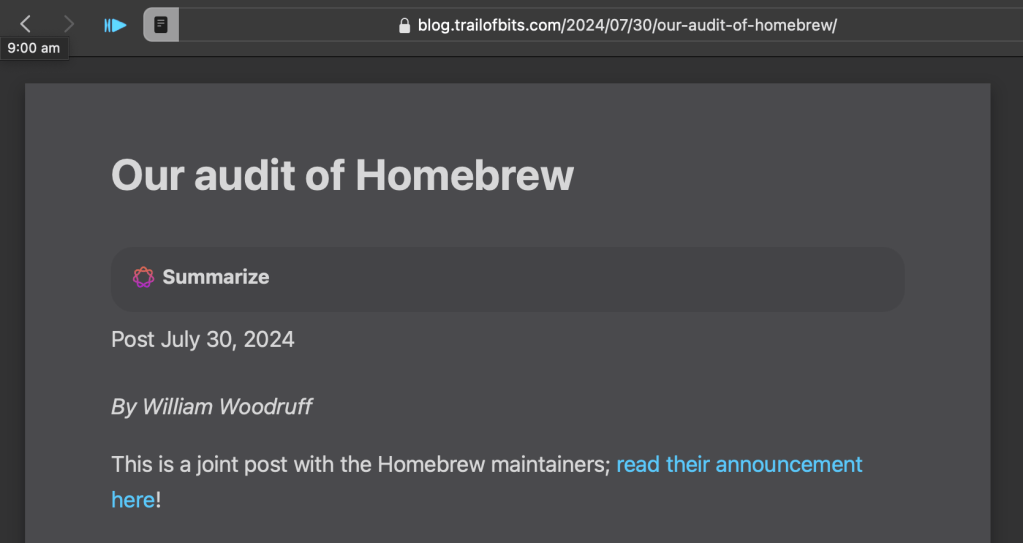
It’ll put summaries in a pane to the side or an inner pane up top, depending on screen real estate:
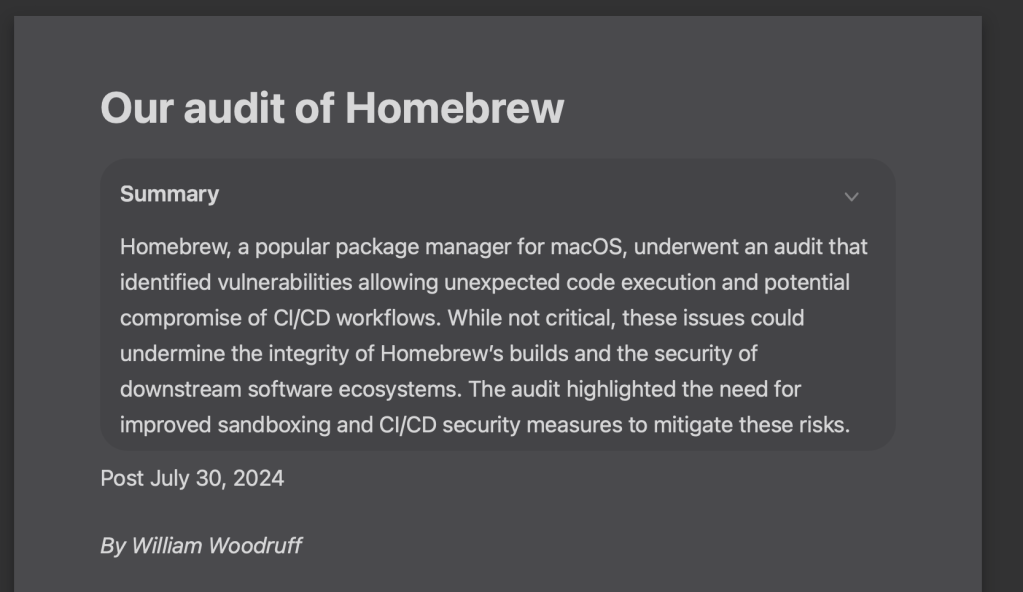
I’ve not poked too hard to find the model files, nor have I monitored internet activity to see when it sends stuff to Apple’s AI cloud or not (more time for that this weekend).
The only other item I found is something called “Intelligent Breakthrough & Silencing” which uses “AI” to intelligently allow important notifications and silence dumb ones:
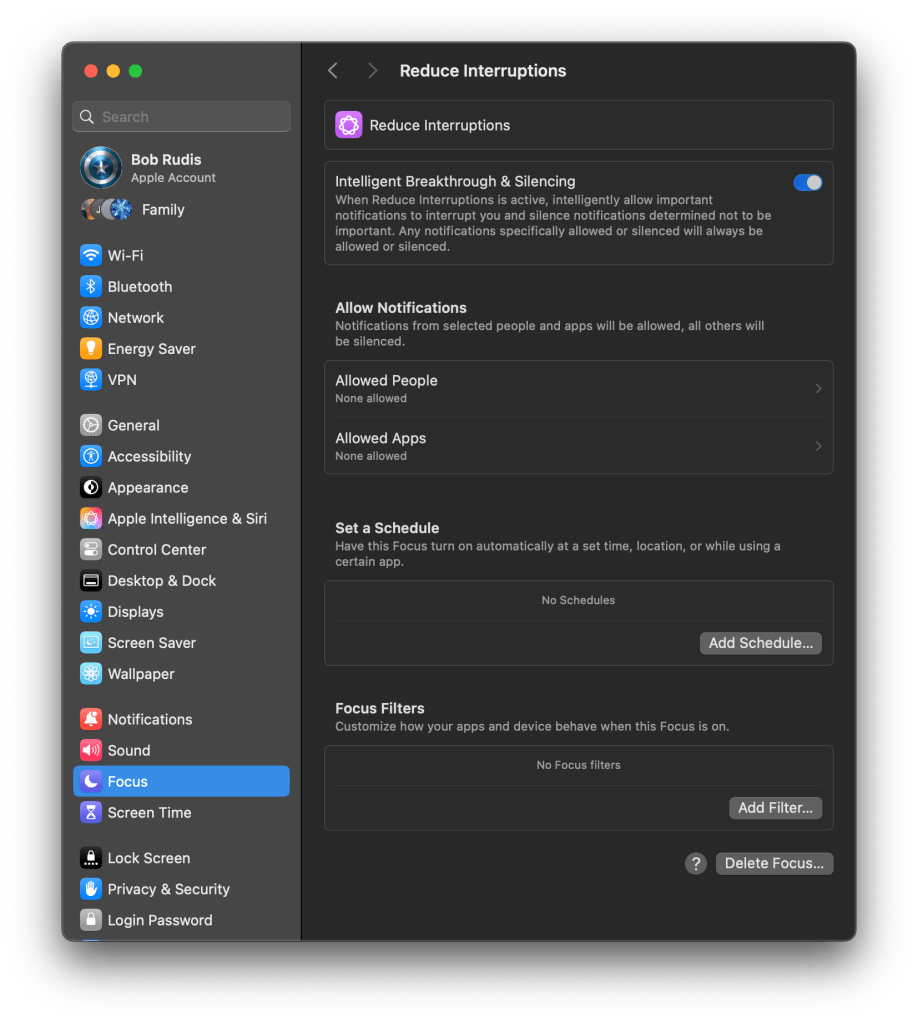
There’s no mention of how to tune that feature.
There are also no APIs to work with the Writing Tools APIs and I did not see anything obvious in AppleScript land (outside of the drudgery of Assistance-enabled GUI scripting—ugh).
I didn’t expect much from this initial push, and Apple delivered on the “meh”.
We’ll see what’s in store in the next beta!
url-knife CLI

It was actually pretty stupid easy to build a compiled Deno CLI for that url-knife library I mentioned in the previous Drop.
You can find it on Codeberg, but in testing the CLI, it has a ton of false positives on URLs in complex HTML code, so it may be best to stick to plaintext extraction for those. I’ll get a README up there soon.
FIN
Remember, you can follow and interact with the full text of The Daily Drop’s free posts on Mastodon via @dailydrop.hrbrmstr.dev@dailydrop.hrbrmstr.dev ☮️
 hrbrmstr's Daily Drop
Leave a comment