gog; msgvault; duckdb-oast
We start today’s Drop with a fairly fresh tool for machinating the Google Workspace ecosystem, transition to a tool that bridges gMail to DuckDB, and use author’s privilege to use the fact that we mentioned DuckDB to introduce a new DuckDB community extension authoried by yours truly.
TL;DR
(This is an LLM/GPT-generated summary of today’s Drop. Ollama and MiniMax M2.1.)
- gog is a Go-based CLI tool that wraps Google Workspace APIs into a single binary, offering JSON output for terminal-based management of Gmail, Calendar, Drive, and other Google services (https://gogcli.sh/)
- msgvault is a local-first Gmail archiver that downloads your complete message history and enables offline analytics using DuckDB over Parquet files (https://www.msgvault.io/)
- duckdb-oast is a community extension that enables analysis of OAST domains from GreyNoise using DuckDB, extracting structured JSON data from Elasticsearch for security research (https://github.com/hrbrmstr/duckdb-oast)
gog
Gosh do I suck at “calendars”. Don’t believe me? I managed to DoS work’s gCal a month or two ago with an infinitely repeating calendar block across the main shared calendar for us all. Every calendar interface is awful, and despite having a Fantastical wrapper over Google Calendar, I’m still horribad.
I’m also terrible at email (as many of the Drop reader cohort know all too well), and the gMail interface makes my eyes bleed.
And, I’m also stuck in gDrive, gDocs, gSheets, and gSlides at work for all those other tasks. Every one of those interfaces is just terrible.
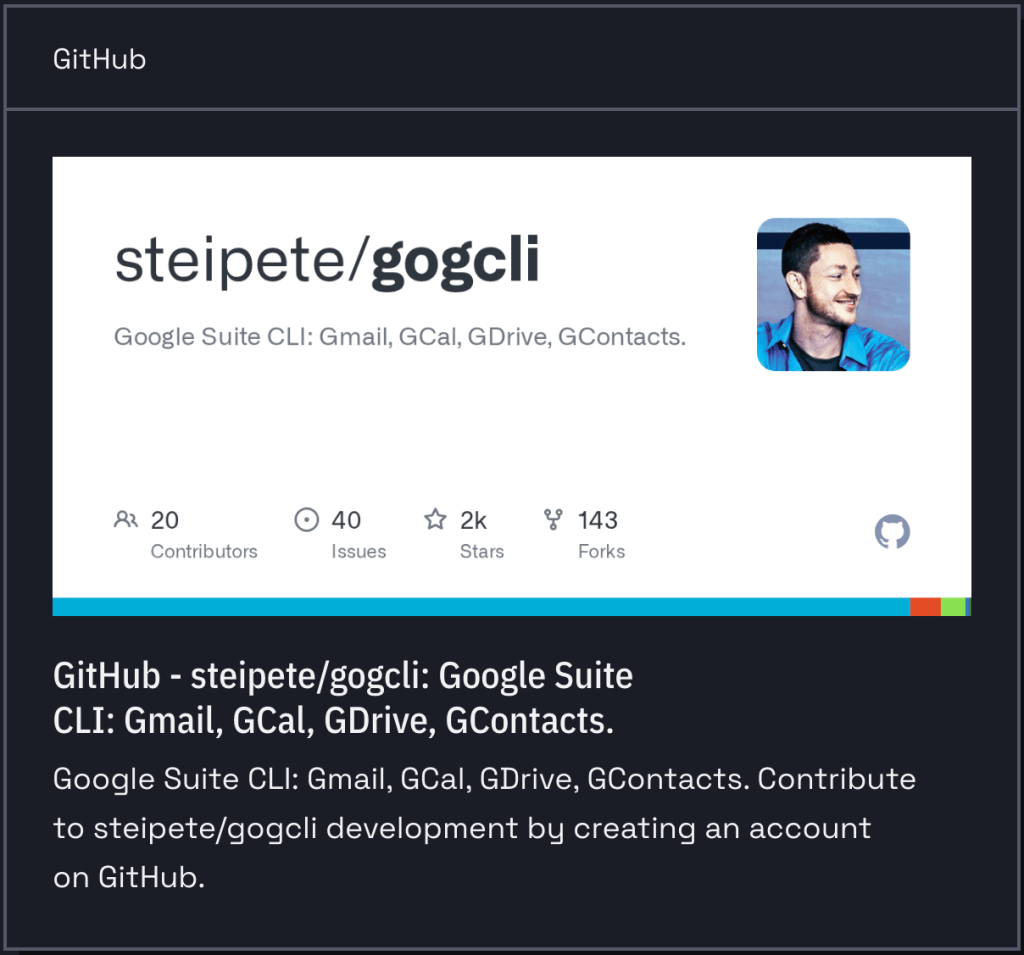
I’ve tried many-a-CLI tool to ease all that pain, and have finally found one that may finally be a light in this office-task hades: – gog / gogcli (GH). It’s a Go-based CLI from Peter Steinberger that wraps the Google Workspace APIs—Gmail, Calendar, Drive, Contacts, Tasks, Sheets, Docs, and Slides—into a single binary with ridiculously good support for JSON output.
The gog <service> <command> interface outputs table, plain text, or JSON, and that last option is where it gets super interesting. All the Google Workspace data becomes jq/duckdb-able (e.g., pull unread messages, filter calendar events, search Drive) and ready for piping through whatever tooling you already use. The architecture 99.4% Go with minimal dependencies, and is distributed as a single binary via make or Homebrew tap.
You use OAuth2 to write it up and the auth tokens are stored in your OS keyring (macOS Keychain, Linux Secret Service, Windows Credential Manager) through the github.com/99designs/keyring library. You’ll need to set up your own Google Cloud project with Desktop app credentials, which is pretty standard fare for self-hosted tools hitting these APIs. The scope model is granular. For example, you can do things like --services drive,calendar to authorize only what you need. Adding scopes later may require --force-consent to get a new refresh token, which is a Google OAuth quirk rather than a gog limitation.
As a fan of the model context protocol, I can also see MCP potential here, especially when wiring it up to local inference (b/c “privacy”). The JSON output and built-in token management mean you could wrap this as an MCP server for LLM-driven Workspace queries without reimplementing the auth dance.
The tool site is gorgeous and the tooling itself is well-organized, so sliding into idiomatic use of gog should be quick and painless.
Steinberger acknowledges Mario Zechner’s single-service CLIs (gmcli/gccli/gdcli) as inspiration, but consolidating everything into one tool with consistent subcommands and output handling is the meaningful improvement here.
One caveat is that is very new. Version 0.1.0 dropped in December 2025 and the project is by a single maintainer, and has ~40 commits. Directory features also need a real Workspace account (not @gmail.com), and there’s no batch operation support yet. But if you want your Google Workspace data in your terminal rather than your browser, it’s already doing the useful thing. I’ve been poking at it for calendar machinations, quick-checking the gMail inbox, and some drive ops which has saved many-a-mouse click.
msgvault
Wes McKinney (the creator of pandas and Apache Arrow) has turned his columnar data opinions toward personal email!
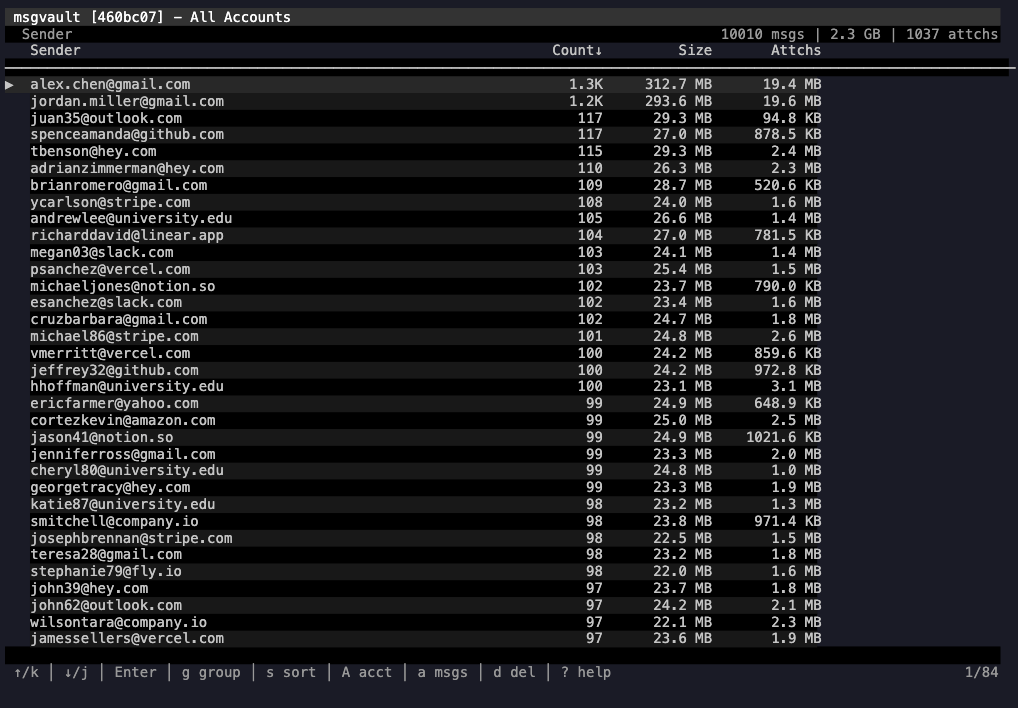
msgvault (GH) is a local-first gMail archiver written in Go that downloads your complete message history, then lets you query it entirely offline using DuckDB over Parquet files. The architecture reflects McKinney’s core thesis that analytical workloads belong on columnar formats, not row-oriented databases.
The data pipeline runs in two layers. The gMail API syncs into SQLite (messages, metadata, labels, raw MIME), which handles the transactional bits. Then msgvault builds a Parquet analytics cache on top, and DuckDB queries against that at runtime. The result is millisecond aggregate queries across hundreds of thousands of messages because you’re scanning columnar Parquet, not joining SQLite tables. Attachments get content-addressed via SHA-256 and stored deduplicated on the filesystem, so no blobs are stored in the database.
Once the initial sync completes, everything runs offline. The interactive TUI offers drill-down analytics by sender, domain, label, and time series. Full-text search uses SQLite FTS5 with Gmail-style operators (from:, has:attachment, date ranges). There’s a built-in MCP server, so you can point your fav local or remote agent at your entire archive and query it conversationally. A REST API with optional cron-based background sync rounds out the corners.
The project’s at v0.1.4, MIT licensed, with around 950 stars on GitHub. The contributors list includes claude, so it’s built with Claude Code (there’s also a CLAUDE.md in the repo documenting the workflow). I’m trying to discern and flag this for any code-oriented links since I know how some of y’all feel about using LLM-tainted code.
The project is gMail-only for now, but IMAP, MBOX import, and WhatsApp are planned.
duckdb-oast
We covered out-of-band security testing (OAST) domains back in December so I’ll save you from repeated “what’s an OAST?” blather and just focus on the new DuckDB community extension for working with this data.
Under the hood, GreyNoise uses Arkime to process all the PCAPs we collect (and store forever) from our planetary scale sensor network, and Arkime uses Elasticsearch as the backing store. All spelunking happens in our custom Arkime GUI or in DuckDB (the latter is also used by Orbie, our autonomous threat hunting agent).
The OAST domains can be in any number of highly nested and/or arrayed fields, and they have to be extracted from the surrounding context before they can be analyzed. I made my roast CLI+MCP server to help with this, but even with that help, munging all the data for our weekly OAST reports was ornery and suboptimal.
The DuckDB pure-C extension template turned out to be super easy to use (which explains the explosion in community extensions), and I separated the concerns out enough in the roast Go code to make porting it over to C pretty straightforward.
Once their automation rebuilds their websites, you’ll be able to “INSTALL oast FROM community; LOAD oast;. For now, I’ve been doing”LOAD '~/bin/oast.duckdb_extension';“.
While the extension is somewhat opinionated, and does have some built-in macros to make working with these structured JSON fields easier, I tried to not assume how other security folks would want to work with it, so I have my own macros like this one around to make working with the fields a bit easier:
CREATE OR REPLACE MACRO oast_from_field(field_name, field_val) AS CASE WHEN field_val IS NOT NULL AND len(field_val) > 0 THEN list_transform( oast_extract_structs(array_to_string(field_val, ' ')), oast -> struct_pack( source_field := field_name, original := oast.original, valid := oast.valid, ts := TO_TIMESTAMP(oast.ts)::TIMESTAMP, machine_id := oast.machine_id, pid := oast.pid, counter := oast.counter, ksort := oast.ksort, campaign := oast.campaign, nonce := oast.nonce ) ) ELSE [] END;
This bit of SQL loads extracted Arkime/ES sessions and gets all the OASTS from various HTTP fieldS:
sessions.json') SELECT id, TO_TIMESTAMP(firstPacket/1000)::TIMESTAMP AS start_time, TO_TIMESTAMP(firstPacket/1000)::TIMESTAMP::DATE AS day, source.ip AS ip, gnTagMetadata AS tag_info, tcp.ja4t as ja4t, http.uri AS uri, http.useragent AS useragent, http.path AS path, http.ja4h AS ja4h, http.requestBody AS requestBody, http.requestHeaderValue AS requestHeaderValue, http.requestHeaderValueCnt AS requestHeaderValueCnt, http.requestHeaderField AS requestHeaderField, http['request-cookie'] AS requestCookie ) SELECT id, start_time, day, ip, ja4t, ja4h, tag_info, list_distinct( list_concat( oast_from_field('uri', uri), oast_from_field('useragent', useragent), oast_from_field('path', path), oast_from_field('requestBody', requestBody), oast_from_field('requestHeaderValue', requestHeaderValue), oast_from_field('requestHeaderField', requestHeaderField), oast_from_field('requestCookie', requestCookie) ) ) AS oasts WHERE len(oasts) > 0)SELECT * EXCLUDE oasts, UNNEST(oasts, recursive := true);
And, this gets me the top 10 campaigns (from the last OAST report):
FROM sessionsSELECT campaign, COUNT(DISTINCT ip) AS ctGROUP BY campaignORDER BY ct DESCLIMIT 10;┌──────────┬───────┐│ campaign │ ct ││ varchar │ int64 │├──────────┼───────┤│ 01p6c │ 196 ││ ibe4q │ 9 ││ bjibe │ 3 ││ r819g │ 1 ││ rh9du │ 1 ││ dftn9 │ 1 ││ j6o66 │ 1 ││ il84d │ 1 ││ kpld8 │ 1 ││ 1qg7m │ 1 │├──────────┴───────┤│ 10 rows │└──────────────────┘
Def kick the tyres and let me know if it need any further ergonomics.
FIN
Remember, you can follow and interact with the full text of The Daily Drop’s free posts on:
- Mastodon via
@dailydrop.hrbrmstr.dev@dailydrop.hrbrmstr.dev - Bluesky via
<https://bsky.app/profile/dailydrop.hrbrmstr.dev.web.brid.gy>
☮️
 hrbrmstr's Daily Drop
Leave a comment