Color.js; Color Palette Pro; Super Coloring
Another colorful Drop with tons of theory behind the world’s best color library, the world’s best color palette maker, and some coloring fun to take your mind off of things.
No weekend Drop as I went down a major rabbit hole (lots of DuckDB, Zeek, and tshark in that thread), and had to write up an incident report for one of the Five Eyes nations (thankfully not the U.S.).
TL;DR
(This is an LLM/GPT-generated summary of today’s Drop. This week, I continue to play with Ollama’s “cloud” models for fun and for $WORK (free tier, so far), and gave gpt-oss:120b-cloud a go with the Zed task. Even with shunting context to the cloud and back, the response was almost instantaneous. They claim not to keep logs, context, or answers, but I need to dig into that a bit more.)
- Color.js provides a comprehensive, scientifically grounded JavaScript color library supporting advanced gamut mapping, ΔE calculations, and many color spaces (https://colorjs.io/)
- Color Palette Pro offers a free, intuitive palette generator built on Color.js that lets users explore and export smooth OKLCH/LAB‑based color families (https://colorpalette.pro/)
- Super Coloring supplies printable and online adult coloring pages for a fun, low‑effort creative break (https://www.supercoloring.com/collections/coloring-pages-for-adults)
Color.js

This is a link-heavy section since not every reader is steeped in the acronym-laden land of color theory/science. I tried to find the ones that do the best job at explaining-without-assuming lots of domain knowledge. If have better or additional links for folks, please feel welcome to add them to the comments. On the plus side, said comments will auto-post to the Mastodon feed associated with this Drop.
Most modern programming language ecosystems have one or more “color” libraries/packages. And, most of them feel stuck in a tiny corner of the world, doing little more than hex parsing, RGB conversions, and, perhaps, an HSL tweak or three if you were lucky. They’re mostly fine for simple projects, but the moment you need real control, accurate gamut handling, perceptually uniform spaces, HDR, etc., you hit a wall super fast.
Thankfully, at least for the JS ecosystem Color.js (GH) showed up and basically rewrote the expectations for what a modern color library should be.
It was built by Lea Verou and Chris Lilley, the same people who write the CSS Color specs, which explains why it feels so grounded in actual color science instead of shortcuts. If you feed it a color that lives outside a device’s gamut, it doesn’t just flatten it into something sad; it does proper gamut mapping to keep the visual intent intact. It supports multiple ΔE (delta-e) formulas — CIE76, CMC, CIE2000 — so you can measure color differences the way we humans actually perceive them. And because consistent color depends on adapting between different white points, it ships with everything from classic von Kries and Bradford to CAT02 and CAT16.
The big “flex” of Color.js is the sheer number of spaces it speaks fluently. Beyond the usual sRGB and HSL, you get OKLab, OKLCh, Display P3, Lab, LCh, Jzazbz, REC.2100, even the old-school HSV and HWB for compatibility. It understands every format in CSS Color 4, so you can write future-ready code today—even if browsers haven’t caught up yet.
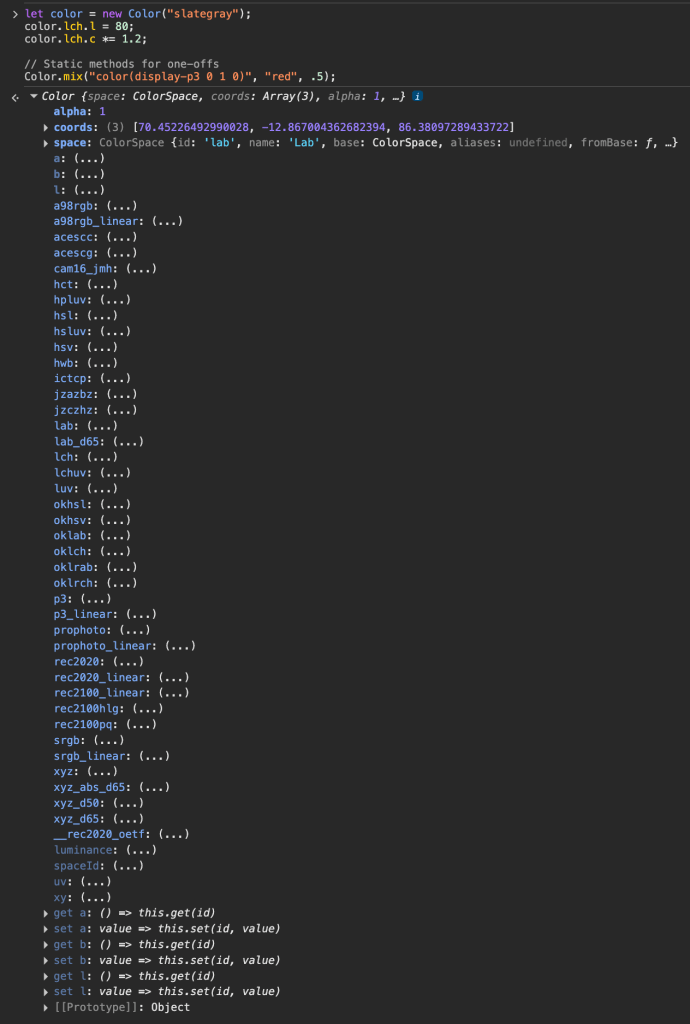
It’s pretty easy to work with. You can treat colors as objects and nudge their properties (e.g. convert “slategray” to LCH, bump the lightness, and tweak the chroma) or use static methods when you just want a quick mix. The core is small, procedural, and tree-shakable, which keeps bundle sizes lean when you only need a few pieces.
This isn’t some niche academic project either. It powers the color mixing in Sass, drives contrast calculations in the Axe accessibility tool, and gets used by browser vendors as a reference when testing their CSS Color implementations. It’s even influencing the new Web Platform Color API.
If you’re building a design system, OKLCh gives you palettes that look evenly spaced to the human eye. If you’re doing HDR or wide-gamut work, Display P3 and REC.2100 are built right in. Accessibility tools will and do benefit from accurate ΔE measurements, and data visualizations get smoother gradients because interpolation happens in a perceptually sane space. And if you’re testing or experimenting with cutting-edge CSS Color features, Color.js is basically the gold[-pressed latinum] standard.
Getting started takes almost no effort: import it from a CDN, hand it any color string, and you’re off. There’s a nice starter Observable Notebook you can fork and build on. You can also play in Developer Tools Console on the Color.js site itself:
And the ecosystem around it is growing fast. There are color-picker web components, small apps for common color tasks (like the one in the middle section!), and ongoing work around better palette generation. It is alomst literally becoming center of gravity for color work on the modern web.
Color Palette Pro

It can be super hard to pick a decent set of colors. Every “smart” palette tool either blasted out neon chaos or a maze of endless options that. I’ve tried nearly every palette generator that’s come across my feed, and none have felt “right”.
That’s the exact headache Ryan Feigenbaum set out to solve with Color Palette Pro, a color generator that feels more like tweaking a synth than wrestling with a design utility. You feed it any color by name, hex code, or picked by the built-in eyedropper, and it spins up a whole family of related shades. As noted, it’s built upon the broad shoulders of Color.js, so it draws from classic color-theory relationships like analogous, complementary, triadic, and so on. However, the real 🤩 is how smooth everything feels in OKLCH or LAB. Slide a control and the colors shift naturally, not in those weird jumps you get from older tools.
It’s also a tool for color exploration. You can hop through a history of the last few hundred colors you’ve touched, spin up a curated random palette when you’re stuck, or share a link that literally encodes every choice you made so someone else can see your palette exactly as you saw it. Exporting the results is just as painless. You can shunt your creations to CSS variables, downloadable stylesheets, image swatches, and even an automatic UI mode that lays out light and dark theme colors you can drop straight into a project.
Under the hood, Ryan added a Go-based API for naming colors in plain language instead of cryptic codes. And the whole thing is totally free, no ads, no upsells, no dark patterns.
If picking colors has ever made you want to set your laptop gently on the floor and punt it across the room, you might be just whom this tool was designed for.
The section header is me starting by using the eye dropper to pick “Martian Red” from the Roci (from The Expanse). You can find (and tweak) the palette here.
Super Coloring
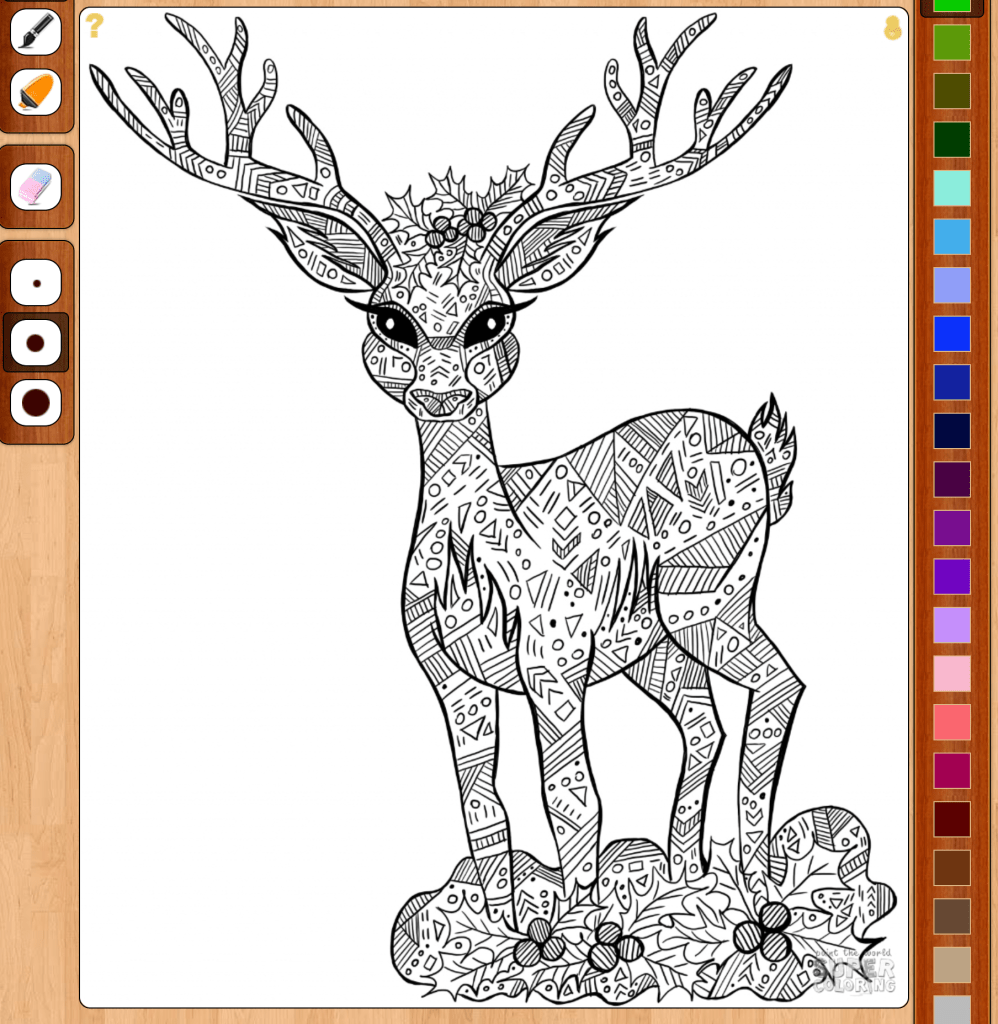
All this science and tweaking is fine, but let’s just throw caution to the wind and color!
These are some fun coloring pages that can be printed out or painted online in a very easy-to-use mini-app.
It’s a great diversion from waves hands around wildly.
FIN
Remember, you can follow and interact with the full text of The Daily Drop’s free posts on:
- 🐘 Mastodon via
@dailydrop.hrbrmstr.dev@dailydrop.hrbrmstr.dev - 🦋 Bluesky via
https://bsky.app/profile/dailydrop.hrbrmstr.dev.web.brid.gy
☮️


 hrbrmstr's Daily Drop
Leave a comment