Observable Desktop & Notebook Kit 2.0; The Web Isn’t URL-Shaped Anymore; Loading Credentials From Bitwarden With direnv
All three resources debuted this week and were items that I felt deserved equal attention. I’ll issue a word of caution for the middle one: the resource’s core premise (there are a few) is that our internet-dwelling creations are all (effectively) being rapidly reduced to mere “assertions” for non-deterministic, information-hungry automatons, which is weighing pretty heavily on my noggin, even as I get ready to tap “schedule post” this morning.
Oh, and while I have been (mostly) taking Wednesdays off Drop-wise, I teamed up with one of the epic $WORK crew, yesterday, to post a bit about how AI slop is making our day jobs harder.
TL;DR
(This is an LLM/GPT-generated summary of today’s Drop using MLX LLM in OpenAI API server compatibility mode, SmollM3-3B-8bit, and a custom prompt.)
- Observable Desktop & Notebook Kit 2.0: Observable has transitioned from cloud-based web notebooks to local HTML-based notebooks, enabling Git integration, pre-rendering, and JavaScript standardization for easier deployment. (https://observablehq.com/notebook-kit/desktop)
- The Web Isn’t URL-Shaped Anymore: Jono Alderson argues that modern search engines and AI treat URLs as raw material, extracting semantic meaning from content rather than ranking pages. Focus on consistent, extractable assertions across the web for authority. (https://www.jonoalderson.com/conjecture/url-shaped-web)
- Loading Credentials From Bitwarden With direnv: direnv automates environment variable loading based on directory changes, while Bitwarden’s encrypted vault securely stores credentials. A helper script automates credential retrieval from the vault, ensuring secure, isolated access. (https://ergaster.org/posts/2025/07/28-direnv-bitwarden-integration)
Observable Desktop & Notebook Kit 2.0

This section header shows one of my ObservableHQ notebooks that was auto-converted by the new toolkit. I had to download the associated CSV manually, and I tapped the AI button just so y’all could see the AI integration.
Observable has gone through a major transformation in how it approaches data visualization and computational notebooks. The company has shifted from being primarily a cloud-based platform to offering tools that work locally on your computer, following broader trends in web development and open-source software.
The original Observable platform was built around web-based reactive notebooks that you could (sort of) only use in your browser with their special editor. Everything lived on Observable’s servers, which made real-time collaboration easy but also meant you were stuck using their system. While it was and is possible to manually embed the OJS runtime into your sites/apps (something made even easier with Quarto OJS blocks), the experience was far from seamless, and – at least from my internet traversals – it never really caught on.
The newer tools, Observable Desktop and Observable Notebook Kit, work completely differently. Notebooks are now regular HTML files that live on your computer. You can edit them with any text editor (by which I mean Zed), use git to track changes, and integrate them into standard build processes. The Notebook Kit is open-source and uses modern JavaScript standards, making it much easier to deploy your work anywhere you want.
The JavaScript experience has changed dramatically too. The old platform required you to learn Observable’s special version of JavaScript that only worked within their system. This made it cumbersome to reuse code in other projects. The new tools use regular JavaScript (though OJS is still supported), so anything you write can be used in other web or Node.js projects without modification.
Performance and deployment work differently now as well. The new system can pre-render everything at build time, creating fast-loading pages without delays. The old system did all the computation in your browser when you visited a page, which was great for interactive exploration but slow for production dashboards that lots of people might visit.
Collaboration has shifted from real-time editing in the browser to the standard software development approach of working with local files, branches, and pull requests. If you need Google Docs style simultaneous editing, the original platform is still better (unless you use Zed), but I suspect most professional development teams will prefer the new approach.
Moving from the old system to the new one requires both technical work and organizational changes. Observable provides tools to help convert existing notebooks (as noted in the section header), but you’ll often need to manually update code, and will also likely need to manually download any embedded FileAttachments (at least for now).
I’ve posted an example of the new notebook source over at Codeberg, which has a companion live example here. I used the (for now, macOS-only) new Observable Desktop to create that page/app. The app itself is (thankfully) not an Electron app or lazily built on top of Microsoft’s VS Code engine. From some light binary analysis, it appears to be a Rust-based Tauri 2 app that relies on these Tauri plugins:
tauri-plugin-fs– File system operationstauri-plugin-http– HTTP client functionalitytauri-plugin-store– Local data storagetauri-plugin-dialog– Native dialog boxestauri-plugin-opener– Open files/URLs in system appstauri-plugin-updater– Application auto-updates
and these key Rust crates:
tokio– Async runtimereqwest-– HTTP client libraryserde_json– JSON serializationurl– URL parsinghttp– HTTP types
Being Tauri-based means we should soon see it on other platforms!
All of this is super new (the release notes say version 1.0.0-alpha.4
was released on July 18th), so there are absolutely rough edges. One such edge is that there is no CLI way to open/edit an HTML v2.0 Notebook. If you’re on macOS, take a look at this gist for a Bash script with embedded AppleScript that will provide said CLI experience until it becomes baked-in.
I am beyond thrilled with this evolution; stoked that “dark mode” comes along for the ride; thankful it’s fairly easy to convert existing ObservableHQ notebooks to this new format; and, that the Observable team continues to strive to meet innovators and creators where they want to be met.
The Web Isn’t URL-Shaped Anymore
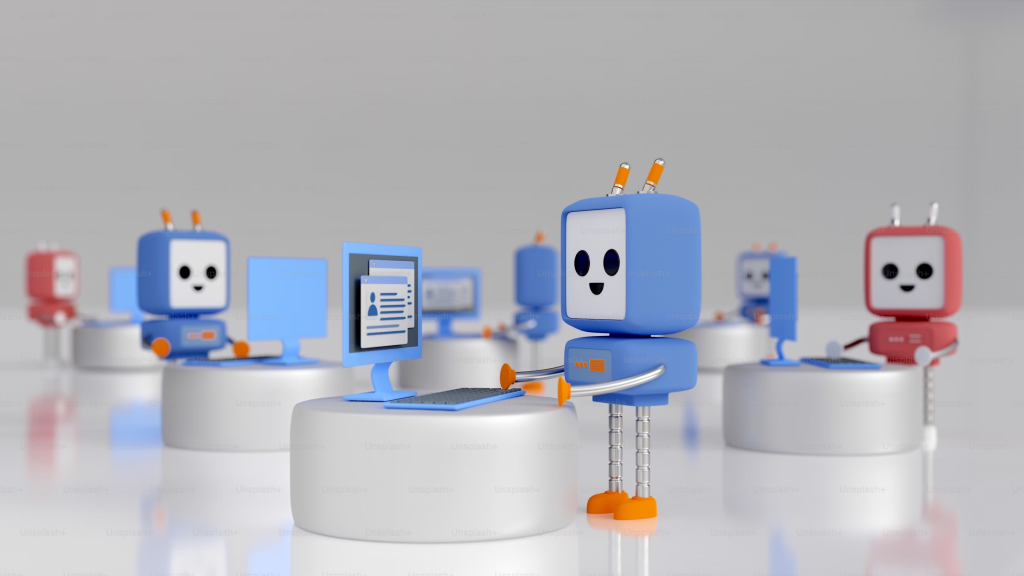
Artwork by Mariia Shalabaieva on Unsplash
Jono Alderson’s “The web isn’t URL-shaped anymore” is a wake-up call for anyone thinking about SEO (search engine optimization), web/content strategy, or how digital authority is determined in a landscape now increasingly dominated by machines instead of humans. For decades, the URL was the “atomic unit” of the web. Every strategy, tool, and metric assumed that relevance, authority, and discoverability lived at the level of a page or a URL. SEO was optimizing containers: get the page right for the right keyword, track “visits per URL,” and worry about how one page “ranks.”
That worldview, Alderson argues, is obsolete. Modern search engines and AI systems don’t experience a page the way we do. When they fetch a URL, they treat it as “raw material”—something to tear apart for semantic meaning, assertions, and relationships. These systems extract discrete claims from pages, not just in the form of schema.org or structured data but from any repeated and machine-learnable pattern in content, HTML markup, or even copywriting style. In effect, the machines that now mediate most discovery are building vast graphs of meaning that aren’t tied to the structure of URLs.
Crucially, both knowledge graph systems (like Google’s) and large language models (LLMs) don’t “rank pages” anymore; they evaluate assertions. Knowledge graphs accumulate “triples” (subject-predicate-object, like “Product X → has price → $99”) and use their density and corroboration across sources to decide what’s true and trustworthy. LLMs, meanwhile, operate in “vector space,” compressing patterns and meaning across their training sets—pulling out the dense, coherent, and oft-repeated, while discarding what is contradictory or isolated.
This means a brand doesn’t “win” by optimizing individual pages or adding more content. Instead, it “wins” by making key claims (e.g., prices, features, bios, reviews) clear, extractable, and consistently reinforced everywhere they show up. The new “authority” in this world emerges not from clever keyword placement but from the coherence and corroboration of assertions across the entire web—inside your site, on marketplaces, social media, third-party aggregators, and wherever else machines are watching.
Authenticity and consistency become strategic weapons, and so does defense: there are adversarial actors (competitors, spammers, or bad-faith affiliates) seeking to pollute the training data set and thus distort these graphs and vector models. In a “hostile corpus,” you must both publish and defend your assertions, acting whenever your narrative is contradicted or manipulated elsewhere on the web.
Alderson’s advice, then, is to stop thinking about pages, and to start thinking about the “graph.” Use clear, reproducible patterns for your essential facts (in HTML, layout, and copywriting), reinforce those claims across trustworthy third-party sites, build APIs and structured endpoints so machines can ingest your data unambiguously, and monitor how you are described everywhere else. The future of SEO isn’t document-first, it’s network-first: meaning, trust, and discoverability are decided by how well your claims are learned and connected—not how well a page is optimized or how many URLs appear in search results.
We won’t “win” by making more pages. We will at least survive by making “meaning”—the sum total of claims—inescapable wherever machines look.
Loading Credentials From Bitwarden With direnv

When you’re managing infrastructure projects, you constantly need to juggle API keys, tokens, and other sensitive credentials. The lazy approach (which I am oh so guilty of more oft than not) is to stuff these secrets into plaintext files (I’m 👀 at you, .env) or hardcode them into scripts (don’t do that), but that’s a security nightmare waiting to happen. There’s a much better way that keeps your secrets locked away until the exact moment you need them.
The solution combines two tools in a clever combo move. First is direnv, which watches your current directory and automatically loads environment variables when you enter a project folder. When you cd into your AWS project directory, it loads your AWS keys. Slide into your database project folder, and it swaps those out for database credentials. Leave the directory entirely, and everything vanishes.
The second piece is Bitwarden, the password manager you might already use for personal accounts, but this time accessed through its command line interface. Instead of storing secrets in files that could accidentally get committed to version control or read by malicious software, everything lives encrypted in your Bitwarden vault.
Here’s the clever bit. Rather than manually typing bw get item 727c9744-2ae4-4dd4-8d5a-2565d7d4e6bf (fret not; that is a uuidgen‘d example UUID just for this post) every time you need a credential, you create a helper script that does the heavy lifting. This script takes a folder name from your Bitwarden vault and a list of environment variables you want to populate. It unlocks your vault, finds the right folder, pulls out the specific credentials, loads them into your shell environment, and then locks the vault back up.
The whole setup is straightforward automation and isolation. When you enter a project directory, direnv notices the configuration file and automatically runs your helper script. Your credentials materialize just long enough for your infrastructure tools to use them, then disappear the moment you change directories. No secrets persist in your shell history, no plaintext files lurk in your project folders, and if someone steals your laptop, they get an encrypted vault instead of a treasure trove of API keys.
This approach transforms credential management from a constant security versus convenience tradeoff into something that’s both more secure and more convenient than traditional approaches. Your secrets stay encrypted until the split second they’re needed, you never have to remember to clean up after yourself, and switching between projects becomes as simple as changing directories.
FIN
Remember, you can follow and interact with the full text of The Daily Drop’s free posts on:
- 🐘 Mastodon via
@dailydrop.hrbrmstr.dev@dailydrop.hrbrmstr.dev - 🦋 Bluesky via
https://bsky.app/profile/dailydrop.hrbrmstr.dev.web.brid.gy
☮️
 hrbrmstr's Daily Drop
Leave a comment