No More GIF Pronunciation Wars!; ; The Inevitable Laws of Web Tables
Y’all were saved from a ThursdAI issue by the PNG-3 standard dropping this week. Instead, we’ll look at said standard and two other topics that relate to presenting data to humans staring at glowing rectangles.
TL;DR
(This is an LLM/GPT-generated summary of today’s Drop using Ollama + Qwen 3 and a custom prompt.)
- The W3C’s PNG-3 spec introduces APNG as an official format, improves color management, and adds HDR and EXIF support (https://www.w3.org/TR/png-3/)
- Keith Clark’s RichInput web component enhances form inputs with real-time visual feedback using regex-based styling (https://keithclark.github.io/richinput/)
- A humorous post outlines the inevitable evolution of simple data tables into complex interfaces with added filtering, sorting, and export features (https://multitasked.net/2025/06/23/the-inevitable-laws-of-web.html)
No More GIF Pronunciation Wars!
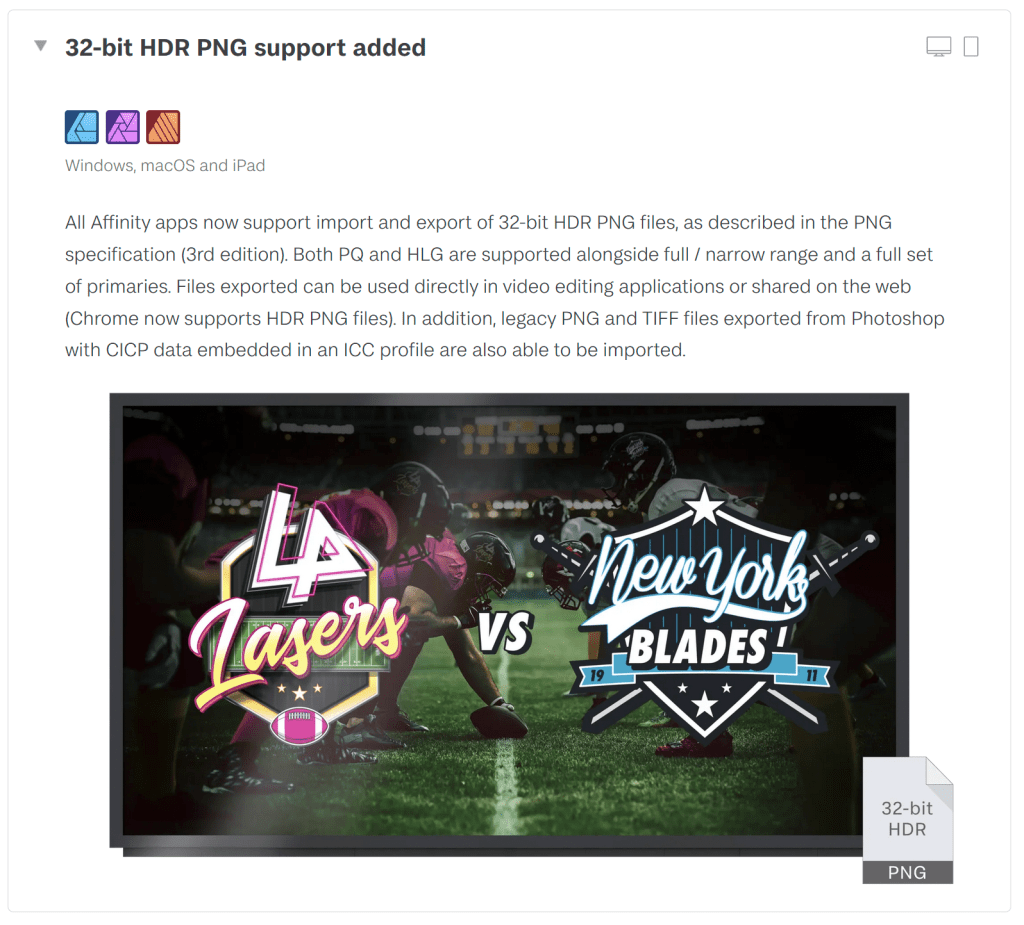
The W3C just dropped the PNG-3 spec, and before you yawn and scroll past yeat-another-incremental-spec-update, you may want to take a closer look at this one. After 25+ years of PNG being the reliable workhorse of the web, we finally have an update that doesn’t just fix edge cases and gives us a boatload of much-needed improvements.
Perhaps the biggest change is that Animated PNG (APNG) is now officially part of the spec! If you’ve been using APNG in production, you’ve been relying on what was technically an “unofficial extension.” Inclusion in the formal PNG standard means better tooling support, clearer implementation guidelines, and fewer compatibility headaches. This means we can finally move past the technical (and pronunciation) debt of animated GIFs for high-quality animations (24-bit color with 8-bit transparency support). Queue the wanton abuse of this feature by marketing teams everywhere. Most browsers already had support for APNG, but the W3C’s rubber stamp means we might finally see it become a tooling default.
There’s also a new color management system that introduces a sensible priority hierarchy:
- cICP (Coding-independent code points) – Precise color space definition
- iCCP – Embedded ICC profiles
- sRGB – Standard web color space
- cHRM/gAMA – Legacy chromaticity/gamma
Professional photographers and designers have been frustrated by PNG’s color handling limitations for years. This update means your carefully color-graded images will display consistently across devices without the file size overhead of always embedding full ICC profiles. Wide color gamut images finally have a proper home in PNG.
PNG files can also now include “mastering display metadata” (a fancy way of saying PNG now supports HDR).
PNG-3 also formalizes EXIF support, which means no workaround hacks to have your camera’s settings, GPS coordinates, orientation data, etc. attached to PNG images. So, you can now maintain a pure PNG workflow without losing critical metadata when converting from RAW files.
There are many “in-the-weeds” improvments as well, which would be dreadfully tedious if I were to add them here.
I’m most impressed by the fact that the working group managed to bring PNG into the 21st century without creating compatibility woes. And, these improvement come at a time where web technologies are increasingly blurring the lines between documents, applications, and media experiences. PNG is now a robust, feature-complete image format that can now handle everything from simple web graphics to professional photography workflows to emerging HDR displays.
To see an overview of the new features, take a gander at the companion implementation report.
RichInput
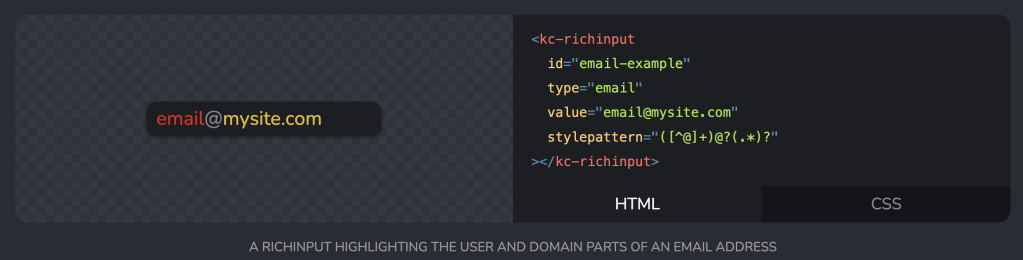
Keith Clark’s RichInput tackles a specific but surprisingly common UX challenge: making form inputs more visually informative in real-time without devastating accessibility.
This web component transforms standard HTML inputs by colorizing text based on regex patterns. Type an email address, and the username and domain can appear in different colors as you type. It’s a drop-in replacement that works with text, tel, and url input types.
The magic happens through the stylepattern attribute. Feed it a regex like ([^@]+)@?(.*)? for email inputs, and RichInput splits your text into stylable groups. Each capture group becomes a CSS ::part that you can style independently—different colors, backgrounds, or text decorations for each segment. Honestly, it’s a brilliant idea/solution.
Under the hood, it’s still a native <input> element, so accessibility and browser behaviors remain intact. However, that means we’re limited to visual CSS properties like color and text-shadow (i.e., no layout modifications).
Installation is straightforward: npm install or CDN import. The JavaScript API extends HTMLElement with familiar methods for validation, focus management, and text selection. Standard input attributes work as expected.
<kc-richinput
  type="email"
  stylepattern="([^@]+)@?(.*)?">
</kc-richinput>
Clark leveraged web component standards such as Shadow DOM encapsulation and custom element registration to create something genuinely reusable without framework lock-in. And, now we have a pretty cool way to generate enhanced user feedback in forms where visual parsing matters.
It’s also a great example of what a web component should be: a focused solution to a specific problem.
The Inevitable Laws of Web Tables

This super-short post articulates what many web developers (and folks who do data communication for a living) experience but rarely document: the inevitable feature creep that transforms every simple data table into a complex data management interface.
The author presents a tongue-in-cheek “law of nature” that governs web table development, outlining the predictable sequence of client requests that escalate from basic data display to sophisticated filtering, sorting, and export capabilities.
While humorous, it’s a pretty accurate observation about the gap between initial project scope and real-world expectations/use. By now I should know better than to just give folks simple tables in my data apps, but I end up having to incrementally add most of the items in the list more often than not.
FIN
Remember, you can follow and interact with the full text of The Daily Drop’s free posts on:
- 🐘 Mastodon via
@dailydrop.hrbrmstr.dev@dailydrop.hrbrmstr.dev - 🦋 Bluesky via
https://bsky.app/profile/dailydrop.hrbrmstr.dev.web.brid.gy
☮️
 hrbrmstr's Daily Drop
Leave a comment