libSQL & sqld; Beekeeper Studio; Outerbase Studio
Today’s Drop explores databases and tools for working with them.
TL;DR
(This is an AI-generated summary of today’s Drop using Ollama + llama 3.2 and a custom prompt.)
- libSQL, an open-source SQLite fork with server mode (sqld), enables remote database operations and network connectivity with multiple protocol support (https://turso.tech/libsql)
- Beekeeper Studio offers a modern, freemium SQL editor and database management interface supporting multiple database systems including sqld/libSQL with encrypted credential storage (https://www.beekeeperstudio.io)
- Outerbase Studio provides a browser-based SQL database management tool with intuitive query editing and schema management, supporting LibSQL, SQLite, MySQL, and PostgreSQL (https://github.com/outerbase/studio)
libSQL & sqld

libSQL (GH) is an open-source fork of SQLite, designed to enhance the capabilities of the original database while maintaining its lightweight and efficient nature. Unlike SQLite, libSQL has a server mode, known as sqld, which enables the database to operate over a network. This means that, unlike traditional SQLite, which is limited to local storage, libSQL can handle remote connections, making it suitable for modern, distributed applications (e.g., for edge functions where it’s impractical to embed a full database engine).
The server communicates through multiple protocols:
- PostgreSQL wire protocol for client-server communication
- HTTP API for direct database operations
- gRPC for replication coordination between nodes
The primary server can operate with either a single-node libSQL database or utilize mvSQLite with FoundationDB for enhanced write concurrency and fault tolerance. Replicas maintain local databases that periodically sync with the primary through WAL (Write-Ahead Log) updates.
The system implements JWT-based client authentication and requires TLS configuration for inter-node communication. Each node in a cluster requires specific TLS certificates and keys, with the primary server acting as the TLS server and replicas as TLS clients.
You can use it natively on most operating systems, via Docker containers, or hosted form (more on that in a bit).
sqld implements incremental snapshots for database persistence and replication. These snapshots can be generated at configurable intervals and used to synchronize offline replicas or maintain backup copies. The snapshot system includes hooks for custom handling of generated snapshot files.
Platforms like Val Town, Fly.io (and others) have integrated libSQL to provide each account with a personal SQLite database, powered by Turso, which is built on libSQL. This setup lets us execute SQL queries directly within applications. Tools like LibSQL Studio facilitate easy management of these databases, enabling admins to connect to and machinate these edge databases.
It’s super easy to get started with libSQL/sqld. Just download the releases, use Homebrew, or even the curl|bash incantation if you’re feeling brave.
This:
$ sqld --enable-http-console --http-listen-addr 127.0.0.1:9980 --db-path roci
will get an instance running on a custom port and with a web SQL console.
Let’s build a really small example database:
cat > /tmp/setup-db.sql << 'JSON'
{
  "statements": [
    "CREATE TABLE IF NOT EXISTS roci_crew (id INTEGER PRIMARY KEY, name TEXT, role TEXT, origin TEXT)",
    "INSERT INTO roci_crew VALUES (1, 'James Holden', 'Captain', 'Montana, Earth')",
    "INSERT INTO roci_crew VALUES (2, 'Naomi Nagata', 'Executive Officer', 'The Belt')",
    "INSERT INTO roci_crew VALUES (3, 'Alex Kamal', 'Pilot', 'Mars')",
    "INSERT INTO roci_crew VALUES (4, 'Amos Burton', 'Engineer', 'Baltimore, Earth')"
   ]
}
JSON

# i made a new year resolution to not just lazily use "EOF" where it makes sense to have some semantic meaning

curl \
  --silent \
  --request POST \
  --url "http://127.0.0.1:9980" \
  --data @/tmp/setup-db.sql
We can make sure they’re all in the ship:
curl --url "http://localhost:9980/" --json '{ "statements": ["SELECT * FROM roci_crew"] }' --silent | jq
[
  {
    "results": {
      "columns": [
        "id",
        "name",
        "role",
        "origin"
      ],
      "rows": [
        [
          1,
          "James Holden",
          "Captain",
          "Montana, Earth"
        ],
        [
          2,
          "Naomi Nagata",
          "Executive Officer",
          "The Belt"
        ],
        [
          3,
          "Alex Kamal",
          "Pilot",
          "Mars"
        ],
        [
          4,
          "Amos Burton",
          "Engineer",
          "Baltimore, Earth"
        ]
      ],
      "rows_read": 4,
      "rows_written": 0,
      "query_duration_ms": 0.034
    }
  }
]
“Data” folks will likely be a bit miffed about the return value, but this is designed more to be in an application context, not a data analysis one.
We can also perform the attendance check in the web console:

It’s a nice, lightweight alternative to Postgres, with some extra clever/useful features.
One of those neat features is “bottomless replication”, which implements a virtual write-ahead log (WAL) for libSQL that provides continuous backup to S3-compatible storage with automatic restore capabilities. The system operates by asynchronously replicating database page writes to S3 storage while maintaining local caching for performance.
The implementation uses a 4 KiB sector size for data storage and includes a 12 KiB header containing metadata about writes. The system merges and flattens overlapping writes to reduce S3 storage usage, though this means partial log replays may not reproduce exact historical states.
Bottomless uses a generation-based system for managing database state. Each boot creates a new generation with a timestamped UUID (v7). The “generations” consist of a snapshot of the main database file plus its replicated WAL. And, the system can recover from collisions by identifying and removing stray generations. Oh, and, this feature isn’t baked into libSQL, but is offered as an extension.
There’s a dedicated CLI tool for this feature which lets us list available generations with detailed metadata, restore databases from specific generations, and remove old snapshots based on age.
Beekeeper Studio
Beekeeper Studio is a modern, open-source (but also freemium) SQL editor and database management tool that supports major database systems including sqld/libSQL (a big reason I’m including it, today), MySQL, PostgreSQL, SQLite, and SQL Server. The freemium version supports even more, including DuckDB ( “Coming Soon”).
The application groks TLS and supports SSH tunneling capabilities. It also uses encrypted storage of saved database credentials (I call this out since most projects don’t seem to care at all about security).
The built-in SQL editor comes with syntax highlighting and intelligent auto-completion that recognizes table structures/schemas. You can work with multiple queries simultaneously through a tabbed interface that handles both table definitions and data views.
Query management is streamlined with the ability to save and organize frequently used SQL statements (so, SQL “snippets”) across database connections. The interface includes a visual table editor for creating and modifying database structures, including column definitions, indexes, and relationships.
For data interchange, Beekeeper Studio offers multiple export formats including CSV, JSON, JSONL, and SQL, with the ability to apply filters to exported data sets.
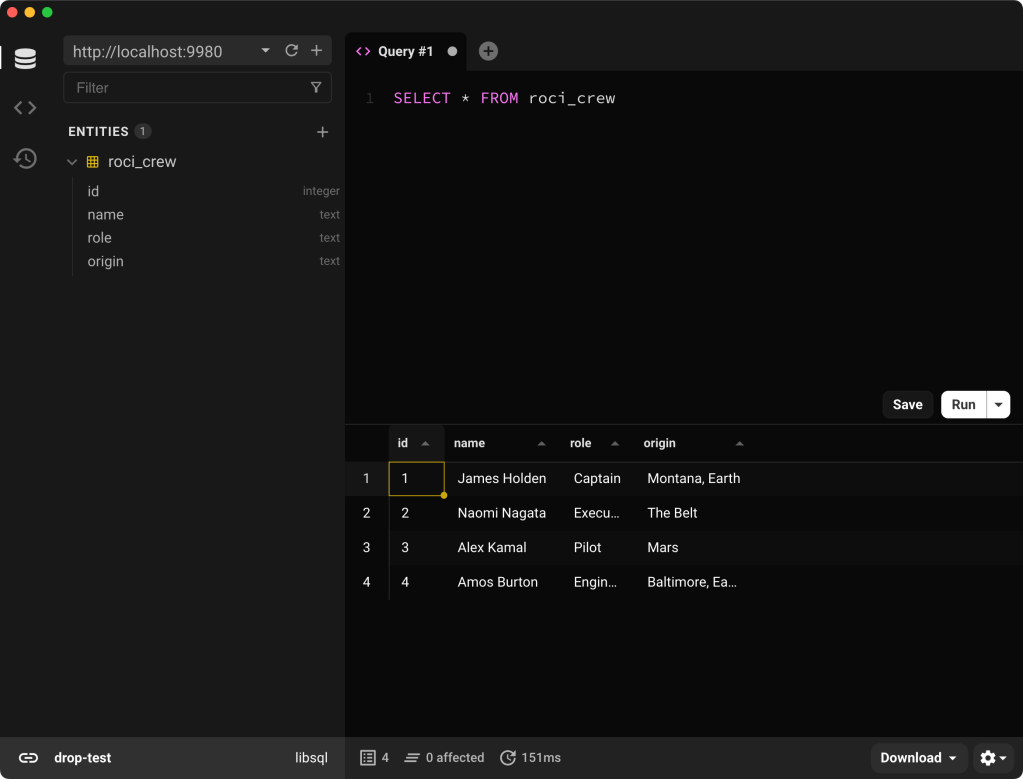
This is a sample view of it checking to make sure the Roci crew is on board:
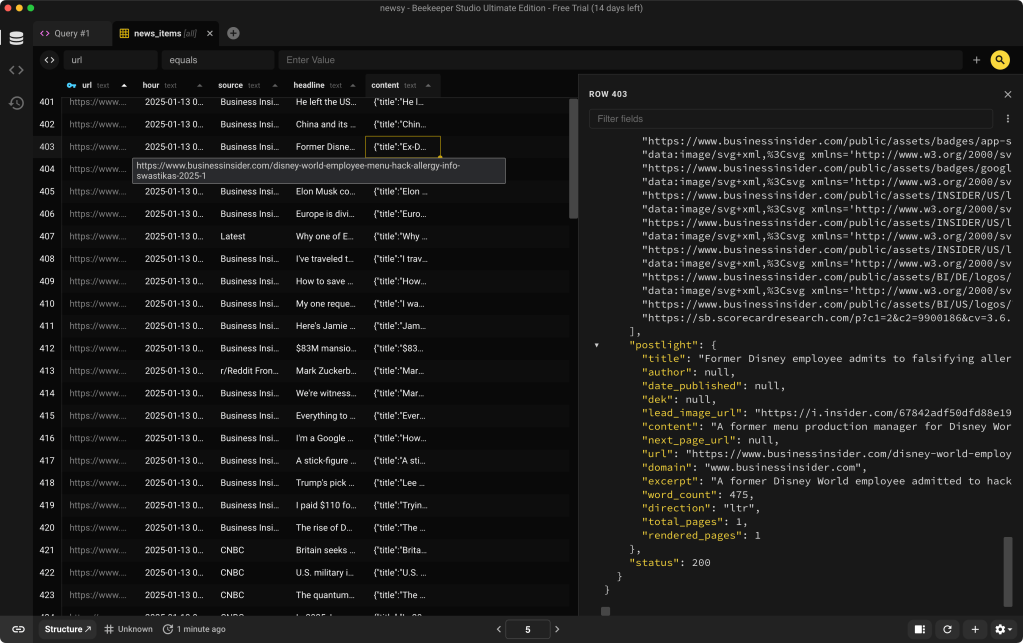
This is a view of it reading a local SQLite database:
The freemium version is (IMO) a tad on the expensive side, but it may be worth it for folks who are in the market for a database “IDE”.
Outerbase Studio
The libSQL crew have their own IDE as well. Outerbase Studio is a very friendly, browser-based application (with an Electron client option) that works with many SQL database types (and including sqld). Initially developed for databases like LibSQL and SQLite, it has expanded to support a variety of systems, including MySQL and PostgreSQL. 
The query editor is quite intuitive and offers auto-completion plus helpful tooltips. This design makes writing and executing SQL queries more straightforward, especially if you’re still getting comfortable with database languages. The ability to run multiple queries at once and view their results side by side was crafted super well.
The data editor is another helpful component as it lets us make changes to data and preview them before finalizing.
Managing database schemas is simplified with Outerbase Studio’s schema editor. With it, we can create, modify, or remove table columns with just a few clicks, eliminating the need to write SQL commands manually.
As noted, for added convenience, Outerbase Studio offers a desktop application for both Windows and Mac. This version provides additional support for certain database drivers, such as those for MySQL and PostgreSQL, which might not be fully compatible with a browser environment. NOTE: it requires Docker to be installed and it didn’t work for me since it has a check for Docker which OrbStack does not pass.
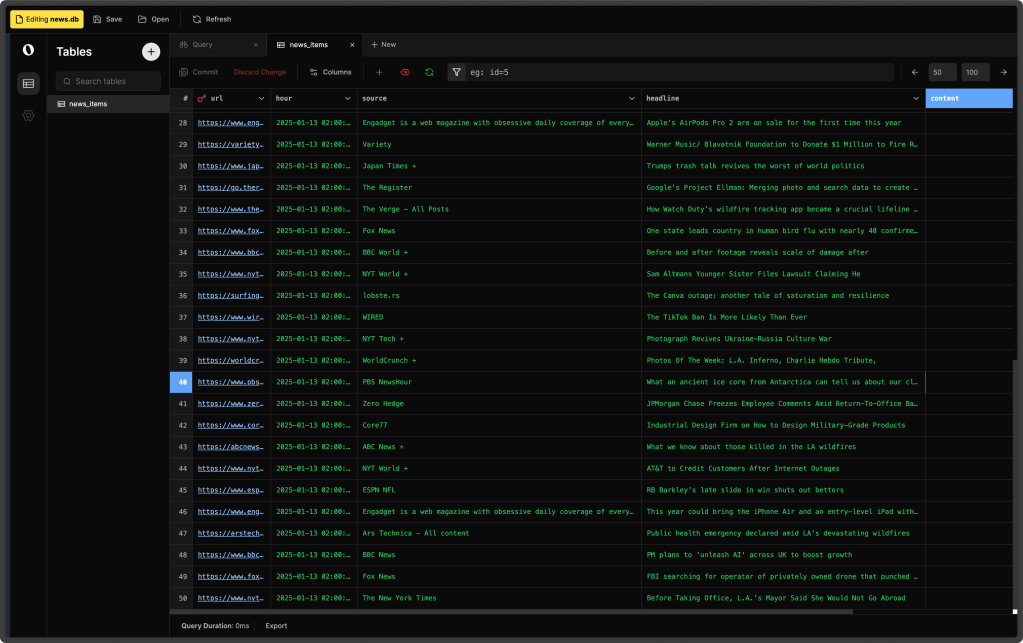
Here are a couple screens from it to close out this section:

FIN
Remember, you can follow and interact with the full text of The Daily Drop’s free posts on:
- 🐘 Mastodon via
@dailydrop.hrbrmstr.dev@dailydrop.hrbrmstr.dev - 🦋 Bluesky via
https://bsky.app/profile/dailydrop.hrbrmstr.dev.web.brid.gy
Also, refer to:
to see how to access a regularly updated database of all the Drops with extracted links, and full-text search capability. ☮️
 hrbrmstr's Daily Drop
Leave a comment