CSS Wrapped 2024; Yet-Another Simple CSS Framework; Quick and Dirty Colour Palettes Using color-mix()
Today’s Drop reviews 2024’s latest CSS advancements, [re]visits a CSS lightweight framework designed for simplicity, and explores a quick trick for creating color palettes using CSS.
TL;DR
(This is an AI-generated summary of today’s Drop using Ollama + llama 3.2 and a custom prompt + VSCodium extension.)
- “CSS Wrapped 2024” introduces features like
interpolate-size, cross-document view transitions, scroll-driven animations, and styling scrollbars, enabling more dynamic and responsive web experiences (https://chrome.dev/css-wrapped-2024/) - Simple.css is a lightweight CSS framework that enhances semantic HTML without additional classes, offering minimal footprint and automatic dark mode support (https://simplecss.org/)
- The
color-mixfunction in CSS allows for creating harmonious color palettes by blending existing colors, simplifying the palette creation process (https://www.alwaystwisted.com/articles/quick-and-dirty-colour-palettes-using-color-mix)
CSS Wrapped 2024

Along with every other service is piling on the “unwrapping” bandwagon, this year’s installment of “CSS Wrapped 2024” is out this week. Let’s review some of what’s contained in that stylish tome.
In 2024, CSS introduced a suite of features that significantly kick web design capabilities up a notch or three, focusing on interactivity, animation, and developer convenience. These advancements let us create more dynamic and responsive experiences with far more streamlined code.

One spiffy addition is the ability to animate to height: auto. Historically, animating elements to an automatic height required complex workarounds, often involving JavaScript. With the new interpolate-size property, we can smoothly transition elements to their intrinsic sizes using CSS alone. By setting interpolate-size: allow-keywords on the :root selector, the entire page can opt into this behavior, giving us seamless animations to and from intrinsic sizing keywords like min-content, max-content, and fit-content. Just, please, go easy on the animations. Too much of anything is terrible.
Another big enhancement is the introduction of cross-document view transitions. This feature enables smooth visual transitions between different pages or states within a web application, which can provide a sense of continuity. And, we can implement these transitions with minimal CSS, making it easier to create fluid and engaging interfaces.
Scroll-driven animations have also been introduced, allowing animations to be tied to the browser’s scroll position. This capability enables the creation of interactive storytelling experiences (a.k.a., scrollytelling) and dynamic content that responds to interactions, all achieved through CSS without relying on JavaScript.
The field-sizing property is another addition that simplifies form design. By setting field-sizing: content, input elements like textarea, select, and input can automatically size themselves to fit their content or placeholder text. This eliminates the need for JavaScript-based solutions to dynamically adjust field sizes, streamlining form development. Take note, however, that this can also bite you in some unexpected ways, so ensure you test elements with this property well.
Exclusive accordions have become more accessible with enhancements to the <details> element. We can now easily create accordion interfaces where only one section is expanded at a time, which is a big plus in content-rich applications.
Styling scrollbars — just kagi/google that see how this has been a long-desired feature — is now possible, letting us customize scrollbar appearance to match the design of our applications/content. This enhancement contributes to a more cohesive and polished user interface, but I’m not so sure mucking with the native scrollbars is a great idea.
The @property “at”-rule has been finally been standardized across all major browsers, enabling the creation of custom properties with defined syntax, inheritance, and initial values. This will help make your stylesheets more dynamic and maintainable.
The popover API has been integrated, providing a standardized way to create and manage popover elements in web applications. This feature simplifies the implementation of popovers, ensuring consistent behavior across different browsers. I cannot wait for this to make it into Observable Framework.
Additionally, the @starting-style “at”-rule lets us define the initial styles of an element before any animations are applied, providing greater control over the animation process and ensuring a smoother visual experience.
These developments are the result of collaborative efforts among browser engineers, specification writers, and the web development community. For a comprehensive overview of these features and more, you can explore the aforelinked CSS Wrapped 2024 page.
Yet-Another Simple CSS Framework
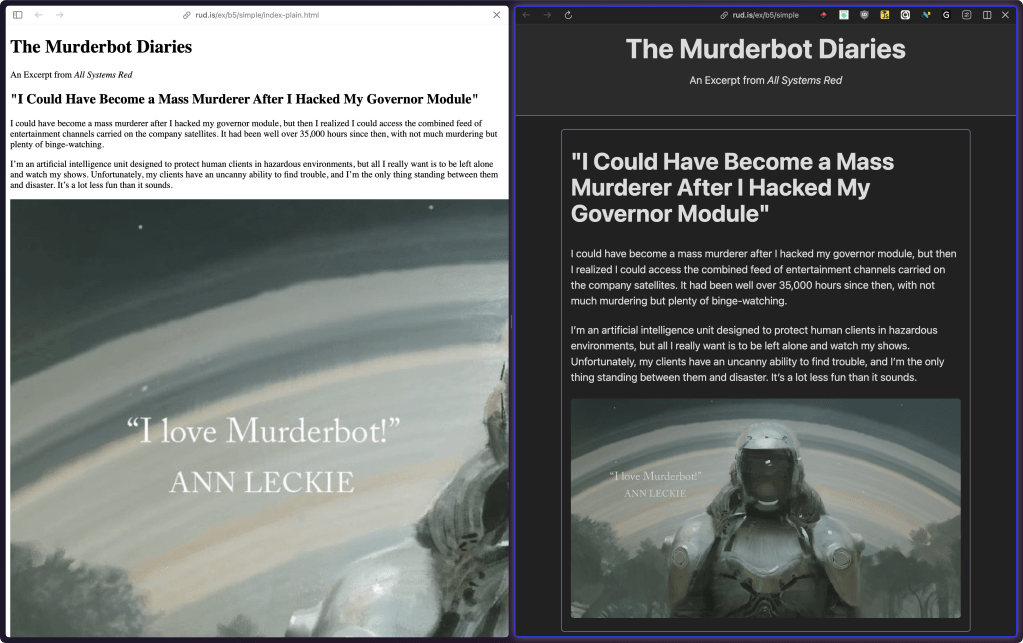
I cannot belive I have not covered this year.
Created by Kev Quirk, Simple.css (GH) is yet-another a lightweight CSS framework designed to enhance the appearance of semantic HTML without the need for additional classes. By applying sensible default styles to standard HTML elements, it enables developers to create visually appealing websites quickly and efficiently. 
It has minimal footprint (the minified version is approximately 10KB in size), making it significantly smaller than more comprehensive frameworks like (ugh) Bootstrap, which can be around 144KB. This compact size allows for faster loading times and reduces unnecessary bloat, making it ideal for small or personal projects where a full-featured framework might be excessive. 
Simple.css offers several features out of the box, including a clean sans-serif font stack, typographic best practices, automatic dark mode support, and full responsiveness. These features ensure that websites look good across various devices and viewing conditions without requiring extensive customization. 
The framework is predominantly classless, meaning it styles elements based on their semantic HTML tags rather than relying on specific classes. This approach simplifies the development process, as we can write standard HTML without worrying about applying numerous classes to achieve the desired styling. However, for those who need additional control, Simple.css introduced “Simple Classes” to provide more flexibility when necessary. 
We covered a bunch of similar frameworks back in August. The section header uses one of those examples with Simple.css substituted in for the “after” the before/after view.
Quick and Dirty Colour Palettes Using color-mix()
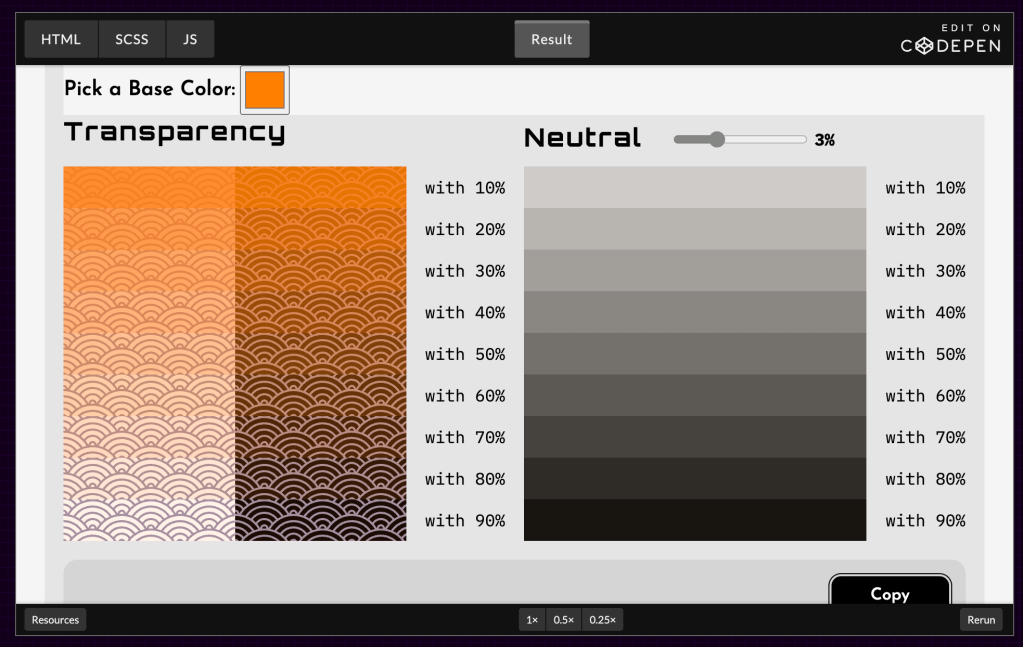
Creating effective color palettes can be a daunting task, especially for folkls without formal training in design. However, a practical approach involves using the color-mix function in CSS to blend existing colors, resulting in harmonious combinations. Stuart Robson covers this brilliantly (with examples) in “Quick and Dirty Colour Palettes using color-mix()“.
The color-mix function lets us merge two colors in specified proportions, producing a new hue that balances the characteristics of both. This method simplifies the palette creation process by leveraging colors already present in a design, ensuring consistency and visual cohesion.
For instance, blending a vibrant blue with a subtle gray can yield a muted blue tone, suitable for backgrounds or accents. By adjusting the ratio of each color in the mix, we can fine-tune the resulting shade to align with our aesthetic goals.
This technique is particularly beneficial for those who may not have a deep understanding of color theory. It provides a straightforward means to develop a cohesive color scheme without extensive experimentation or reliance on external tools.
It’s a very fun and informative read!
FIN
We all will need to get much, much better at sensitive comms, and Signal is one of the only ways to do that in modern times. You should absolutely use that if you are doing any kind of community organizing (etc.). Ping me on Mastodon or Bluesky with a “🦇?” request (public or faux-private) and I’ll provide a one-time use link to connect us on Signal.
Remember, you can follow and interact with the full text of The Daily Drop’s free posts on:
- 🐘 Mastodon via
@dailydrop.hrbrmstr.dev@dailydrop.hrbrmstr.dev - 🦋 Bluesky via
https://bsky.app/profile/dailydrop.hrbrmstr.dev.web.brid.gy
Also, refer to:
to see how to access a regularly updated database of all the Drops with extracted links, and full-text search capability. ☮️

 hrbrmstr's Daily Drop
Leave a comment