Val Town; CISA KEV CORS Proxy In Val Town;
CISA KEV-To-RSS In Val Town; CISA KEV Update Cron Job
I came across today’s resource whilst catching up on some feed reading. After poking the tyres a bit, it seemed quite worthy of a full Bonus Drop’s attention, especially since it’s almost frictionless to use and incredibly handy.
Val Town

Val Town (GH) is a cloud-based platform that has a fairly unique approach to coding and application development. It’s a social coding website (somewhat like Glitch and others) where we can write and execute Deno-flavored JavaScript or TypeScript code snippets called “vals” in web browsers. These vals run on Val Town’s servers, providing serverless functions with a social dimension. They’re similar to the various “JavaScript edge functions” offered by Cloudflare (and others).
The platform offers persistence, with variables in vals persisting between executions. This enables various applications, including projects where state maintenance is important/necessary (I have an example of that in one of the sections). Val Town supports function scheduling through cron jobs, allowing code execution at specific intervals or times without external scheduling tools. And, you can make “scripts” which can be used as libraries for your own set of custom functions.
The service also facilitates REST API creation, simplifying API building and exposure without extensive backend development. Email handling is integrated, enabling vals to also receive and send emails directly. The platform includes built-in SQLite support for lightweight database solutions, allows use of Deno and NPM modules, and handles incoming webhooks for real-time interaction with external services.
Use cases for Val Town are diverse, including API usage examples, personal projects, task automation, idea prototyping, and persisted interactions on static sites. You can even write/host a blog with it. The service requires no setup, allowing immediate coding upon site access.
You can also browse or search through all public vals, then fork the ones you find helpful/interesting so you can bootstrap a project.
A recent-ish addition to the service is their Townie AI helper, which is a prompted shim over the Claude Sonnet API. You may want to strongly consider starting with Townie, as they’ve done a phenom job bootstrapping it to make small project creation almost effortless.
Onboarding is simple/quick, and the free tier has very generous limits for all their features.
Let’s build something(s) with it!
CISA KEV CORS Proxy

Y’all are likely sick of “CISA KEV”, but it’s a nice data source for all sorts of examples. In this one, we’ll build a CORS proxy for the CISA KEV JSON that just returns the vulerabilities top-level key value. This will make it possible for you (or, others) to work with the CISA KEV JSON directly in-browser without having to write a job to copy the JSON to a serving endpoint you control.
If you just want to poke at it without reading the modest blathering (below), head to https://hrbrmstr-knownexploitedvulnsendpoint.web.val.run and fork the project.
I started by tapping the “New” button and selecting the “HTTP” item. This brings you to a live editor that has all the bells and whistles y’all are used to in a modern IDE (it uses CodeMirror).
You can (and, should!) put imports and helper functions outside the export default async function server(request: Request): Promise<Response> { block (to keep things tidy). To solve our problem statement, we will need to:
- fetch the CISA KEV JSON
- extract the array from the
vulnerabilitieskey - tell the response object we’re sending back JSON, and to allow all origins
- send back the JSON with the right headers
It’s very straightforward code, even if you only grok just a wee bit of JavaScript:
export default async function server(request: Request): Promise<Response> {
  try {
    const response = await fetch("https://www.cisa.gov/sites/default/files/feeds/known_exploited_vulnerabilities.json");
    if (!response.ok) {
      throw new Error(`HTTP error! status: ${response.status}`);
    }
    const data = await response.json();

    const vulnerabilities = data.vulnerabilities;

    if (!vulnerabilities || !Array.isArray(vulnerabilities)) {
      throw new Error("Vulnerabilities data is not in the expected format");
    }

    return new Response(JSON.stringify(vulnerabilities), {
      headers: {
        "Content-Type": "application/json",
        "Access-Control-Allow-Origin": "*",
      },
    });
  } catch (error) {
    console.error("Error:", error);
    return new Response(JSON.stringify({ error: "Failed to fetch or process vulnerabilities data" }), {
      status: 500,
      headers: {
        "Content-Type": "application/json",
        "Access-Control-Allow-Origin": "*",
      },
    });
  }
}
Now, you should be able to fire up Developer Tools in this browser window and enter:
await(await fetch("https://hrbrmstr-knownexploitedvulnsendpoint.web.val.run")).json()
to see the transformed JSON.
CISA KEV-To-RSS In Val Town
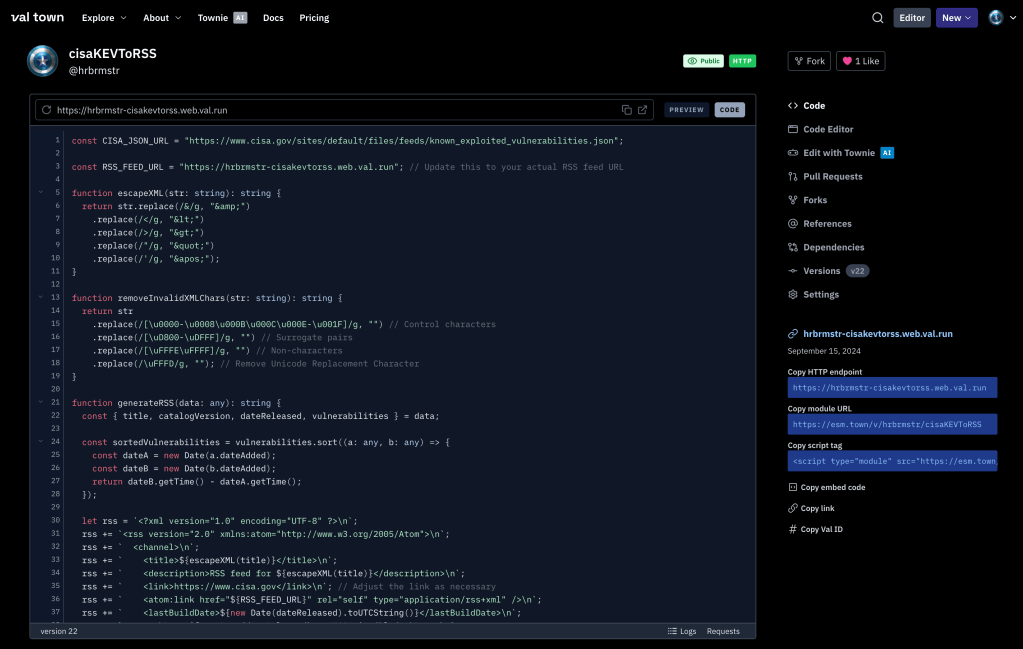
In this slightly more complex, “yet-another-KEV” example, we’ll use Val Town to build a serverless HTTP function to turn the KEV JSON into Atom-flavored RSS XML.
If you just want to poke at it without reading the short blathering (below), head to https://www.val.town/v/hrbrmstr/cisaKEVToRSS and fork the project.
I, again, started by tapping the “New” button and selecting the “HTTP” item.
This time, the code (https://www.val.town/v/hrbrmstr/cisaKEVToRSS) has some helper functions along with the required exported one:
escapeXML(for escaping problematic characters for use in an XML context)removeInvalidXMLChars(some RSS readers are picky)generateRSS(to do the hard work)
There are also two constants that could have been defined as environment variables.
Note the addition of a
Cache-Controlheader to be kind to the service. You’ll want to leave that off during development.
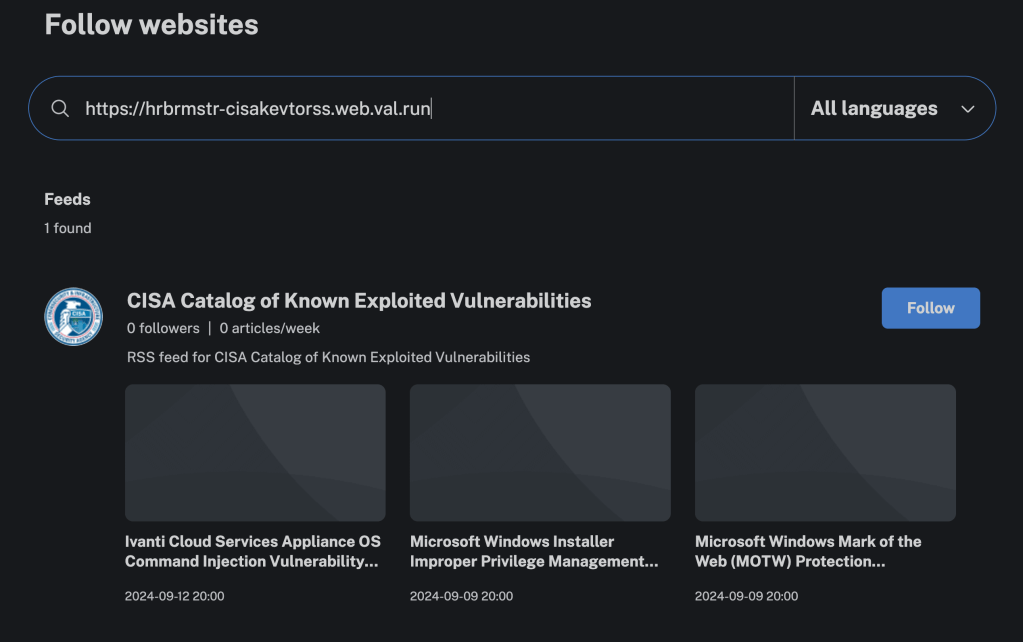
Inoreader is quite happy with the results:
CISA KEV Update Cron Job
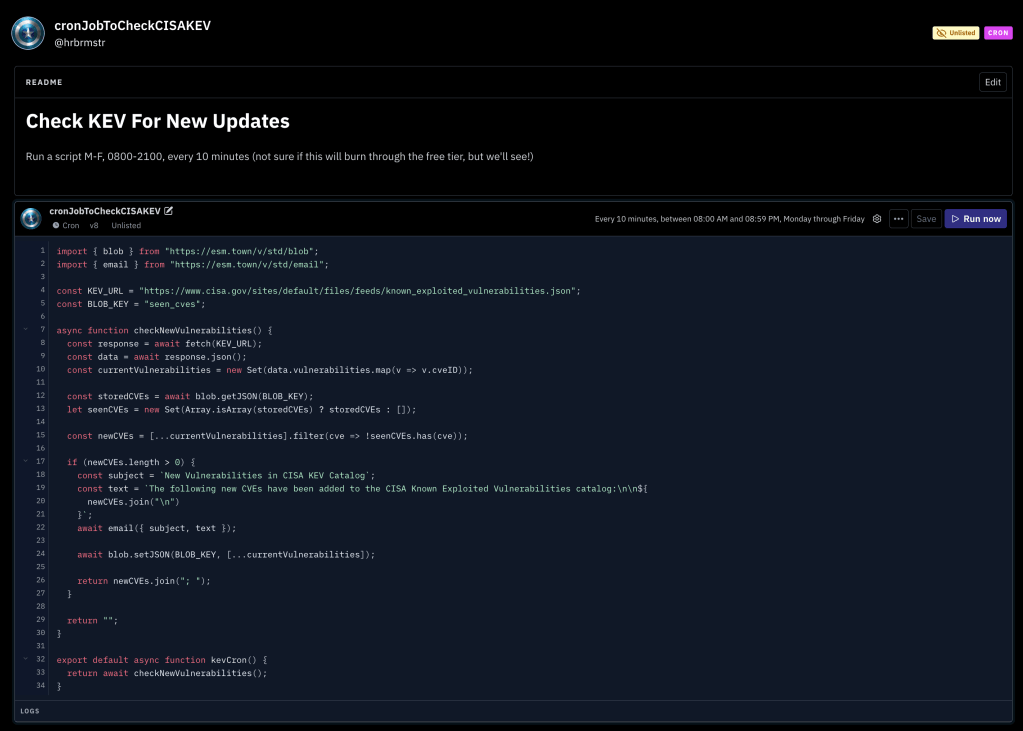
Val Town supports small cron jobs and knows about your email address, so it’s pretty straightforward to write small edge functions to check on something and let you know when a condition is met.
Val Town also has built-in key/value blob storage (likely backed by that Deno server feature), so we can use that to store the “last known CISA KEV CVEs” and check new ones against it.
If you just want to poke at it without reading the short blathering (below), head to https://www.val.town/v/hrbrmstr/cronJobToCheckCISAKEV and fork the project.
The logic is pretty straightforward:
- constants for the KEV URL and the blob storage key
- fetch KEV
- yank the CVEs from it
- get the last known KEV CVEs from blob storage
- compare/diff the two
- build the email
- send the email
I upgraded from the free tier ($10/mo) so it can run every 10 minutes, but running every 15 minutes should be sufficient for most folks.
import { blob } from "https://esm.town/v/std/blob";
import { email } from "https://esm.town/v/std/email";

const KEV_URL = "https://www.cisa.gov/sites/default/files/feeds/known_exploited_vulnerabilities.json";
const BLOB_KEY = "seen_cves";

async function checkNewVulnerabilities() {
  const response = await fetch(KEV_URL);
  const data = await response.json();
  const currentVulnerabilities = new Set(data.vulnerabilities.map(v => v.cveID));

  const storedCVEs = await blob.getJSON(BLOB_KEY);
  let seenCVEs = new Set(Array.isArray(storedCVEs) ? storedCVEs : []);

  const newCVEs = [...currentVulnerabilities].filter(cve => !seenCVEs.has(cve));

  if (newCVEs.length > 0) {
    const subject = `New Vulnerabilities in CISA KEV Catalog`;
    const text = `The following new CVEs have been added to the CISA Known Exploited Vulnerabilities catalog:\n\n${
      newCVEs.join("\n")
    }`;
    await email({ subject, text });

    await blob.setJSON(BLOB_KEY, [...currentVulnerabilities]);

    return newCVEs.join("; ");
  }

  return "";
}

export default async function kevCron() {
  return await checkNewVulnerabilities();
}
FIN
Drop a reply or a private note if you’d like other examples.
Remember, you can follow and interact with the full text of The Daily Drop’s free posts on Mastodon via @dailydrop.hrbrmstr.dev@dailydrop.hrbrmstr.dev ☮️
 hrbrmstr's Daily Drop
Leave a comment