kondo; sn; dust
If you thought you were in the market for a new SSD, think again:
Welp. We really cannot have nice things at all thanks to AI, can we.
Rather than pay a premium for expanded storage, why not make the most of what you have by doing a bit of Summer cleaning?
While I’m still partial to dua (we covered that back in Aprl), there are other tools with both similar and quite different purposes and idioms. So, we’ll take a look at three of them as we head into the weekend.
TL;DR
(This is an AI-generated summary of today’s Drop using Sonnet via Perplexity.)
- kondo: A tool that frees up storage by automatically locating and removing build artifacts for various programming languages and frameworks. [https://github.com/tbillington/kondo]
- sn (Tin Summer): A faster alternative to the ‘du’ command, offering color-coded results and regex-based exclusions to help identify space-consuming files and clean up build artifacts for multiple ecosystems. [https://github.com/vmchale/tin-summer]
- dust: A ‘du’ alternative with a half-CLI, half-TUI interface that provides a visual representation of disk usage, automatically identifying the largest space consumers. [https://github.com/bootandy/dust]
kondo
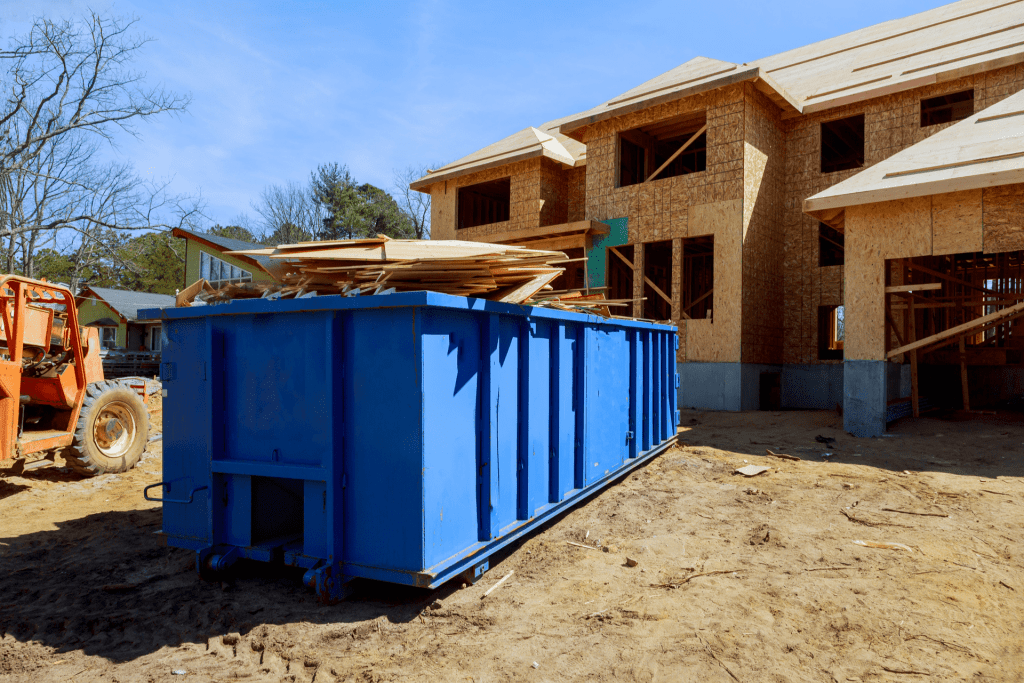
Since you’re a reader of the Drop, chances are you’re a builder. Depending on what tools you build with, some of them can leave behind quite a bit of detritus (I’m looking at you node_modules and Xcode). I have a tendency to forget about these artifacts until I really need some space back. While dua can tell me sizes of things, kondo can actually do something about it.
If you build in any of these:
- Cargo (Rust)
- CMake (C, C++)
- Composer (PHP)
- Elixir
- Godot 4.x (C#, GDScript)
- Gradle (Java)
- Jupyter Notebook (Python)
- Pixi (Python)
- Maven (Java)
- Node (JavaScript)
- Pub (Dart)
- Python
- SBT (Scala)
- Stack (Haskell)
- Swift
- Unity (C#)
- Unreal Engine (C++)
- Zig
- .NET (C#, F#)
- Turborepo (JavaScript)
then kondo can free up megabytes to gigabytes of storage by automagically locating and removing build artficats (and dependencies).
It has a dry-run mode so you can preview the devastation prior to causing it, and you can ask it to only deal with certain project types or projects with certain temporal attributes.
I tend to just throw caution to the wind when running it (I mean, YOLO, right?):
$ kondo --all
/Users/hrbrmstr/projects/fw/hello-framework Node project (6 seconds ago)
  └─ node_modules (67.1MiB)
/Users/hrbrmstr/projects/celestial-moniker-generator Node project (1 minute ago)
  └─ node_modules (17.8MiB)
Projects cleaned: 2, Bytes deleted: 84.9MiB
That would have been a more impressive demo if I had not run the tool on Sunday.
It’s super fast, does this one thing super well, and I guarantee will free up some space if you try it out.
sn

sn has one mode of operation that is similar to kondo (build artifact reduction), and another that is more of a replacement to the traditional du command.
Also called “Tin Summer”, sn processes large directories faster than du; and, its intuitive commands plus human-readable output make it easier to pinpoint space-consuming files.
It has color-coded results, making the output a bit more readable than du, and its regex-based exclusions can streamline the process of filtering irrelevant directories and files.
The builder-cleanr supports the following ecosystems:
- Haskell (incl. GHCJS)
- Rust
- Julia
- Python
- Elm
- Nim
- Vimscript
- TeX
- Idris
- FORTRAN
And, here’s one mode of operation, showing me how many things I should probably get rid of:
$ sn sort "$(pwd)" -n12
23   GB  /Users/hrbrmstr/Development/clones
6.6  GB  /Users/hrbrmstr/Development/clones/ladybird
3.7  GB  /Users/hrbrmstr/Development/play
2.7  GB  /Users/hrbrmstr/Development/clones/mprocs
2.6  GB  /Users/hrbrmstr/Development/rust
2.3  GB  /Users/hrbrmstr/Development/clones/Ligaturizer
2.2  GB  /Users/hrbrmstr/Development/ru-ok
2.1  GB  /Users/hrbrmstr/Development/play/datwork
2.0  GB  /Users/hrbrmstr/Development/tauri-app
1.9  GB  /Users/hrbrmstr/Development/vapor-webr
1.9  GB  /Users/hrbrmstr/Development/vapor-webr/DerivedData
1.9  GB  /Users/hrbrmstr/Development/tauri-app/src-tauri
52   GB  /Users/hrbrmstr/Development
(I ended up deleting ladybird, Ligaturizer and tauri-app after seeing that output).
I didn’t benchmark it, but on my system, dua is still faster for the du-clone part. Still, it does a fine job helping pinpoint space wasters.
In other news, Sn is the chemical symbol for tin, but I’m still trying to figure out the “summer” bit.
dust
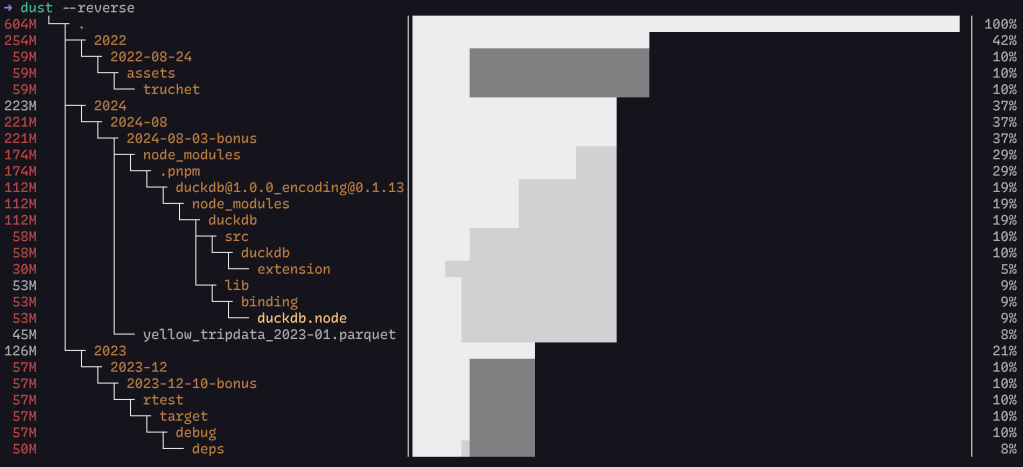
https://github.com/bootandy/dust is yet-another `du` alternative with a twist: its half-CLI, half-TUI.
Rather than a simple list, the default mode of dust is to show you a visualization of consumed space (ref. section header).
It automatically identifies a list of the largest subdirectories or files, smartly recursing down the directory tree to find the most significant space consumers. This eliminates the need for additional sorting or filtering commands.
dust uses color-coded bars to represent both the directory hierarchy and disk usage. Different shades of grey indicate parent-child relationships between folders, making it easy to understand the structure at a glance.
It has a bonkers amount of customization via CLI parameters, including an option to return JSON (always a welcome feature in a CLI tool). I’ll leave y’all to do an incantation with --help to see them all.
It comes the closest to dua‘s speed, and the graph is a nice feature.
FIN
Remember, you can follow and interact with the full text of The Daily Drop’s free posts on Mastodon via @dailydrop.hrbrmstr.dev@dailydrop.hrbrmstr.dev ☮️
 hrbrmstr's Daily Drop
Leave a comment