new.css; Almond CSS; Effective CSS One-Liners
Let’s begin the M-F crunch by getting back to basics. We’ve got three CSS resources on tap. The first two are about some classy classless CSS frameworks to help spiffy-up and, perhaps, even simplify old or new projects. And, the last are some succinct CSS drop-ins that can spiffy up existing content.
A big plus is that you’ll be able to grok and start using each of them within minutes (if you so choose).
TL;DR
(This is an AI-generated summary of today’s Drop using Sonnet via Perplexity.)
- New.css: A classless CSS framework for simple and efficient HTML styling, offering a clean look with minimal effort. It’s lightweight (4.8kb) and customizable via CSS variables. [https://newcss.net/]
- Almond.CSS: Another minimalist, classless CSS library that styles semantic HTML tags directly. It offers two versions (Regular and Lite) and is easily customizable using CSS variables and HSL colors. [https://alvaromontoro.github.io/almond.css/demo/]
- Effective CSS One-Liners: A collection of CSS snippets by Alvaro Montoro for enhancing content presentation, including techniques for limiting content width, improving text readability, and styling tables. [http://archive.is/GQ2Ww]
new.css
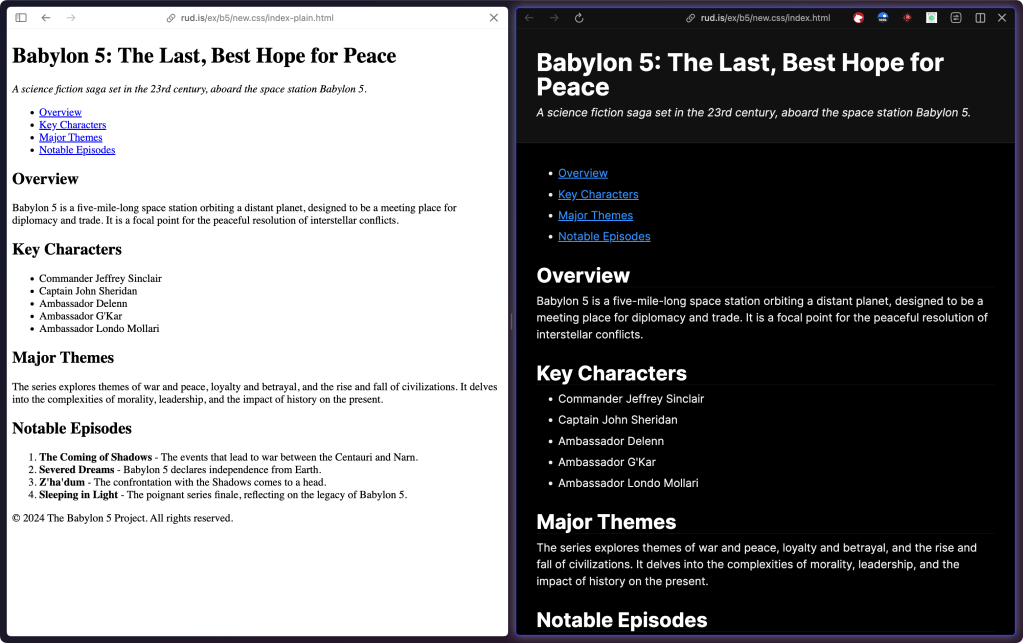
New.css (GH) is a simple and efficient CSS framework that anyone can use, and will immediately make any bit of content you publish look pretty darned good. It’s a classless CSS framework that performs HTML styling without the need for numerous class attributes. It leans heavily on clean, unclutters semantic HTML (so it’s good for basic content, but not necessarily for a complex web app). At just 4.8kb, it loads fast whether you use their CDN or host it yourself.
To show how it effortlessly enhances the appearance of vanilla HTML with minimal effort, I’ve got two pages for you (plus that image in the section header). This one is a basic, semantic HTML page without any styling (view the source!). All I did for this one was to add the new.css CDN link.
Despite its simplicity, new.css offers customization options through CSS variables, which lets us tweak colors and other properties to suit any given context. And, responsive design is built right into new.css, ensuring that websites look good across a range of devices and screen sizes.
For those new to web development, new.css is a great learning tool. It helps showcase how semantic HTML elements can be effectively styled. Its ease of use also makes it ideal for rapid prototyping of content or (very basic) minimal viable products without getting bogged down in intricate styling systems.
The docs are great and it’s easy (deliberate word choice) to get started with it.
Almond CSS
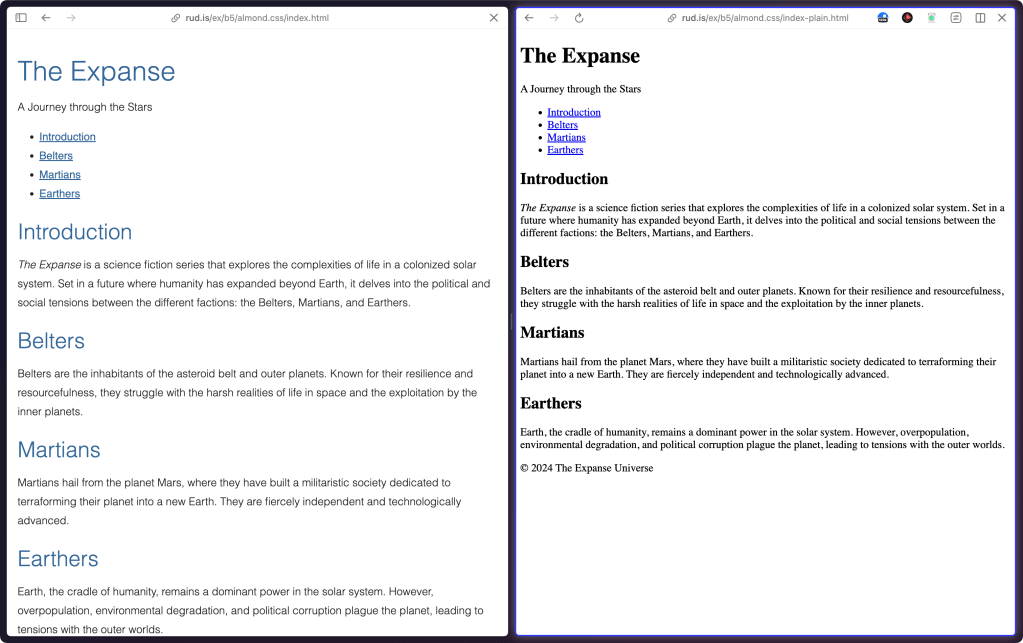
Almond.CSS (GH) is another minimalist, classless CSS library unclutters your HTML by eliminating the need for custom HTML classes or IDs. Like new.css, it directly applies styles to semantic HTML tags. It’s also small, like new.css (between 3-5KB depending on which option you pick).
Customizing Almond.CSS is pretty straightforward. It, too, uses CSS variables and leans heavily on HSL colors. This approach makes it easy to tweak primary and secondary colors, font families, and sizes, allowing for a degree of theming that’s 💪🏼 yet simple.
There are two versions of Almond.CSS: the Regular version, which includes styles for a wide range of elements, icons, and widgets, and the Lite version, which strips down to the basics, excluding graphics and widgets.
One key difference between this and new.css is that new.css tends to offer more built-in styles and defaults that resemble traditional design systems. New.css is slightly larger and leans towards a more opinionated design. This makes new.css a bit less flexibile than Almond.CSS.
A feature I do like about Almond.CSS is robust support for elements like:
- Audio
- Details/Summary
- Dialogs
- Horizontal rule
- Images
- Progress
- Tables
- Video
They also have a “Progress bar” widget that’s pretty straightforward to work with.
The section header has plain and styled version of some other semantic HTML to show off Almond.CSS a bit.
Effective CSS One-Liners
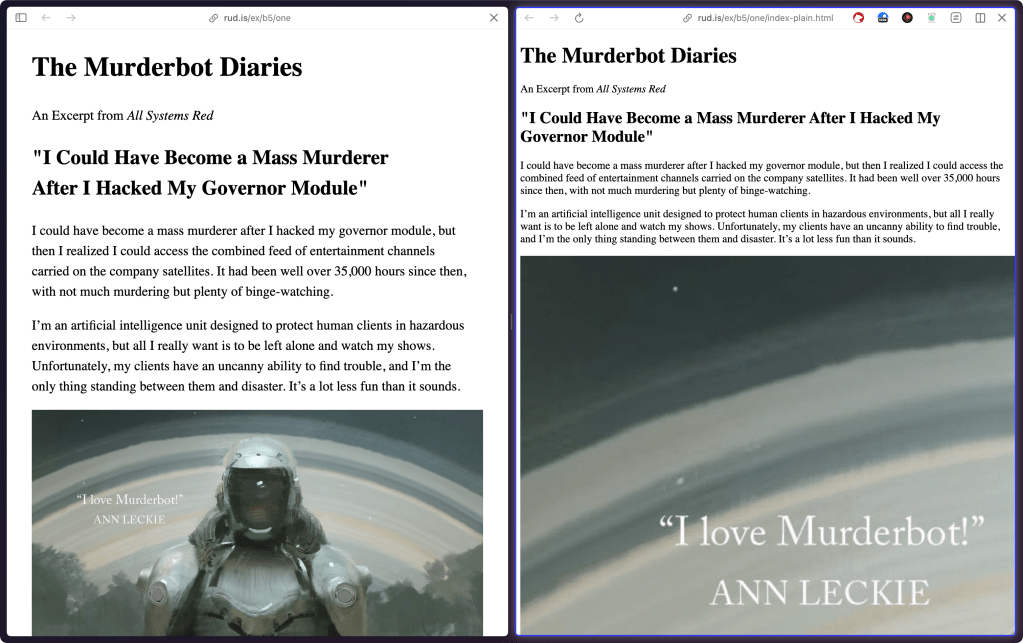
Alvaro Montoro put together a nice CSS snippet list that shows how to do the following items:
- Limit the content width within the viewport
- Increase the body text size
- Increase the line between rows of text
- Limit the width of images
- Limit the width of text within the content
- Wrap headings in a more balanced way
- Form control colors to match page styles
- Easy-to-follow table rows
- Spacing in table cells and headings
- Reduce animations and movement
They’re solid suggestions and easy to integrate into almost any HTML you put on the web.
And, while the examples show use in a semantic HTML context, they’ll work fine in class-based selector contexts, too.
The section header shows the plain HTML next to one that has all the one-liners applied.
Oh, and the archive.is vs. direct link to dev[.]to is due to me rage-quitting the platform after their community manager insisted upon enabling email telemetry to continue receiving their newsletter. Not to mention, the massive panel that shows up for unauthenticated folks has a deceiving “Okay” button that takes you to a sign-up/login page. Talk about en💩ification. So, they will no longer receive direct links (I’ll likely do archive.is links for Medium posts as well).
FIN
Remember, you can follow and interact with the full text of The Daily Drop’s free posts on Mastodon via @dailydrop.hrbrmstr.dev@dailydrop.hrbrmstr.dev ☮️

 hrbrmstr's Daily Drop
Leave a comment