HTML/JS/CSS Interactive Cheat Sheets; SheCodes Cheat Sheets; Go Cheat!
Hopefully, y’all will let me indulge a bit and take a moment outside of pure tech bits to relate something from a discussion with #2 yesterday on a walk. The intent of said walk was to encourage #2.2 to finally decide to become part of our larger world…it did not succeed. Stubborn lad.
She asked me how I was doing with my “normal routine” being disrupted for so long. I was pretty quick to note that it actually wasn’t! Framing situations in terms such as “disruption” helps seed a negative connotation to the circumstance you’ve found yourself in. That is a recipe fraught with peril. I explained to her that I am 100% in my now “normal” routine, and will transition to a different “normal” routine once I get back to the comfort of our Maine abode. The previous routine will likely be very different than what it was prior to temporarily relocating down to here.
2024 is going to be a pretty challenging year for many, many humans. Being able to adapt to “new normals” at a faster pace is likely going to be a key part of shoring up a healthy mental health regimen. At the very least, take some time to reflect on how you frame any given situation and, perhaps, work associating fewer “negative” words with them, especially where “change” is involved.
SPEAKING OF CHANGE…
Most of us perform a ton of context switching in various tech-things we do every day. Juggling some combination of R, Python, JS, Go, Rust, HTML, CSS, app-idiosyncrasies, and our subject matter expertise can create temporary gaps in our quick-retrieval knowledge centers. This is where “cheat sheets” come in super-handy. As I’ve noted in previous Drops, I rely on these things far more of late thanks to long covid brain fog.
Today’s Drop has a few “cheating” (talk about a negative term!) resources that may help you keep what you need in context when working on that next project.
TL;DR
This is an AI-generated summary of today’s Drop.
Perplexity did its best with the slight change-up in prose form.
- The blog post begins with a personal reflection on the concept of “normal routine” and how it’s important to adapt to “new normals” in the face of change. The author emphasizes the need to frame situations positively and avoid associating negative words with change, especially in the challenging year of 2024.
- The author then discusses the concept of “cheat sheets” as a tool to manage the context switching in various tech-related tasks. They highlight the usefulness of cheat sheets in quickly retrieving knowledge about different programming languages and technologies. The author provides links to interactive cheat sheets for HTML, CSS, and JavaScript, which offer a risk-free playground to try out knowledge and hone skills.
- The post concludes with a mention of other cheat sheets from SheCodes, a platform offering coding workshops, and a Go language cheat sheet. The author also provides references for color palettes, CSS gradients, and CSS generators. The author encourages the use of these resources to save time and improve productivity.
HTML/JS/CSS Interactive Cheat Sheets

This resource does not need a ton of expository. Below are three direct links to interactive cheat sheets on it for HTML, CSS, and JS. It’s not the fanciest site on the planet, and you aren’t going to get into super-advanced topics. But, unlike some plain “pens” and static/PDF cheat sheets, you get a risk-free playground to try out our knowledge of various web topics and hone your skills.
I’ve included the core topics covered in each of them.
HTML
- Color picker: Choose a color in the input field to get its Hex and RGB code and a code snippet to use for styling.
- Characters: Retrieve the most common character codes or look around in the full list of thousands of characters organized in categories.
- Tags: The most common HTML tags presented with examples.
- Structures: Block of codes consisting of more tags which are always used together: table, list, definition list and form.
- Attributes: HTML tag attributes provide additional information about the elements.
- Gibberish text: Lorem ipsum and other filler text generators to fill pages with content.
- Iframe generator: Set the URL to be accessed, the dimensions and other attributes to get the
iframeHTML code. - Table generator: Specify the dimensions of the grid and other attributes to generate the HTML table.
- Link generator: Create an anchor tag setting where to point, what text and tooltip to display. You can optionally set it to open the link in a new tab.
- Image generator: Create an HTML image tag, setting the link to the image and some style properties.
- List generator: HTML list generator creates a demo list containing two items, based on the selected list type.
- robots.txt: Small robots text file example to allow or ban web crawlers on your website.
- Head tags: Make sure you don’t miss anything important from the head section of the website.
- Open graph: Complete the head section with the Open Graph protocol to help social media sites understand the page.
- HTML5 page structure: A demo page built using the HTML5 elements.
CSS
- Basics: CSS syntax and how to include them in HTML.
- Selectors: How to target elements in CSS3.
- Properties: An updated list of valid properties. Click the bold text to highlight the text!
- Color picker: Click the blue input field and use your mouse to select another color. The slider on the right side sets the transparency of the selected color. Use the generated code snippets.
- CSS background generator: Optionally set a background image from URL, set the position, repeat, attachment, and color. See the live preview as you adjust the settings, then take the generated code when you’re satisfied with the result.
- Gradient generator: Set two and optionally a third middle transition color to get the CSS gradient code, which works almost in every web browser. Change the transition direction, the position of the middle color and choose between RGB or HEX codes.
- Box shadow generator: Get the CSS code for any inset or outset box shadow, customizing the right and down offset, spread, blur, color and opacity.
- CSS button generator: create styles for HTML buttons with this panel. Set the size, padding, radius, color and opacity. Adjust the gradient, box shadow, font style and border in other panels.
- Text shadow generator: Get the CSS code for your text shadow by setting your own color, opacity, blur, right and down shift, or pick a predefined style from the effect gallery.
- Font style generator: Select font-family, size, letter and word spacing, color, font-weight, decoration, style, variant and case for your font and get the CSS code instantly.
- CSS transform generator: Scale the size, rotate, shift and skew HTML elements with the transform CSS3 property.
- CSS border and outline generator: Set the properties for your box border or outline to get the CSS code. Adjust the width, style, color and position of the lines surrounding your box HTML elements.
- Border radius generator: Apply border radius to the corners of your elements, setting it globally or for each individual corner.
- Reset CSS: A short code to be added to the top of your stylesheet. This will assure that your page will look the same in all browsers.
- Media queries: Declare different views for various media types and properties.
- Pixel EM calculator: Calculate the PX or EM values, knowing the pixel size of the parent element.
JavaScript:
- Basics: Introduction to JavaScript syntax. Learn how to include the scripts on a HTML page, how to declare a function, target a DOM element by it ID, how to output the data and how to write comments.
- Loops: Most programming languages allow working with loops, which help in executing one or more statements up to a desired number of times. Find the “for” and “while” loop syntax in this section.
- If: Else statements — Conditional statements are used to perform different actions based on different conditions.
- Variables: Use variables (numbers, strings, arrays etc.) and learn the operators.
- Data types: You can declare many types of variables and declare your own objects in JavaScript.
- Strings: Learn how to work with JS strings and find the most common functions to work with this data type.
- Events: Use JavaScript event listeners to trigger functions.
- Numbers and math: Work with JS numbers, predefined constants and perform math functions.
- Dates: Get or modify current time and date.
- Arrays: Learn how to organize your variables in vectors and how to use them.
- Global functions: Predefined functions that are built in every browser that supports JS.
- Regular expressions: Use RegEx to define a search pattern.
- Errors: JS error handling.
- JSON: JavaScript Object Notation is the syntax used for storing and exchanging data.
- Promises: The Promise object is used for asynchronous computation. See our example on how to declare one.
They also have a CodePen-esque composer/viewer.
SheCodes Cheat Sheets
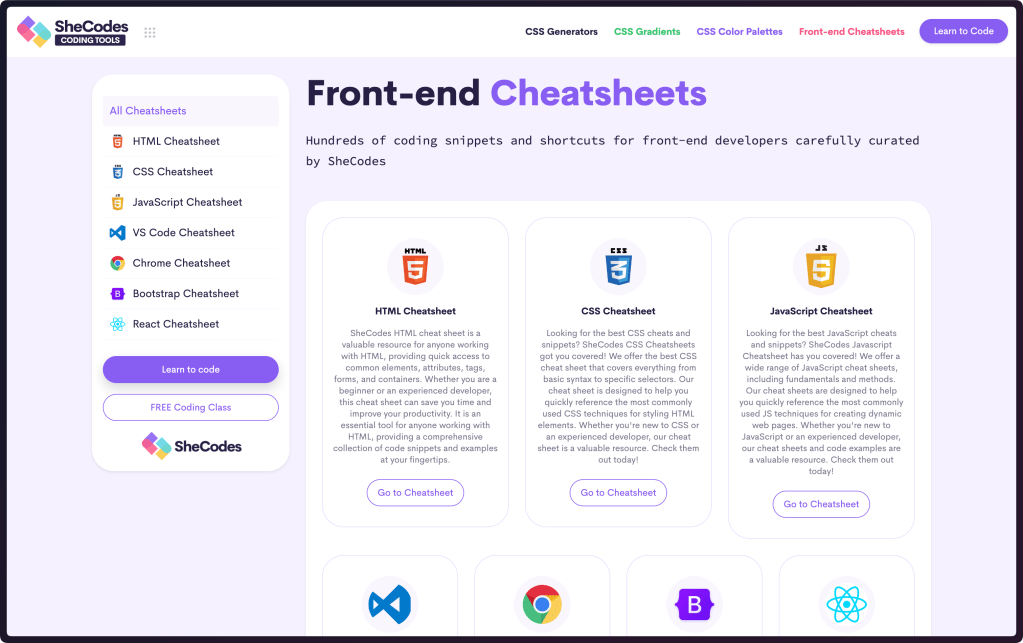
SheCodes is platform that offers self-paced coding workshops designed to help folks transition from beginner coders to professional developers. Founded by Matthieu Delac in 2017, SheCodes started with a small goal — to teach 10 women how to code. The idea caught like wildfire and soon the company began expanding in students, workshops, and locations. Today, SheCodes offers a variety of workshops, from the basics of coding to advanced techniques, covering technologies like HTML, CSS, JavaScript, VSCode, API, GitHub Hosting, Bootstrap, Flexbox, SEO, and React.js.
I am not here to shill SheCodes.
I am here to talk about some of the great free resources on the site! One of these are some fancy cheat sheets. These are great resources for anyone working with HTML, CSS, JavaScript, Bootstrap, React, VS Code, and Chrome. Each provides quick access to common elements, attributes, tags, forms, containers, or key features (re: chrome/vscode) that one might miss, given how bloated both Chrome and VS Code are. Keeping these cheat sheets may just save you time and improve your productivity.
There are also some pretty spiffy references for color palettes, CSS gradients, and various CSS generators.
Go Cheat!

Since I will be posting bits of Golang code every now and again, this reference site/cheat sheet may be useful to folks who are new-ish to Go. It’s a compact version of A Tour of Go, and is great if you spend a decent chunk of time outside of Go, but find yourself thrust into some Go code and need a refresher.
FIN
Remember, you can follow and interact with the full text of The Daily Drop’s free posts on Mastodon via @dailydrop.hrbrmstr.dev@dailydrop.hrbrmstr.dev ☮️

 hrbrmstr's Daily Drop
Leave a comment