I Am The Very Modelfile Of A Modern Workflow General; The Impending ‘Reimagine’ Nightmare;
We return to the semi-regular AI-foucused Drop with a quick look at how to (quickly and easily!) make a custom Ollama model to make a small, useful tool.
Programming note: due to driving #4 to college Friday, there may not be a Drop. But, if the round trip is not too taxing, I’ll likley get one out int he late afternoon.
TL;DR
(This is an AI-generated summary of today’s Drop using Sonnet via Perplexity.)
- A guide on creating a custom Ollama model using a Modelfile to generate concise names for CVE vulnerabilities, similar to CISA’s KEV catalog entries (https://github.com/ollama/ollama/blob/main/docs/modelfile.md)
- Discussion of Google’s new Pixel 9 “Reimagine” feature, which allows users to manipulate photos using AI, raising concerns about the potential misuse of such technology (https://www.theverge.com/2024/8/21/24224084/google-pixel-9-reimagine-ai-photos)
- Introduction to “The Inference,” a new editorial project by Danny Palmer published by Darktrace, exploring the impact of AI on cybersecurity and society (https://darktrace.com/the-inference)
I Am The Very Modelfile Of A Modern Workflow General

Longtime readers know I’m #notAFan of the “Open AI tax”. TL;DR for new readers is that I believe it is yugely important to ensure everyone had access to LLM/GPT tooling. These tools/services are not going away anytime soon; and, not knowing how to work with them puts other folks at an needless advantage. Ollama does a great job helping to level the playing field.
Ollama supports adding layers on top of existing models via something called a Modelfile. It’s a plain text file that lets you add in some parameters, prompts, examples, etc. so you don’t have to shunt them along with each new incantation. The format for these is, essentially:
# comment
INSTRUCTION arguments
Some key instructions include:
FROM: Identifies the base model (mandatory)PARAMETER: Customizes model behavior through various settingsTEMPLATE: Defines the prompt template sent to the modelSYSTEM: Sets up system messagesADAPTER: Integrates adapters for QLoRALICENSE: Specifies legal licensesMESSAGE: Adds preset message histories
You can inspect the configuration of models you download and use pretty simply:
$ ollama show phi:latest --modelfile
# Modelfile generated by "ollama show"
# To build a new Modelfile based on this, replace FROM with:
# FROM phi:latest

FROM /path/to/.ollama/models/blobs/sha256-04778965089b91318ad61d0995b7e44fad4b9a9f4e049d7be90932bf8812e828
TEMPLATE "{{ if .System }}System: {{ .System }}{{ end }}
User: {{ .Prompt }}
Assistant:"
SYSTEM A chat between a curious user and an artificial intelligence assistant. The assistant gives helpful answers to the user's questions.
PARAMETER stop User:
PARAMETER stop Assistant:
PARAMETER stop System:
LICENSE """MIT License … """
(They work in a similar fashion to Dockerfiles.)
You can go here for a more in-depth explanation of the instructions and values. I’m just going to briefly show how to make one to solve a fun “problem”.
I talk quite a bit about CISA’s Known Exploited Vulnerabilities Catalog (KEV), and one nice thing the Keepers of KEV do for us is create a short name for any vulnerability they add to the catalog. CVE entries only have a longer-length description associated with their identifier, like CVE-2024-38856’s Apache OFBiz contains an incorrect authorization vulnerability that could allow remote code execution via a Groovy payload in the context of the OFBiz user process by an unauthenticated attacker.. The KEV entry for that uses the concise name of Apache OFBiz Incorrect Authorization Vulnerability, making it much easier to reference (and has way more info than just a bare CVE identifier).
At $WORK, we got it into our noggins to be as kind as the KEV Keepers and associate a concise name with any CVEs we display (and for an upcoming product/API feature). There is no way we were going to lovingly hand-craft those for a few hundred thousand entries. And, I’m loathe to give any AI vendor money. So, we built a custom PHI model to do this for us! And, are sharing it with y’all right here (we’ll working on posting the CVE ids with concise to GitHub when we’re done cleaning them up).
After a few iterations, here’s the Modelfile we ended up with:
FROM phi:latest

PARAMETER temperature 0.0

PARAMETER stop "\n"

PARAMETER num_predict 30

PARAMETER top_p 0.95

SYSTEM """You are an AI system specializing in generating concise short names for vulnerabilities described by CVEs. Your task is to convert verbose CVE descriptions into clear, descriptive titles that resemble entries in CISA's Known Exploited Vulnerabilities (KEV) catalog. Stop generating output immediately after providing the short name.

PROMPT Given a CVE description, create a short name similar to those used in CISA's KEV catalog. The short name should be concise, descriptive, and highlight the affected product or vulnerability type. Do not provide additional information or explanations. The response should be under 10 words and should end immediately after the short name.

Examples:

CVE description: A vulnerability in the TCP/IP stack of Cisco IOS XR Software could allow an unauthenticated, remote attacker to cause a denial of service (DoS) condition on an affected device.
Short name: Cisco IOS XR TCP/IP Stack DoS Vulnerability

CVE description: Microsoft Exchange Server Remote Code Execution Vulnerability. This CVE ID is unique from CVE-2021-26855, CVE-2021-26857, CVE-2021-26858, CVE-2021-27065.
Short name: Microsoft Exchange Server RCE Vulnerability

Now, create a short name for this CVE:
"""
The temperature controls the “creativity” of the output, with 0.0 being fully deterministic. Even with that, we were getting some odd output behavior, so we added a “please stop generating” hint at when it outputs a newline, set the max number of output tokens to 30 (I may change that to 20), and asked it to only make high “next token” probability choices.
Rather than muck with special tokens, I went with a basic prompt-with-few-shot-examples approach.
To make our new model, we just:
$ ollama create cve-shortener -f ./Modelfile
Then just try it out:
$ ollama run cve-shortener 'Topline Opportunity Form (aka XLS Opp form) before 2015-02-15 does not properly restrict access to database-connection strings, which allows attackers to read the cleartext version of sensitive credential and e-mail address information via unspecified vectors.'
Topline Opportunity Form (XLS Opp) Database Vulnerability
Like most LLM/GPT output in API contexts, you’ll need to add some guardrails for cleaning up results or retrying the prompt. (Yes, even with all the constraints in the Modelfile, this one still borks output every so often.)
On my aging Apple Silicon box, each call takes ~200-600ms, depending on the inputs and other system GPU load.
If you find yourself repeating prompts, this is a lightweight way to avoid doing so. And, if you have some similar, focused tasks that need doing, getting a hand from our AI overlords can help save quite a bit of time.
The Impending ‘Reimagine’ Nightmare

Super quick section, since I believe Welch’s examples say everything vs. have me blather much.
Chris Welch, an editor over at The Verge, acquired one of Google’s new Pixel 9 devices and gave the new Reimagine feature a go and posted some results on Threads and The Verge. This, to me, is a pretty terrifying new capability.
We’re already awash in deepfakes, photorealistic child image exploitation, advanced phishing, and shady political campaigns making it almost impossible to tell truth from fiction. The last thing we needed was to commodify this tech so anyone who can afford a certain class of portable glowing rectangles can get in on the gambit.
Let’s hope the majority of uses are benign/silly.
The Inference
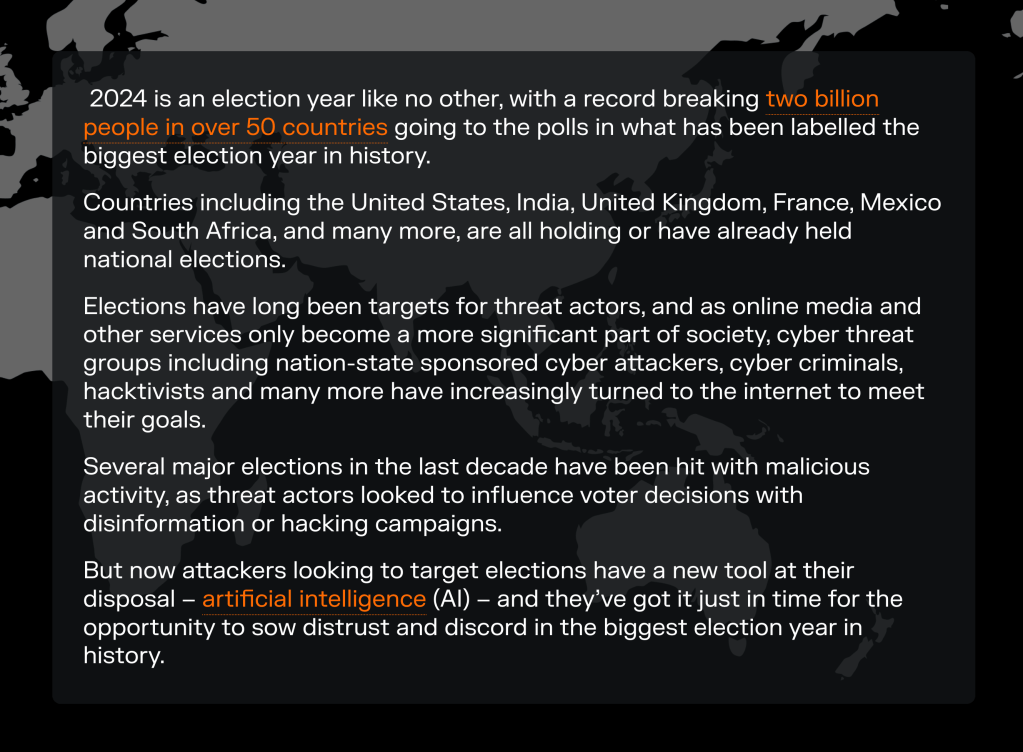
Another quick section, as this content also speaks for itself pretty well.
Danny Palmer is an excellent writer on cybersecurity topics. He has a new editorial project that’s being published by cybersecurity vendor Darktrace (yeah, that’s “a thing” in my line of work).
The Inference explores the impact of AI on the world around us, starting within the security operations center and expanding to business and society writ large. Features on it analyze data, trends, and perspectives from experts inside and outside of Darktrace to educate and inspire readers about the role that AI plays in enabling innovation and how it can be applied safely and securely.
I link to it since the first few pieces:
- AI and the biggest election year ever – are we ready?
- The role of IT support engineering in the age of AI
- In conversation with Professor Mike Woolridge
- Malware-as-a-Service: what you need to know about this persistent cyber threat
were very well crafted, and I thought more than a few readers would want to get this into their RSS feeds.
(As usual, I get nothing for Dropping a link to this post, save for providing y’all with something I found interesting.)
FIN
Remember, you can follow and interact with the full text of The Daily Drop’s free posts on Mastodon via @dailydrop.hrbrmstr.dev@dailydrop.hrbrmstr.dev ☮️

 hrbrmstr's Daily Drop
Leave a reply to Bonus Drop #71 (2025-01-05): A ‘Flare’ For The Dramatic – hrbrmstr's Daily Drop Cancel reply