oatmeal; discovery-rs; otree
Who needs web or native GUI apps when we can have all sort of fun in the terminal? Today, we cover three TUI tools for doing some definitely diverse operations.
TL;DR
(This is an AI-generated summary of today’s Drop using Sonnet via Perplexity.)
- oatmeal: A terminal UI for chatting with large language models, offering a clean interface, session management, and syntax highlighting. [https://github.com/dustinblackman/oatmeal]
- discovery-rs: A TUI tool for monitoring multicast DNS (mDNS) services on local networks, providing visibility into broadcasting devices and services. [https://github.com/JustPretender/discovery-rs]
- otree: A Rust-based TUI for viewing and navigating JSON, TOML, and YAML files, initially designed for Kubernetes YAML files but expanded to support other structured data formats. [https://github.com/fioncat/otree]
oatmeal
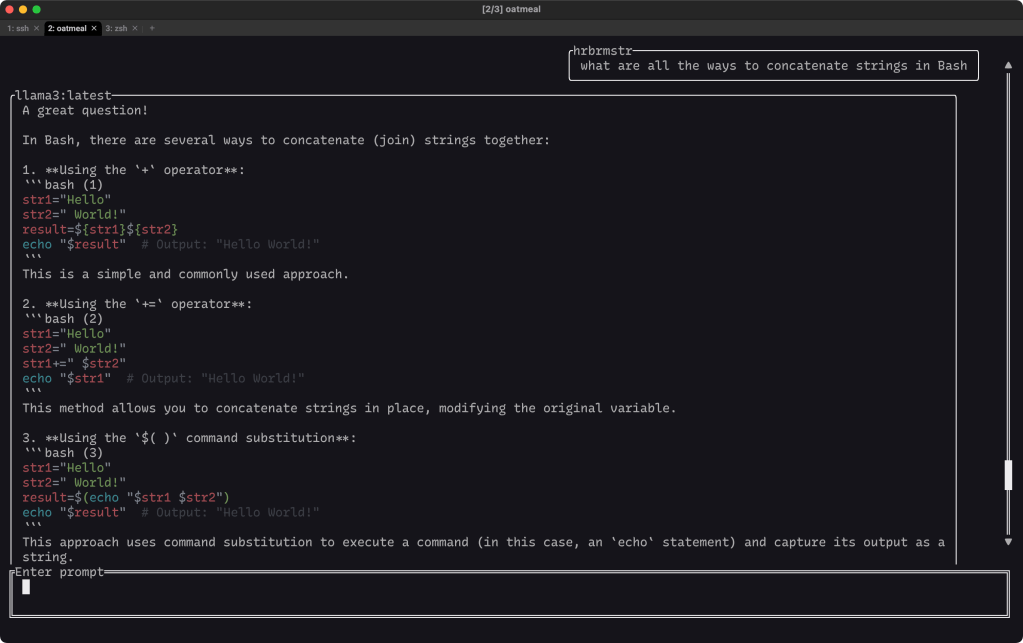
(I’m sneaking in a bit of a ThursdAI section in here.)
Working with the chat-side of LLMs (which is, for me, increasingly local Ollama models either via Ollama-proper or llamafiles when I don’t need Perplexity’s web-fetching capabilities) usually either shoves you into a web GUI or parameters to individual Bash incantations. But, there are TUIs out there which stand in the gap. We’ll (intermittently) cover many of them over the course of time. Today, we’ll start with oatmeal, self-described as “[A] terminal UI to chat with large language models (LLM) using different model backends, and integrations with your favourite editors!”.
The interface is written in Rust (using ratatui) and is both very clean and also well-focused on a set number of features.
The section header image shows a Q&A about Bash string concatenation (you should ask Ollama about that some time, as there’s a fun way to do it with jq that I hadn’t considered before). The back-and-forth “chat bubble” experience is on-par with any other chat app, so it’s familiar and easy to get started with it.
The “integrations with your favourite editors” is a bit of a stretch, as it’s only truly integrated with neovim. Model output can be copied to the clipboard, so it technically does “integrate” with all text editors, but I had higher expectations before installing and using it.
It does seem pretty focused on coding since it sports a decent syntax highlighter and the ability to append, replace, or copy code blocks to or from editors.
Like Simon’s llm tool, oatmeal also offers session management, which means that conversations persist even after you’ve closed the terminal window. This allows you to easily review past conversations or continue where you left off. This is especially handy if you choose to pay the OpenAI API tax (provided they don’t go bankrupt this year).
The TUI also provides a range of slash commands that enable actions such as listing models, switching models, and managing code blocks. These shortcuts make it easy to get the most out of the application without having to navigate through a complex menu system.
There are some focused CLI options you can poke at in the README, and one nice extra feature is that you can choose from a variety of themes for code syntax highlighting and use custom TextMate/ Sublime Text themes if desired.
It’s been a pleasant change from boring web model chat UIs, and worth a poke if you do any LLM chats.
discovery-rs
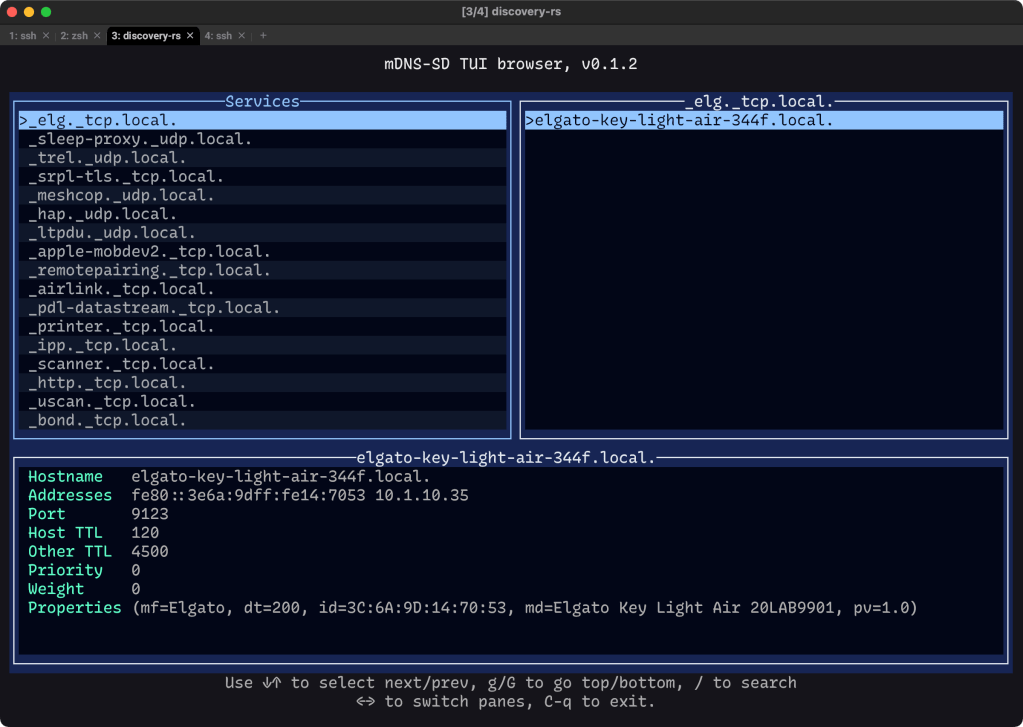
As we’ve noted in a few previous Drops, there’s alot going on in your [home] network that you never truly “see”, and that happens even when you think there’s nothing going on.
One of those silent, ever-present services is multicast DNS (or mDNS), and it’s used by devices and servers to tell the entire local network what is has available.
There are GUI apps for this, and we’ve covered how to poke at it from Bash, but there’s a nascent TUI for it, with the pedestrian name of discovery-rs (naming things is hard).
It shows all the services that are broadcasting and lets you dig in a bit to see what’s available.
It’s fun to glance at this UDP underbelly of your network every now-and-again, since you never know what might have magically appeared after a silent upgrade.
otree
Since we govered a Go GUI for JSON viewing yesterday, we’ll pair that with a Rust TUI for doing the same thing, but also has support for TOML and icky YAML.
otree also uses ratatui (see first section), and was initially designed to make it less likely for your eyes to start bleeding from trying to grok what’s in any given Kubernetes YAML file.
Thankfully, it expanded to be able to handle two other common types of nested structured files, including JSON.
It’s mildly customizable (the -h output is tiny), and it works great with NVD CVE JSON files (which also cause the aforementioned eye condition to happen).
FIN
Remember, you can follow and interact with the full text of The Daily Drop’s free posts on Mastodon via @dailydrop.hrbrmstr.dev@dailydrop.hrbrmstr.dev ☮️


 hrbrmstr's Daily Drop
Leave a comment