Time; Trees; Terminals
Good things come in both threes and “T”s today as we look at a “will be approved any day/week/month/year now” JavaScript standard that makes working with dates/times dead simple. We’ll also poke at a way to make beautiful SVG treemaps, and end with a peek at a remarkably clever new way to think about the interaction between the terminal and the filesystem.
Resources covered:
Temporal

Temporal is a new-ish JavaScript library that is contending to become a standard for handling dates and times in JavaScript. It addresses the long-standing issues with the existing (ugh) Date object and provides a modern, more powerful, and easier-to-use API.
The existing Date object in JavaScript has several problems, including lack of support for non-Gregorian calendars, difficulty in handling time zones and daylight saving time, and the fact that they are mutable objects, which can lead to bugs and unexpected behavior.
Temporal addresses these issues by providing separate classes for date-only, time-only, and other scoped use cases, making code more readable and preventing bugs caused by incorrect assumptions. It also offers better support for non-Gregorian calendars and time zones, as well as immutable objects.
Since Temporal is not yet natively supported in browsers or JavaScript environments, you can use a polyfill to start using it today. A polyfill is a piece of code that provides a fallback implementation of a feature that is not yet supported in a specific environment. The Temporal polyfill module enables us to use the Temporal API in environments that do not support it natively. You can install it via npm or Yarn package managers and import it into your project using the standard import syntax.
I’ve put together an Observable notebook that walks through numerous Temporal examples, including the creation of the heatmap shown in the section header.
These are some other solid bits to read on it as well:
Treemaps
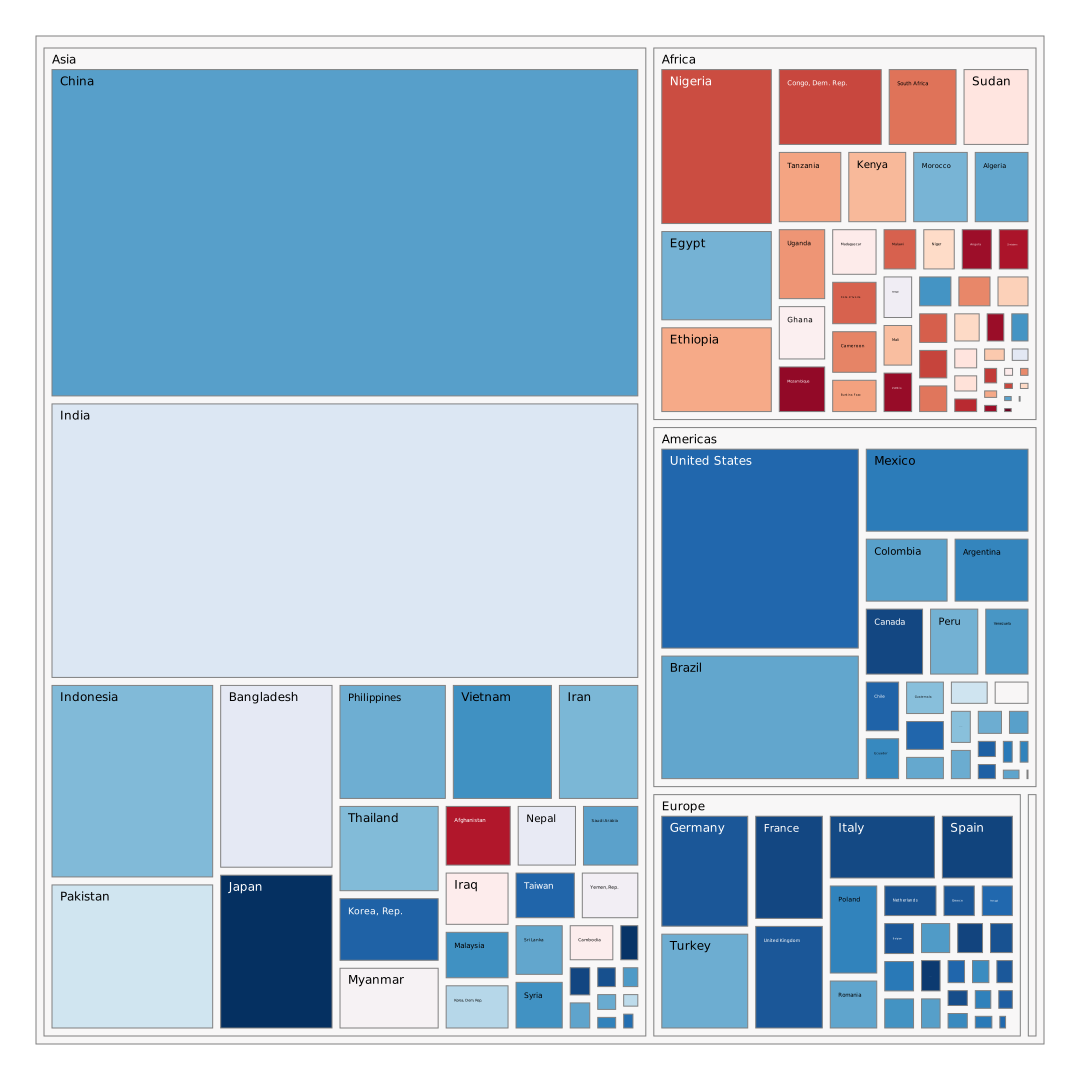
We’ll keep this section brief, since this Golang treemap CLI utility does one thing and does it amazingly well: makes beautiful SVG treemaps from a very simple input file format.
You only need two columns (three if you want more control over the colors):
one with the hierarchy in
A/B/C/D/E/…format, andone with the value (which is what the algorithm uses to size the boxes)
The help page is small enough to incude here:
$ treemap --help

Generate treemaps from STDIN in header-less CSV.

</ delimitered path>,<size>,<heat>

Example:

$ echo '
Africa/Algeria,33333216,72
Africa/Angola,12420476,42
Africa/Benin,8078314,56
' | treemap > out.svg

Command options:
-color string
  color scheme (RdBu, balance, none) (default "balance")
-color-border string
  color of borders (light, dark, auto) (default "auto")
-h float
  height of output (default 640)
-impute-heat
  impute heat for parents(weighted sum) and leafs(0.5)
-long-paths
  keep long paths when paren has single child
-margin-box float
  margin between boxes (default 4)
-padding float
  padding around root content (default 32)
-padding-box float
  padding between box border and content (default 4)
-w float
  width of output (default 1028)
The section header image is stolen from that repo.
Terminader

This one is somewhat macOS-specific, but I assert that you might get inspired to build something similar for linux or (ugh) Windows after reading it, even if you’re not a big fan of macOS.
Terminader is an experimental project that aims to change the way we work with filesystems and terminals. It is a hybrid of a terminal and a file manager, providing a unique and efficient way to interact with files and directories.
The macOS Finder.app is 100% rubbish, as is the default macOS Terminal.app. This (unfinished) reimagining is all sorts of brilliant. The “terminal” uses a bespoke (and, for now, pretty limited) shell, but has some similar concepts to the “there is no way I’m giving my terminal output to a VC-backed startup” Warp terminal, such as pairing output chunks with the commands they used, and some novel ones, like shunting all errors to a separate pane.
Having the terminal working directory move with the filesystem is also pretty cool.
I’ll leave you to read the entirety of Steven Huang’s README since it is short and explains what he’s aiming for very well.
The section header is a screen cap of Terminader from one of my systems.
FIN
Continued thanks (🙏🏽) for your support! ☮

 hrbrmstr's Daily Drop
Leave a reply to Drop #522 (2024-08-28): Wacky Wednesday – hrbrmstr's Daily Drop Cancel reply