Textual Education
Earlier this week we looked at Harlequin, a pretty spiffy new-ish terminal IDE for DuckDB. In it, I noted it was created using Textual (GH), a robust, rapid application framework for Python.
Today, we poke at Textual a bit more and frame out a basic application with it that you can extend. Since this is somewhat code-heavy, we’ll eventually head over to the companion post to make things a bit more readable than Substack allows here.
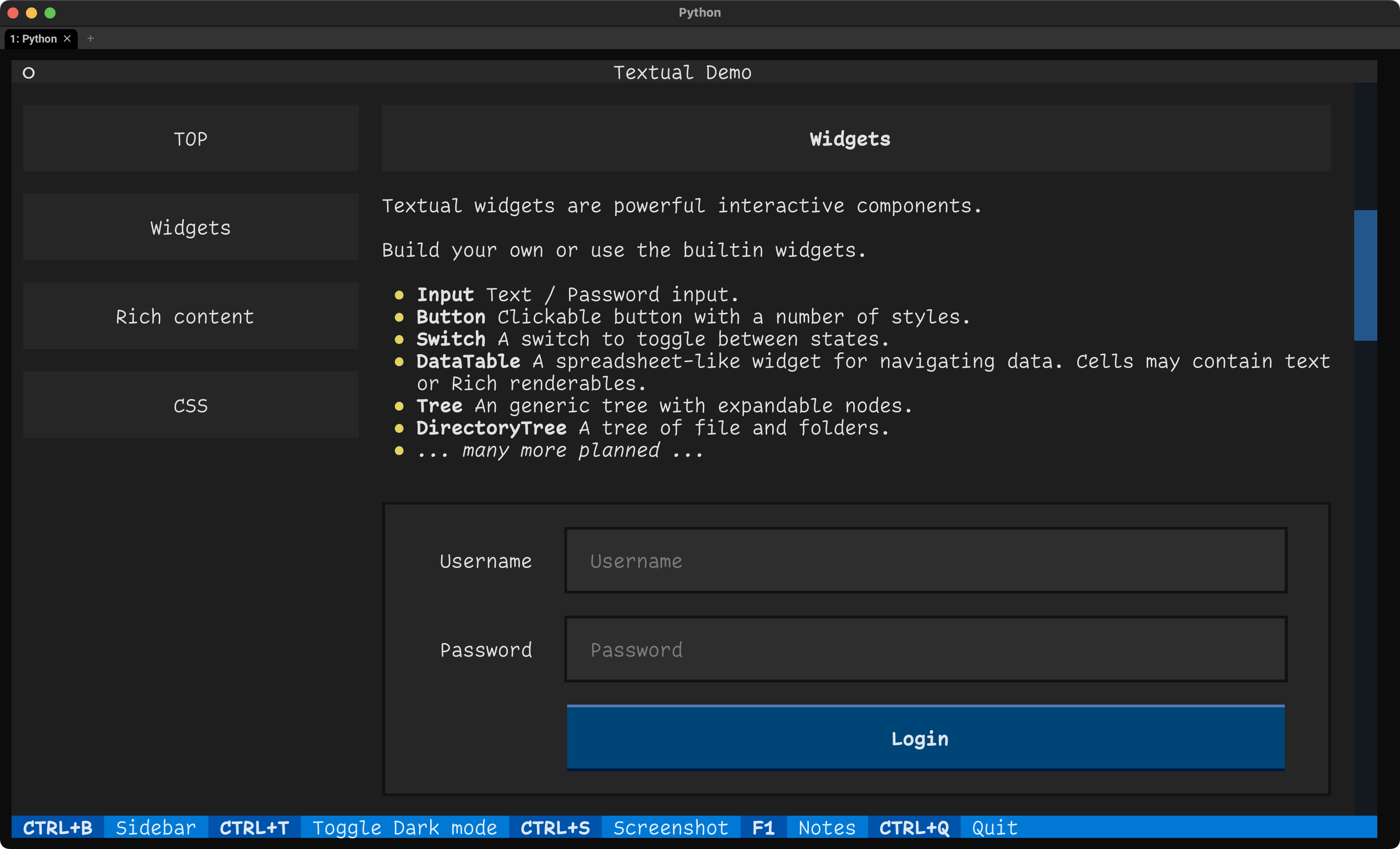
So, “Textual,” You Say?
As noted, Textual is a rapid application development framework for Python, built by the folks who brought rich — a library for “rich text and beautiful formatting in the terminal” — to Python. It enables us to create fairly sophisticated text-based user interfaces (TUIs) with a straightforward Python API. It is 100% cross-platform, and was inspired by modern web development and offers features such as layouts, CSS-like styles, and an expanding collection of widgets.
Before going any further, you should install it and clone the repo, so you can poke at the example apps on your own:
$ python3 -m pip install textual textual-dev textual-web
$ git clone git@github.com:Textualize/textual.git
$ python3 -m textual # get an overview
VS Code users should also grab the official extension (GH) for it, which helps you muck around with the subset of CSS that Textual supports.
I am a yuge fan of not reinventing the wheel. As such, this three-part series, combined with the official docs and tutorial, will get you very far along the path to creating Textual apps. I will take some blather space to explain a bit more about Textual, mostly to help convince you to carve out a couple hours to poke at it.
We’ll use Textual to build an app that will look quite a bit like the Tag search over at my $DAYJOB. Well, truth be told, you will finish the starter app I made to have it operate a bit more like the official app.
You have a cornucopia of choices when it comes to building TUI apps, so why am I suggesting you lower your standards and suffer through working in Python to build a TUI app with Textual?
For starters, the mental model used by the Textual framework is pretty straightforward to grok, and the fact that it lets you do styling with CSS means that there are fewer ugly bits of styling co-mingled with code in the TUI programs you write. Textual apps can also be run in the terminal, web browsers, and Jupyter notebooks. Yes, you can write once and run anywhere you like.
To prove that, you can poke at the web version of the starter app we’ll be building.
You can also get started making Textual apps pretty quickly. This is the minimal app shell for one:
from textual.app import App, ComposeResult
from textual.widgets import Header, Footer

class BasicTextualApp(App):
  """A minimal Textual app."""

  def compose(self) -> ComposeResult:
    """Create child widgets for the app."""
    yield Header()
    yield Footer()

if __name__ == "__main__":
  app = BasicTextualApp()
  app.run()
The Header and Footer are optional, but they make the application feel more like it’s running in a “window”.
In the app we’ll be cranking out, the Textual part of the codebase is just over 40 lines (excluding imports, docstrings and whitespace). That’s a tiny amount of code to get a search-as-you-type textbox and scrollable markdown details display area that can run in your terminal or on the web.
The rest of the convincing will have to be done on the companion site, since I think seeing how a Textual app is made might be the best way to win y’all over.
FIN
Drop a note if you do end up trying your hand at Textual! ☮️
 hrbrmstr's Daily Drop
Leave a comment