A Proper Snippets Manager; Zoom Zoom Zoom; My $DEITY: The VIS!
Greetings, programs.
Today’s Drop is not all about managing code snippets. But, that earworm of a tagline got stuck in my head, which means I was obligated to transfer it to your noggins.
We talked a bit about snippets last week, but a GitHub-gist-like clone isn’t the most robust of a solution, so we’ll cover one with scads more proper snippet functionality (and include a WARNING about using it). We’ll then look (briefly) at a tool to help you present bits of your screen, and then DoS you with a super cool data vis resource.
RESOURCES COVERED
massCode
Milky Warp
SuperNOVA
massCode
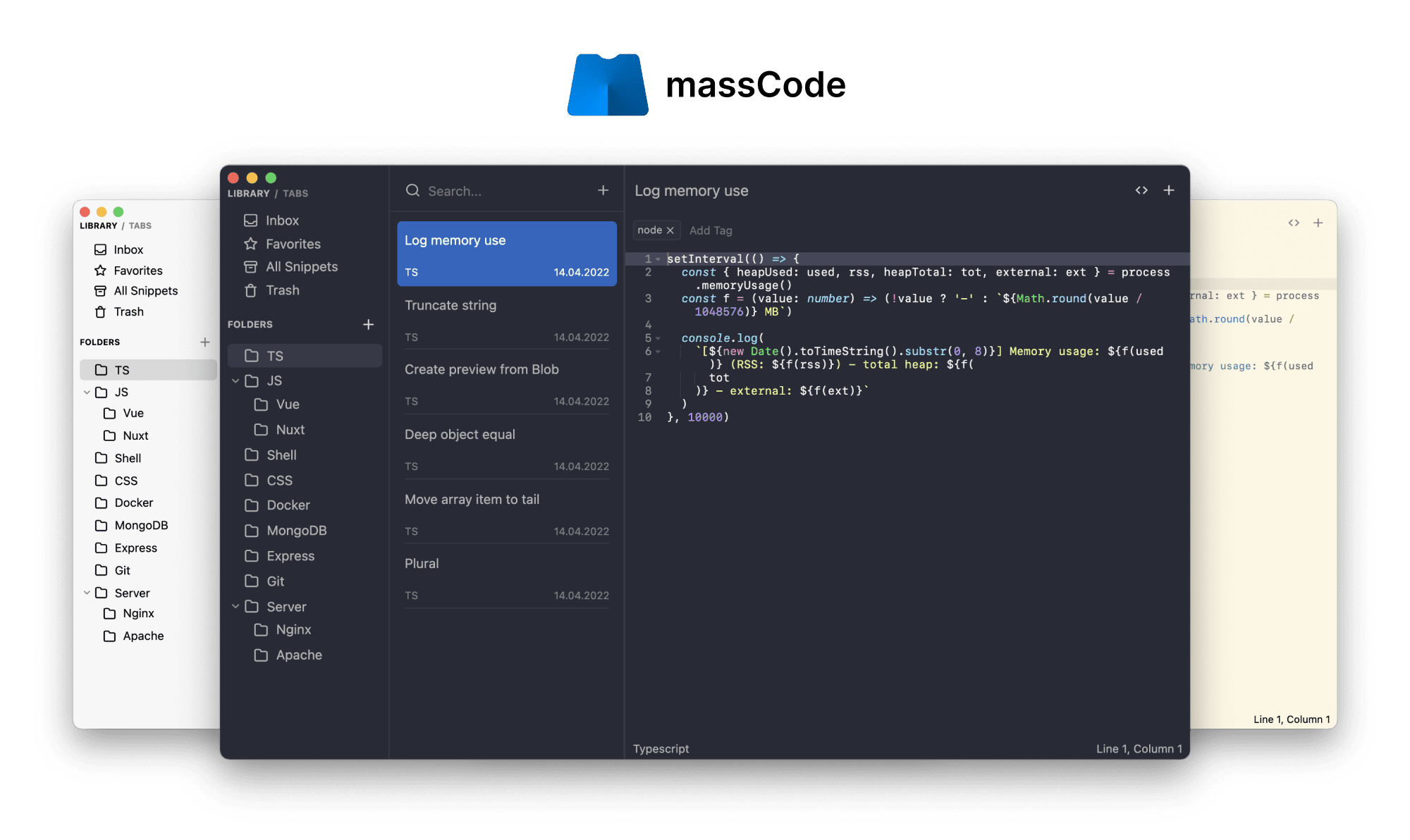
Unlike Open Gist, massCode (GH) is a proper snippets manager.
One its key features is a major focus on organization. A familiar three-pane layout enables you to arrange snippets using multi-level folders and tags, as well as fragments or tabs for even greater organization. This makes it easy to find and access the snippets you need when you need them.
massCode has uses Codemirror, so you get all the syntax highlighting and other crunchy goodness that one might expect in a code-focused management tool; and, you can use the built-in Prettier to keep code formatted nicely.
A neat feature of massCode is a well-thought-out bit of Markdown support, with code block support and full document rendering capability. This means you can kind of use massCode as a general knowledge management tool, if you haven’t settled on one of those — yet.
One of the other included batteries is a ⚡️ fast full-text search capability that highlights the query string in each result.
Unlike many modern tools, massCode keeps it simple and uses a plain ol’ JSON file as its database. Syncing said file across all the platforms you use is all on you, however.
For those who need to present code snippets in a classroom, team meeting, or conference, massCode offers a clever “presentation mode”. This feature lets you create a sequence of snippets for easy presentation and review.
I was only able to find an massCode extension for VS Code. However, a quick peek under the hood, shows that massCode exposes the snippet “database” on http://localhost:3033/snippets/embed-folder, which means you should be able to create similar functionality in any code tools you use.
That last paragraph is SUPER IMPORTANT. Under no circumstances should you put ANY CONTENT INTO massCode that needs to remain private. That means no passwords, no private keys, no API keys, no sensitive information, etc. Why? Well, unlike other Electron apps that expose their internal web server to the rest of the OS, massCode doesn’t use javascript web tokens, or other content access control mechanisms to avoid drive-by info-stealing attacks. So, any website that uses code similar to this:
<script type="module">
  import * as d3 from "https://cdn.jsdelivr.net/npm/d3@7/+esm";
  console.table(
    await d3.json("http://localhost:3033/snippets/embed-folder")
  )
</script>
could replace the innocent console.table call with code that posts your entire snippet library to an attacker’s infrastructure. You can test that out (if you install massCode) via https://rud.is/temp/snip-hack.html (don’t worry, it just spits back the names and contents of all your snippets 🤙🏼).
Since it’s FOSS, it’s possible for anyone to fix this hole, but we’ll be covering some more snippet managers over the coming weeks, so you may want to hold off picking this one until you play the field a bit.
Milky Warp

This one is quick, as Milky Warp is a focused utility designed to let you highlight a bit of your screen. It’s a Rust-based app that uses Tauri (a cross-platform GUI app library we’ve covered before) and Vue (one of those giant JS frameworks I avoid) as the app-base.
It’s kind of buggy on macOS (and you have to build it yourself), but it seems to work fine on Linux and claims to work fine on Windows.
I’m keeping an eye on it since it is both a nice example app to riff from and has some cool functionality. Plus, y’all know I 💙 focused tools.
If you do check it out on your Linux or Windows system, drop a note (wherev) on how it worked for you.
SuperNOVA

SuperNOVA is a “collection of 161 interactive visualization tools for computational notebooks”, and the output of a paper “SuperNOVA: Design Strategies and Opportunities for Interactive Visualization in Computational Notebooks”.
SuperNOVA’s goal is to help researchers explore existing notebook visual analytics tools and search for design inspiration and locate implementation references.
Here’s the paper’s abstract:
Computational notebooks such as Jupyter Notebook have become data scientists’ de facto programming environments. Many visualization researchers and practitioners have developed interactive visualization tools that support notebooks. However, little is known about the appropriate design of visual analytics (VA) tools in notebooks. To bridge this critical research gap, we investigate the design strategies in this space by analyzing 159 notebook VA tools and their users’ feedback. Our analysis encompasses 62 systems from academic papers and 103 systems sourced from a pool of 55k notebooks containing interactive visualizations that we obtain via scraping 8.6 million notebooks on GitHub. We also examine findings from 15 user studies and user feedback in 379 GitHub issues. Through this work, we identify unique design opportunities and considerations for future notebook VA tools, such as using and manipulating multimodal data in notebooks as well as balancing the degree of visualization-notebook integration. Finally, we develop SuperNOVA, an open-source interactive tool to help researchers explore existing notebook VA tools and search for related work.
You can spend a few hours digging into the current collection and then contribute some of your own when you have a mo’.
FIN
I sure hope the weather where you are is as gorgeous as it is in southern Maine this weekend! As always, many thanks for your support! ☮
 hrbrmstr's Daily Drop
Leave a comment