Syntax highlighting [on the web]; Shiki; microlight
It’s somewhat hard to believe this is the seventh Bonus Drop since starting the extra subscription tier! Crafting a Drop is often the highlight of my day, so perhaps I should take inspiration from that and take a see what’s going in on the world of syntax highlighting. I suspect all Drop readers — and, especially, the Bonus Drop subscribers — deal with syntax highlighting on the daily. Where does this magic come from? How does it work? What new syntax highlight tools, libraries, and paradigms are out there?
Syntax highlighting code is much more complex than you might expect if you’re only experiencing it as an end-user. You have pretty, colorful tokens — seemingly, regardless of language — to help you distinguish one code element from another, and you go about your productive day.
This highlighting task also shares many similarities with syntax-directed editors. One of the earliest code editors of this kind was Emily, created by Wilfred Hansen in 1969. This editor offered advanced language-independent code completion features and, unlike today’s syntax-highlighting editors, made it impossible to write code with syntax errors.
Fast-forward to 1982, when Anita Klock and Jan Chodak patented the first known syntax highlighting system, which was featured in the Intellivision Entertainment Computer System (ECS) peripheral. Their creation highlighted different parts of BASIC programs to make coding more accessible for beginners, especially kids.
Until recently, most editors have just been riffing from something TextMate created for their highly popular macOS editor. They devised a system of rules based on regular expressions to identify any given token in a document. They look a bit like this:
{
  "scopeName": "source.awesomelang",
  "fileTypes": ["mini"],
  "patterns": [
    {
      "name": "keyword.control.awesomelang",
      "match": "\\b(if|else|while)\\b"
    },
    {
      "name": "constant.numeric.awesomelang",
      "match": "\\b\\d+\\b"
    },
    {
      "name": "comment.line.awesomelang",
      "begin": "//",
      "end": "\\n"
    }
  ]
}
In my opinion, these are a pain to write/maintain, and only work well due to just how stupid fast modern processes are. Every change to a file being syntax highlighted means a top-town regex rule re-run (which can be optimized a bit, but it’s still terrible1).
If you’re thinking “there has to be a better way”, you are correct!
Syntax highlighting [on the web]

Joel Gustafson is an independent research scientist at Protocol Labs. Back in May of last year, he penned a great post on the topic, focusing mainly on tree-sitter, a (ed: revolutionary) “parser generator tool and an incremental parsing library”.
After a brief introduction, Joel talks about how tree-sitter being a modern parsing system designed to serve as a foundation for both code analysis and syntax highlighting in editors. But, he also points out that we tend to come across quite a bit of syntax highlighting on the web, where things are still pretty much stuck in the same regex land as TextMate. He makes note of PrismJS and highlightjs, two regex-based highlight libraries that are pervasive in the blogosphere.
There are quite a few informative and amusing snippets throughout the post, and Joel eventually gets to the heart of things when he drops Lezer: a parser generator system written in JavaScript, heavily influenced by tree-sitter, that creates zero-dependency pure JavaScript LR parsers.
I strongly encourage folks to take 10-15 minutes out to read through Joel’s post. His thoughtful take on this subject we all probably take for granted, will likely make you appreciate every stylized token you encounter more than you previously did.
Shiki
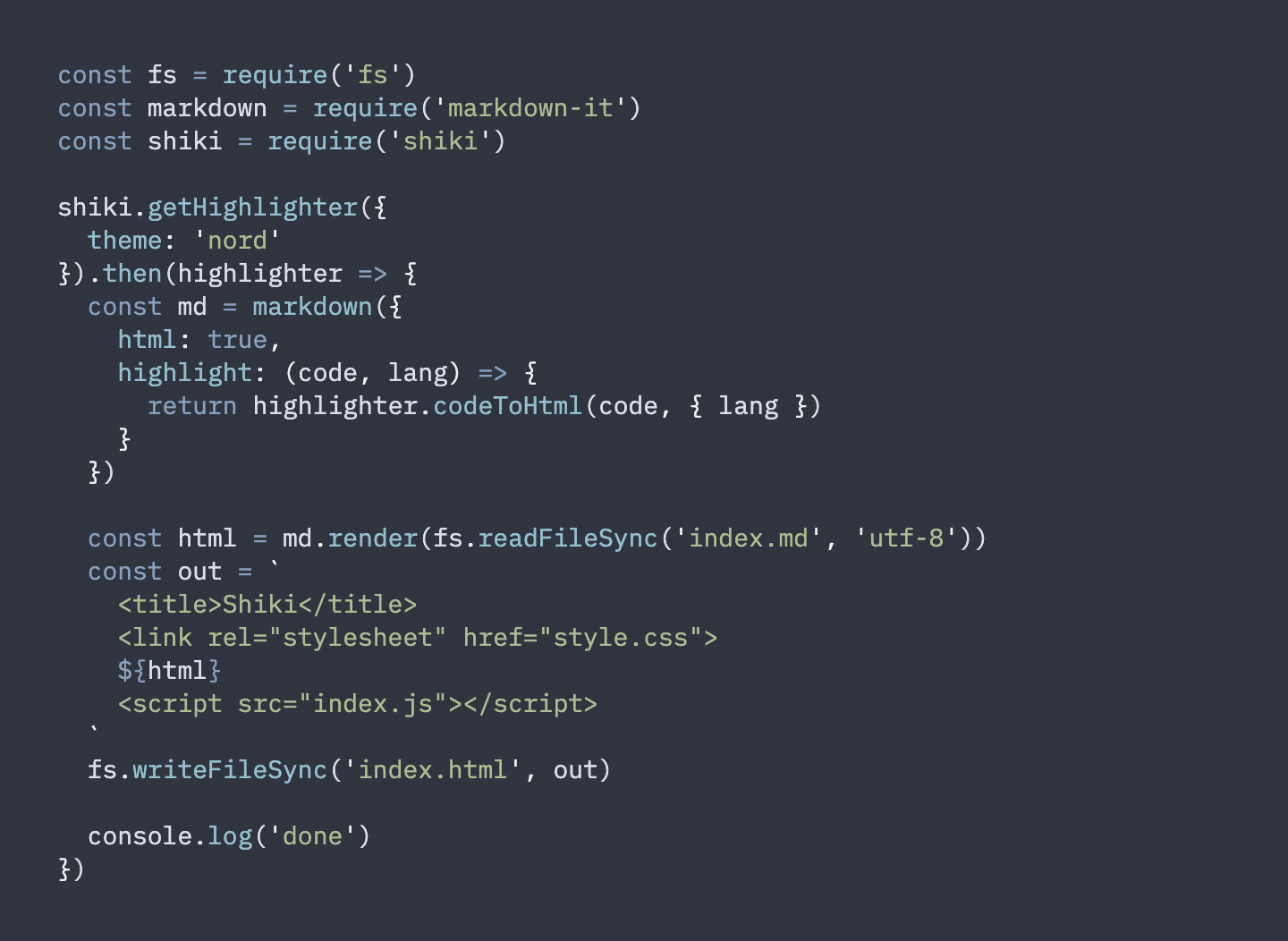
Now, if you thought I’d be dropping some highlight library filled to the brim with tree-sitting goodness, then, well, you’d be wrong. I mean, if I were on the other end of today’s Drop, I’d be thinking that, too!
I increasingly live in VS Code (sigh), and some highlighted snippets on some sites I’ve recently come across have had me doing a double take, since they looked like a VS Code window. Sure, anyone with talent and patience can re-mock/clone the look, but it happened on diverse sites, so it had me thinking that there’s a new tool in town. After some “view-source”’s, I managed to track it down to Shiki (GH).
This javascript library/module uses the aforementioned TextMate grammars to tokenize strings, and colors the tokens with VS Code themes. Shiki generates HTML that looks exactly like your code in VS Code, and it works great in your static website generator (or your dynamic website). It’s daft easy to use:
https://cdn.jsdelivr.net/npm/shiki

<script>
  shiki
    .getHighlighter({
      theme: 'nord'
    })
    .then(highlighter => {
      const code = highlighter.codeToHtml(`console.log('shiki');`, { lang: 'js' })
      document.getElementById('output').innerHTML = code
    })
</script>
Shiki is very focused and described well, so I will leave you in their hands if you want to see how you can fit this into your highlighting world.
microlight

I’m fully honest with all Drop readers and that trend will continue when I tell you that the library mentioned in this last section is why we’re talkin’ highlighters today.
Over the past ~week I’ve been obsessing on WebR, the new WASM R build that is set to change things up a bit. I came up with a way to benchmark WebR WASM package loads (blog), and wanted to show a code snippet on the demo site. I did not lie before when I said I was a tech gadfly, and decided to poke around for the smallest — but still neat — highlighting library I could find.
Said library is microlight (GH). It’s designed more for presenting stylized source code than being used in an editor context. At ~2.2K in size, it is completely self-contained. No individual language grammar rules. No 🌴 sitting. Just some clever programming, and minimalistic styling that slides right into blogs and documentation without causing a visual stir.
Hit up their site, or view-source on my WebR demo page to see how easy it is to use.
FIN
Hope everyone is having a great mid-March weekend!
If not, perhaps this ChatGPT generated “Back In The Highlight, Again” will cheer you up a bit. I only hope Steve Winwood will forgive me.
(You had to see this parody thing coming from a mile away.)
☮
Verse 1:
I used to stare at code all day
Trying to make sense of the array
But now with syntax highlighting, oh so bright
My eyes can easily find each line's highlight

Chorus:
I'm back in the highlight again
Reading code is no longer such a pain
I'm back in the highlight again
Syntax highlighting makes it all so plain

Verse 2:
I used to fumble through each block
Searching for that one small syntax dot
But now with colors bold and true
My code is easy to review

Chorus:
I'm back in the highlight again
Reading code is no longer such a pain
I'm back in the highlight again
Syntax highlighting makes it all so plain

Bridge:
Gone are the days of boring code
Now every line's a shining ode
Syntax highlighting, you're the star
Making my code look like a work of art

Chorus:
I'm back in the highlight again
Reading code is no longer such a pain
I'm back in the highlight again
Syntax highlighting makes it all so plain

Outro:
Syntax highlighting, you're the best
Putting my code to the ultimate test
I'll never go back to those bland days
Thanks to you, my code's always ablaze.

 hrbrmstr's Daily Drop
Leave a comment